
Lesson 1: How Exubee reads you
Before you give Exubee instructions, it helps to know how it handles them. Three ideas matter.
1. You are talking to a team
When you send a message, Exubee first decides which specialist should handle it. "What is our occupancy this week?" goes to reports. "Send someone to clean 204" goes to housekeeping dispatch. "Is the Wilson booking paid?" goes to the front desk specialist.
A request that touches several areas ("How did last week go, and what should I charge this weekend?") is split up and answered by more than one specialist. That works, but it is slower. One clear question per message gets a faster, sharper answer.
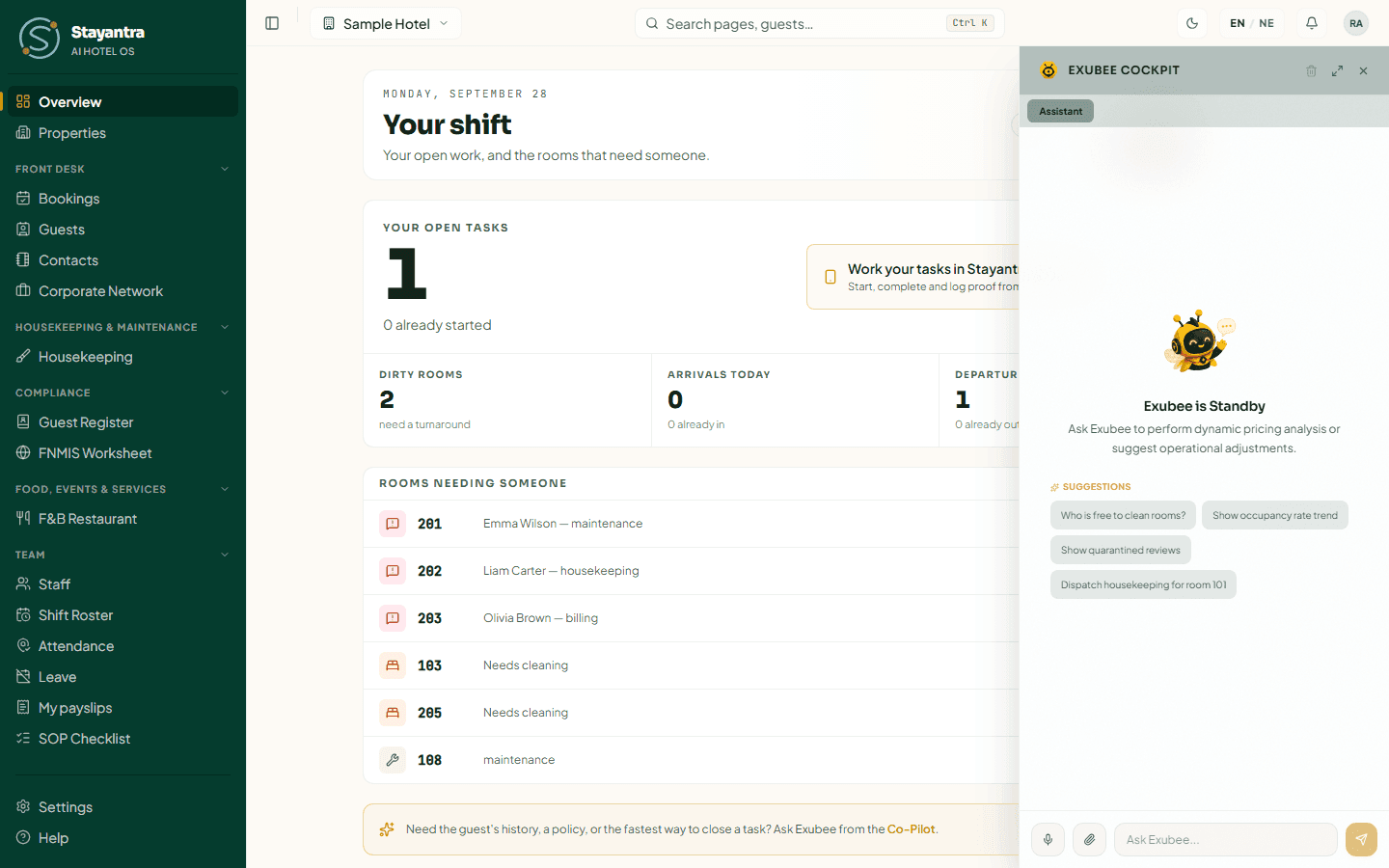
The tab you are on matters too: on Pricing, Exubee only reaches the pricing specialist. If you ask the Pricing tab to dispatch housekeeping, it cannot. Switch to Assistant for day-to-day operations.
Weak: "Check things for tomorrow."
Strong (Assistant tab): "List tomorrow's arrivals and departures, and tell me which arriving rooms are not clean yet."
2. Co-Pilot first: Exubee proposes, you decide
- Co-Pilot is where every hotel starts. Exubee does the thinking — reads demand, drafts a reply, picks a person for a task — and then proposes. Some proposals appear as a card in the chat with Approve, Edit and Reject. Others (moving a task to someone else, a shift change, a room status, a charge on a bill) wait on the Exubee page in the sidebar. Nothing changes at the hotel until a person approves.
- Auto-Pilot is earned one stream at a time (pricing, housekeeping dispatch, reviews and so on) after a long record of good proposals, and only by invitation. Even then it acts only inside the limits you set, and logs every move. Lesson 7 explains how a stream graduates.
In Co-Pilot, when you ask the Pricing tab about rates, it answers with a table of recommendations and does not change any price by itself.
3. What Exubee can and cannot see
Exubee works only with your hotel's data: bookings, rooms, rates, guests, tasks, staff, bills, reviews, stock, and the notes and policies you give it. It cannot see other Stayantra hotels.
It can see the competitors you track yourself. The pricing specialist reads the rates of your competitor set (from Revenue → Competitors) when it suggests a price. So "How do our Deluxe rates compare with the hotels we track?" is a good question. "What is Riverside Retreat charging?" works because the Sample Hotel tracks it; a hotel you do not track is invisible to Exubee.
Exubee also knows the local events and festivals on your Market Events calendar.
4. Your role sets what Exubee can do for you
Exubee can only do what you can do. A manager can ask it to dispatch housekeeping or propose a shift change. A housekeeper using the Assistant tab gets answers about rooms and tasks, but Exubee cannot make changes for them. It tells them a manager has to, and on which screen.
5. Everything is logged
Every action Exubee takes or proposes is written to a permanent record that cannot be edited or deleted. On the Overview page, the AI actions log shows what Exubee and Auto-Pilot did, when and why, next to the Hotel actions log for your staff.
The kill switch on the Autonomy page stops every Auto-Pilot action at once. Chat and Co-Pilot proposals keep working, because a person still approves each of those.
Because every proposal waits for a person and every action is logged, you can experiment freely. The cost of a weak instruction is one rejected card.