
The mobile apps
Stayantra has two phone apps. Stayantra Connect is for the people who run the hotel: staff, managers and owners. Stayantra Go is for guests: finding a hotel, booking it, and everything during the stay. Both work with the same hotel data as the web app, so a booking made in Go shows on the front desk's grid at once, and a towel request sent from Go becomes a task in Connect.
Where to get them: Google Play (Android), by invitation during launch. Who can use them: Connect, anyone with a Stayantra login at a hotel. Go, any guest.
At a glance
| Stayantra Connect | Stayantra Go | |
|---|---|---|
| For | Owners, managers and staff | Guests and travellers |
| Android | Google Play closed testing, by invitation | Google Play closed testing, by invitation |
| iPhone | Not released yet | Not released yet |
| Sign in with | The same email and password as the web app, or Google | Email and password, or Google (and Apple on iPhone). Guests can also browse without an account, or open one booking with its reference and email. |
| Languages | English and Nepali | English |
| App lock | Fingerprint or face, optional | Fingerprint or face, optional |
| Guides | Staff guide | Go app, Your stay |
The web app at app.stayantra.com does everything and works in any browser, including a phone's. Staff with an iPhone use it until the iPhone apps are released.
Get the apps
Both apps are in Google Play closed testing during launch. Google Play shows them only to people on the app's tester list, so they cannot be found by searching the Play Store.
[!IMPORTANT] Stayantra turns this on. Each person who needs Connect or Go must be added to the app's tester list with the Google account on their Android phone. Ask for it from Help → Open a support ticket, listing each person's name and the Gmail address on their phone.
Stayantra replies with the Google Play link. On the phone, signed in to that Google account, open the link, accept the invitation, then tap Install. The full steps are in Install the apps.
Guests do not need Go to book your hotel: the Stayantra marketplace and your booking widget work in any browser. While Go is in closed testing, do not ask guests to download it.
Stayantra Connect: for your team
Connect holds each person's work for the day. What they see depends on their role (owner, manager, staff) and their jobs (front desk, cashier, housekeeping, maintenance, kitchen, service, bellhop, security, store).
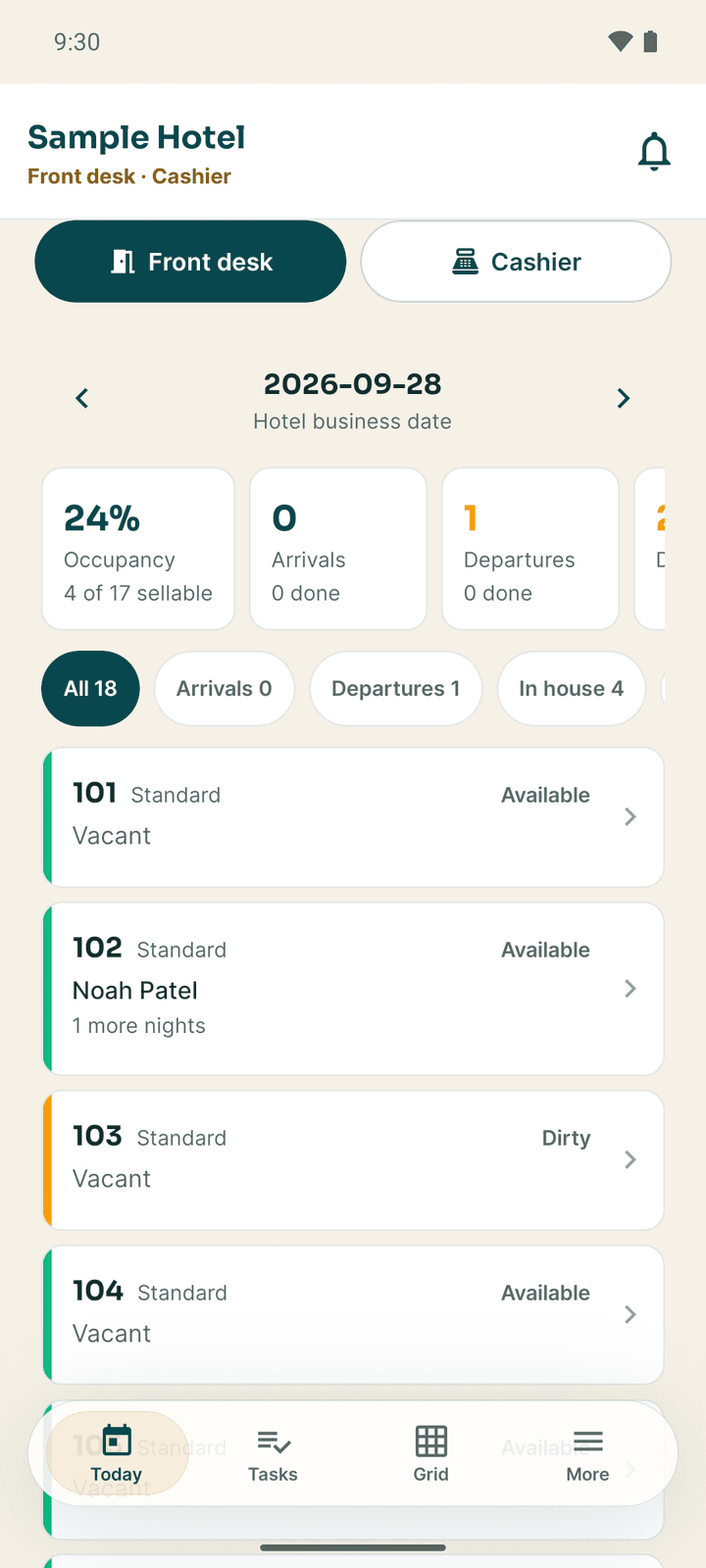
- Front desk and cashier: the Today board, the room grid, arrivals, check-in and check-out, walk-in bookings, payments, the cash drawer, guest messages, brokers and refunds.
- Housekeeping: the room status board, cleaning tasks with photo proof, linen, lost and found, minibar checks and fault reports.
- Maintenance and security: work orders with spare parts and after photos, the asset register, preventive schedules, and the security incident log.
- Kitchen and service: the kitchen ticket board, table and room orders, bills and splits, and table bookings.
- Store: purchase requests, receiving deliveries, market purchases, issuing stock and stock counts.
- Everyone: clocking in and out, leave, payslips, the roster, the SOP checklist, contacts and emergency numbers, notifications, and Ask Exubee.
- Managers and owners: a dashboard, the daily briefing, approvals, complaints, team attendance, payroll, staff and reports.
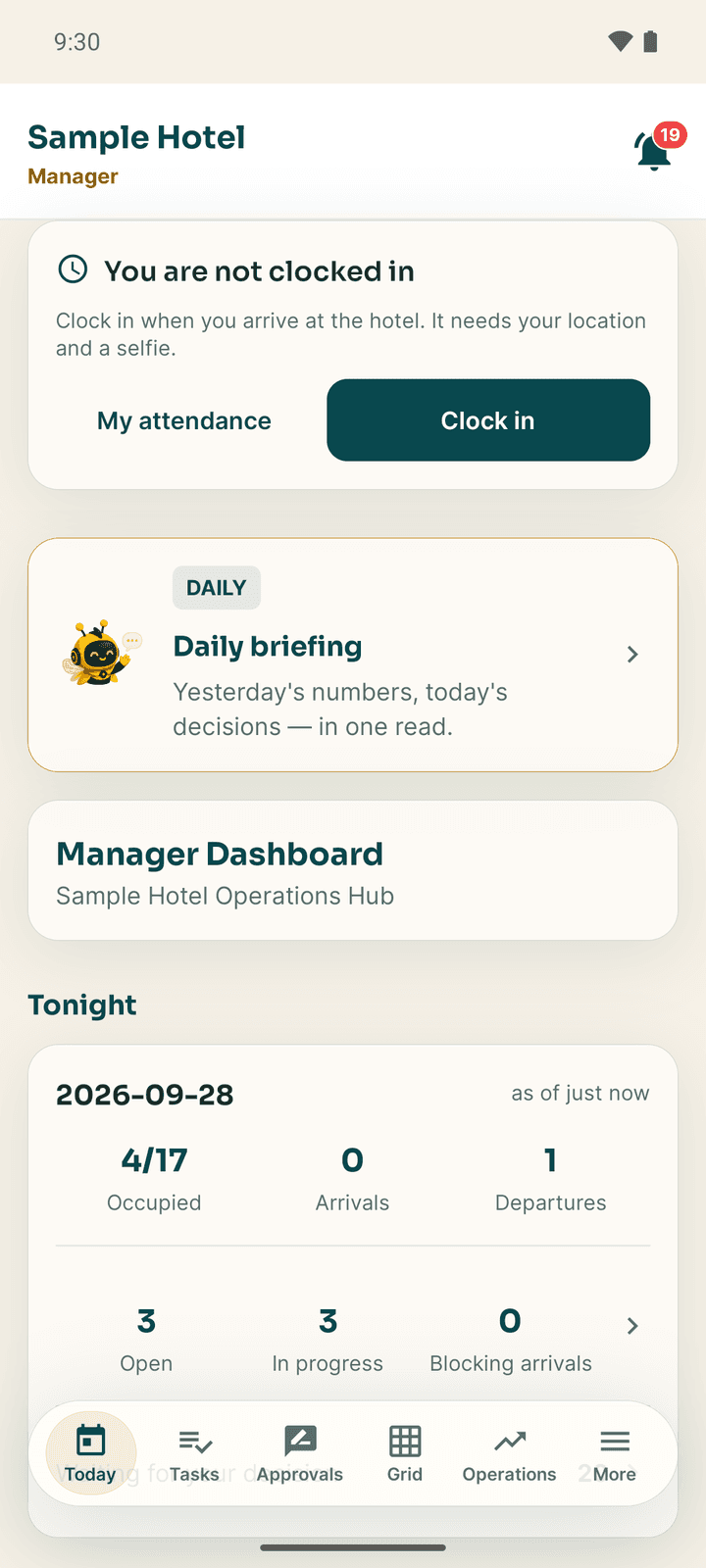
Start with Getting started with Connect.
Stayantra Go: for your guests
Go is the guest's side of the stay:
- Discover and book: search hotels by city, dates and guests, filter by mood and amenities, open a hotel's page, and book with eSewa, Khalti, Fonepay or card, a deposit, or pay at the hotel.
- Trips: every booking, with the stay pass, payment, cancellation and date changes, sending an ID ahead, and the neighbourhood guide.
- The stay: check in from the app when the stay is paid, or show the stay pass QR at reception, ask for towels or a wake-up call, order food to the room, chat with the front desk, see and settle the bill, extend the stay, check out, and rate it.
- Wallet: Stayantra Rewards points, vouchers, birthday and anniversary offers, and referrals.
- Exubee: the AI concierge, from the button in the middle of the tab bar.
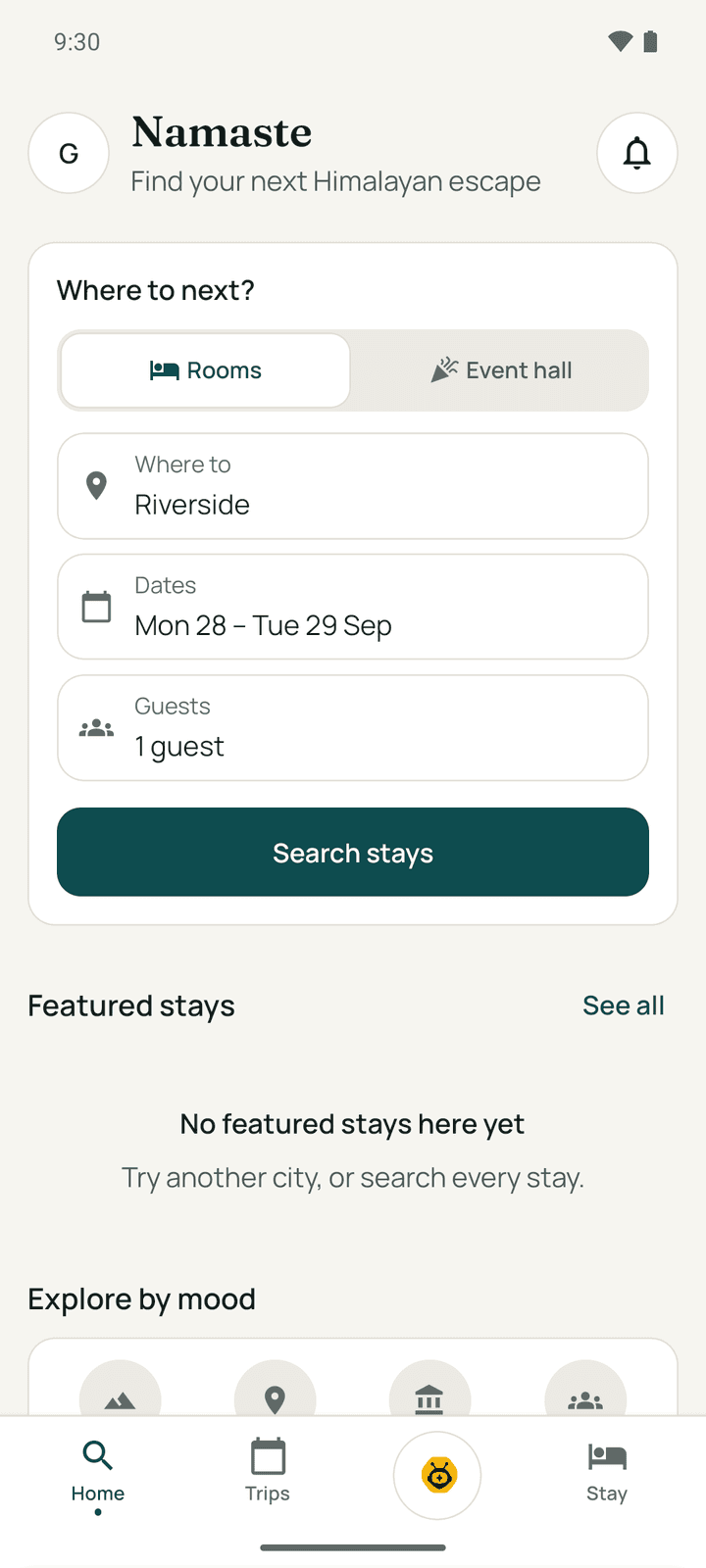
Start with The Go app and Your stay.
Signing in
Connect uses the same login as the web app. On Log In, enter the Email Address and Password, or tap Continue with Google. Forgot? sends a password reset link. There is no QR pairing, and no code by text message. A person who works at two hotels switches between them under More.
Go lets a guest start without an account:
- Browse hotels without signing in.
- Link a booking with the booking reference and the email it was made with. This opens that one stay: check-in, requests, the bill.
- Sign in (or Create account) with email and password, Continue with Google, or Continue with Apple on an iPhone. An account keeps every trip, the Wallet and referrals together.
Neither app uses text-message codes or passkeys.
Notifications
Connect asks to send notifications from a card on Today. Staff are notified about new tasks, approvals, guest messages, bookings, their attendance, leave decisions, payslips, shift changes and kitchen orders. A task notification has a Start button and an approval notification Approve and Reject, so they can act from the notification shade. Tapping a notification opens the right screen, switching hotel first if needed.
Go asks only once a guest has linked a booking or signed in. Guests are notified about booking confirmations and changes, check-in, their requests, replies from the front desk, and offers. In Trips → Settings → Notifications a guest can turn each kind on or off: Booking updates, Stay updates, Messages from the hotel, Offers and rewards.
Using the apps without a signal
Both apps keep working when the connection drops.
Connect shows the last saved copy of Today, Tasks, Grid and Approvals with the notice Showing saved data. Starting and completing tasks, room status changes, approval decisions, SOP ticks and clocking out are kept on the phone and sent when the signal returns. Clocking in, leave, payroll, the assistant and taking payments need a connection.
Go shows the guest's trips, current stay, bill and emergency numbers from the last saved copy, with You are offline. Service requests, quick asks (late checkout, early check-in) and ratings are kept on the phone and sent later ("1 action waiting to sync"). Searching, booking and paying need a connection.
Languages
Connect is in English and Nepali. Switch in More → Settings → Language (NE/EN). Notification texts written by the server may still be in English.
Go is in English only.
App lock
Both apps can ask for a fingerprint or face before opening. It is off until the person turns it on, and it only works on a phone with a fingerprint or face set up.
- Connect: More → Settings → Biometric Lock. The app locks each time it opens and after 5 minutes in the background. The lock screen has Unlock with Biometrics and Log Out.
- Go: Trips → Settings → Security → Biometric lock. The app locks after 2 minutes in the background and can fall back to the phone's PIN. A failed unlock never signs the guest out.
What the apps do not do
To avoid confusion with other hotel apps:
- There is no digital room key. Go does not open doors by Bluetooth or NFC. After check-in it shows the room number, floor and Wi-Fi details; the hotel hands over the key.
- There is no sign-in by text-message code and no passkeys.
- There is no iPhone app yet.