
Lesson 5: Marketing, reviews and events
Two tabs handle what guests see from you: Marketing for campaigns, posters and reviews, and Events for banquets and functions.
Who sees them: the Marketing tab is for owners and managers. The Events tab is for anyone who can make bookings.
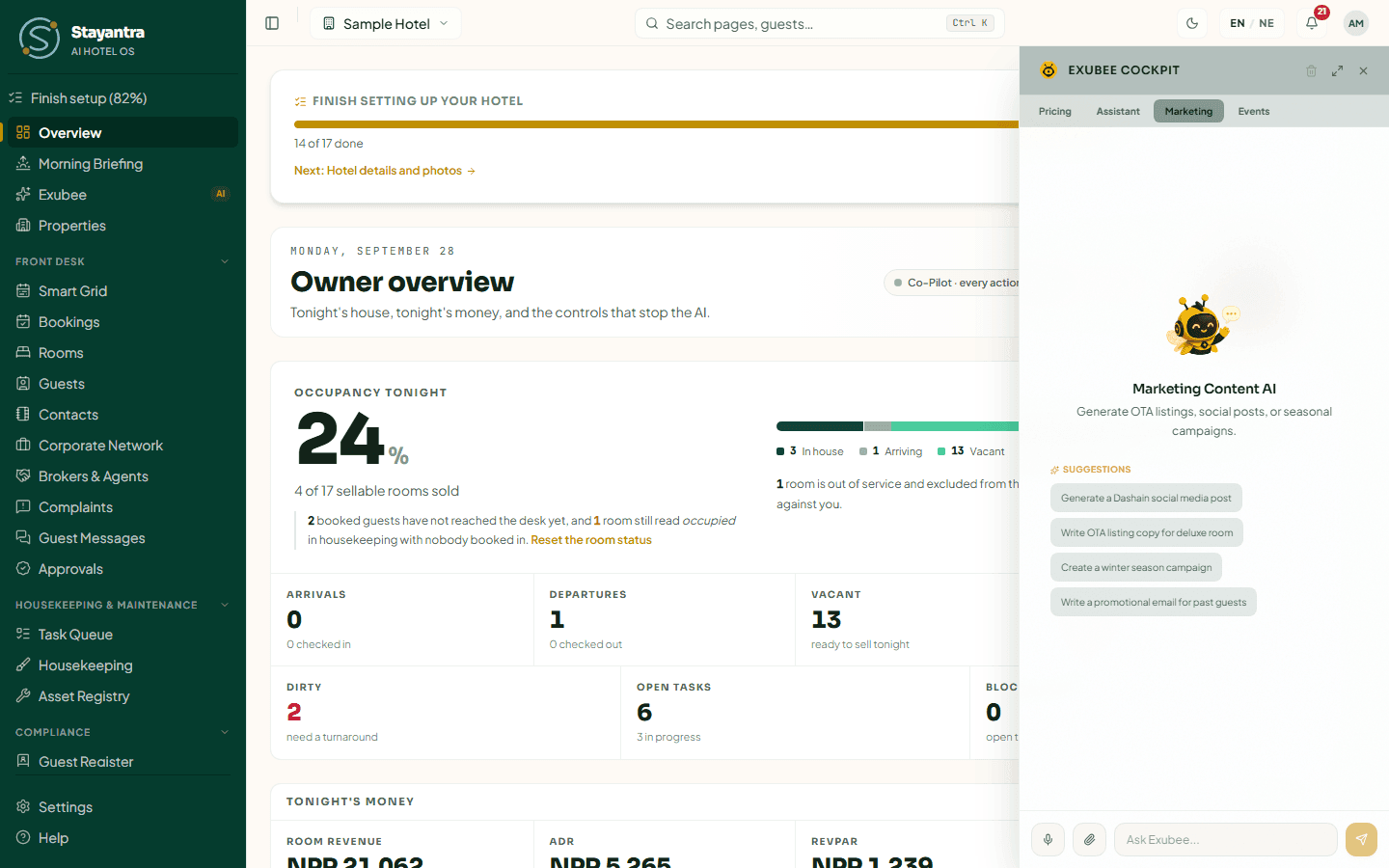
Campaigns and posters
What it can do: draft a campaign for Facebook, Instagram or email, and make a poster image. A campaign is always held as a draft on the Exubee page until a person approves it; nothing is posted or sent from the chat. Posting to Facebook and Instagram needs your Page connected on Settings → Connections → Social Accounts.
Exubee cannot send SMS or WhatsApp campaigns.
Give it three things: the occasion, the audience and the channel, plus the offer and the tone.
Weak: "Make a post."
Strong: "Draft an Instagram post for Dashain: 10% off stays of three nights or more booked before Ghatasthapana, for families. Warm tone, one booking link."
Strong: "Write an email to guests who stayed with us last winter: 15% off a weekend in December. Short, friendly, one button."
Strong: "Make a poster for our Tihar dinner on the Lake Terrace, NPR 2,500 per person."
Daily limits keep campaigns safe: by default one campaign, three social posts and 200 email recipients a day, and a marketing spend limit. A proposal over a limit is refused and says why.
Posts Exubee writes end with your AI disclosure line when they go out unedited (Settings → Connections → Social Accounts).
Reviews
In the chat, Exubee can put a suspicious review aside (quarantine it) or publish a reply. On a Co-Pilot hotel, quarantining is a proposal you approve.
"Show quarantined reviews."
"Quarantine the one-star review from yesterday that mentions a hotel we don't own."
To draft a reply, open Marketing & Reviews → Guest Reviews and click Draft with Exubee on the review. Exubee writes a reply you can edit before publishing. See Reviews.
Exubee does not file disputes with Booking.com or other sites.
Complaints
Complaint triage lives on the Assistant tab (Lesson 4). The short version: log the complaint first, then ask Exubee to assess it.
Events and banquets
The Events tab talks to the events specialist. It knows your halls, bookings and enquiries.
What it can do: read your events diary and enquiries, draft a quote for an enquiry, and draft a follow-up for an enquiry that went quiet. Both are drafts that wait for a person; nothing is sent automatically.
The chips on this tab are a good start: Draft a quote for the Sharma wedding enquiry, Follow up on unanswered banquet enquiries, What local events fall in the next month?, Compare our hall rates to the market.
Weak: "Quote the wedding."
Strong: "Draft a quote for the Martin wedding enquiry: 150 guests in the Grand Hall, evening slot on 14 November, veg and non-veg buffet. Stay within our standard wedding package."
Strong: "Which banquet enquiries have had no reply from us in three days? Draft a follow-up for each."
See Events and banquets.