
Lesson 6: Teaching Exubee your rules
You should not have to tell Exubee the same thing every day. There are two places to teach it once:
- Policies — rules about what Exubee may do, such as "never price Standard above NPR 9,000". Some are enforced by Stayantra itself.
- House knowledge — facts about your hotel that are not in the data, such as "the lift is out of service until 15 October".
Both are under Insights & AI in the sidebar, for owners and managers.
How Exubee learns from you
Every decision you make is a lesson:
- Approving a proposal as it is says "more like this".
- Editing it is the strongest signal: it shows your exact preferred answer, and the Why are you changing this? note gives the reason.
- Rejecting with a reason (Too Aggressive, Wrong Timing, Wrong Target, Factually Wrong, Other) says what to avoid.
Once a week Stayantra looks at your decisions. When you keep correcting the same thing the same way, it proposes a policy that captures it. You then confirm it or veto it.
Policies
Where: Insights & AI → Policies. The page describes itself as "Owner-approved operating rules learned from decisions."
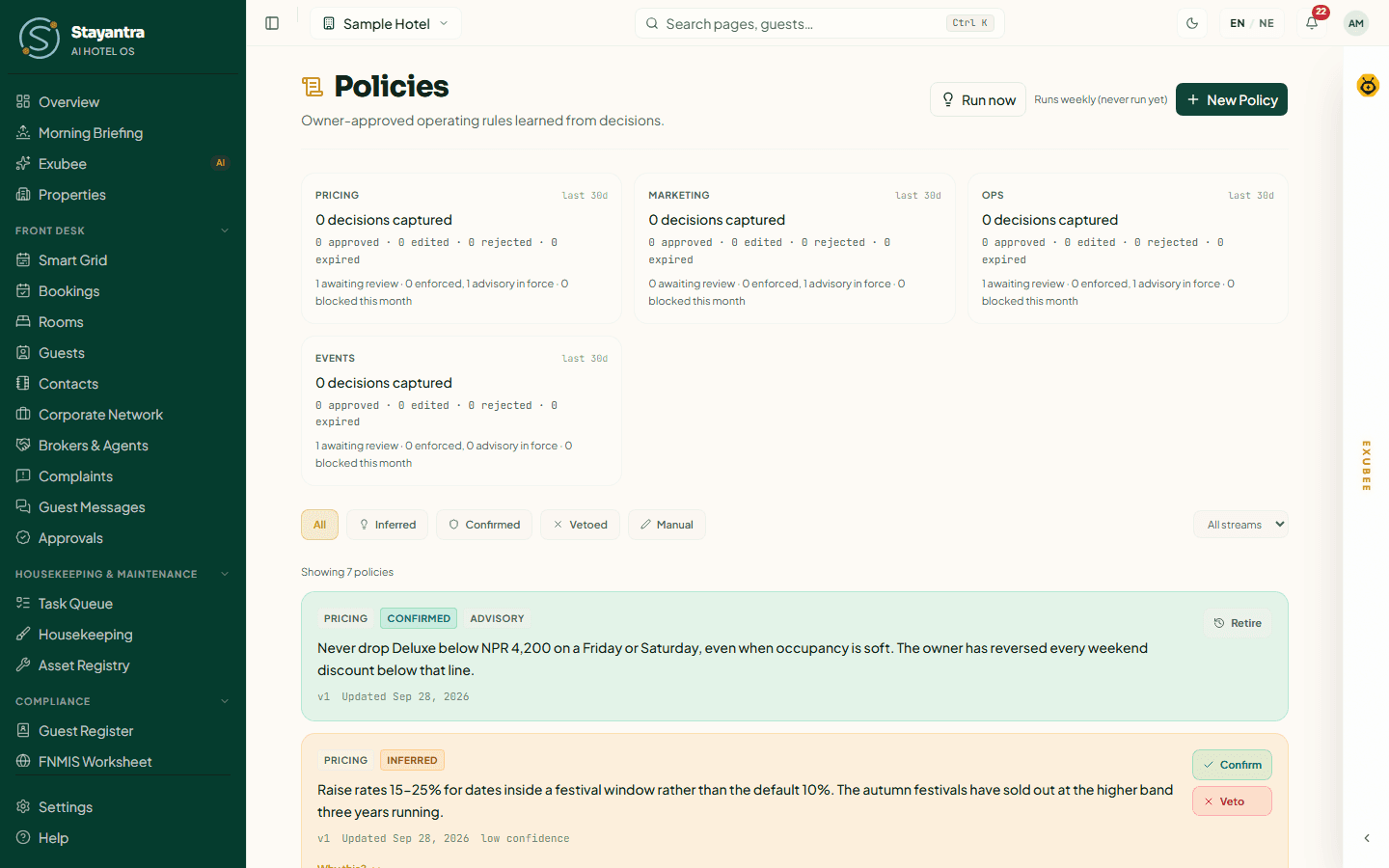
At the top, one card per area (pricing, marketing, operations, events) counts the decisions captured in the last 30 days and the policies waiting for review, enforced or advisory. Below, filter the list with All, Inferred (proposed from your decisions), Confirmed, Vetoed and Manual (ones you wrote), or by area with All streams. An inferred policy has Confirm and Veto; a confirmed one has Retire. New Policy lets you write one yourself, and Run now runs the weekly learning pass straight away.
Each card carries a badge:
| Badge | Meaning |
|---|---|
| Enforced | The policy contains a rule Stayantra can check. Any action that breaks it is refused, whoever or whatever tries it. |
| Advisory | Guidance Exubee follows when it proposes, with nothing enforcing it. |
| Needs attention | The policy looks like a rule Stayantra recognises but cannot check. To be safe, actions of that kind are refused until you retire it or write it again more clearly. |
Rules Stayantra can enforce
Write a rule in one of these shapes and it can become Enforced:
| Area | Rule |
|---|---|
| Prices | A lowest price for a room type; a highest price; a percentage change; the most a price may change in a day |
| Housekeeping and tasks | A minimum priority for a kind of task; the most tasks dispatched in a day |
| Reviews | The most review replies in a day |
| Complaints | Which severities only a person may handle |
| Marketing | The most posts in a day; the most email recipients |
| Events | The largest discount on an event quote |
| Expenses | The largest single expense |
| Payroll | The largest payroll total |
Anything else becomes Advisory.
Phrasing a policy so it sticks
Say it in plain, absolute words and give the reason:
"Never price Standard rooms below NPR 3,000 — below that we lose money on laundry and breakfast."
"Never discount an event quote by more than 10% — our hall rates are already below the market."
"Always treat complaints of severity S1 as for a person to handle, never Exubee."
"No more than three social posts a day."
Words like always, never, no more than and for [this group] mark a standing rule. Compare:
One-time (say it in the chat): "Don't go above NPR 9,000 for Deluxe this weekend."
Standing rule (make it a policy): "As a rule, never price Deluxe above NPR 9,000."
Keep policies current
Policies are not edited in place. When your hotel changes — a renovation, a new season, a new room type — Retire the old policy and write a new one, so the record of what you decided and when stays honest. An out-of-date Enforced floor can quietly cost you bookings in a slow week, because it keeps refusing lower prices whether or not anyone is watching.
House knowledge
Where: Insights & AI → House knowledge. The page describes itself as "What Exubee should know about this hotel that isn't in the data."
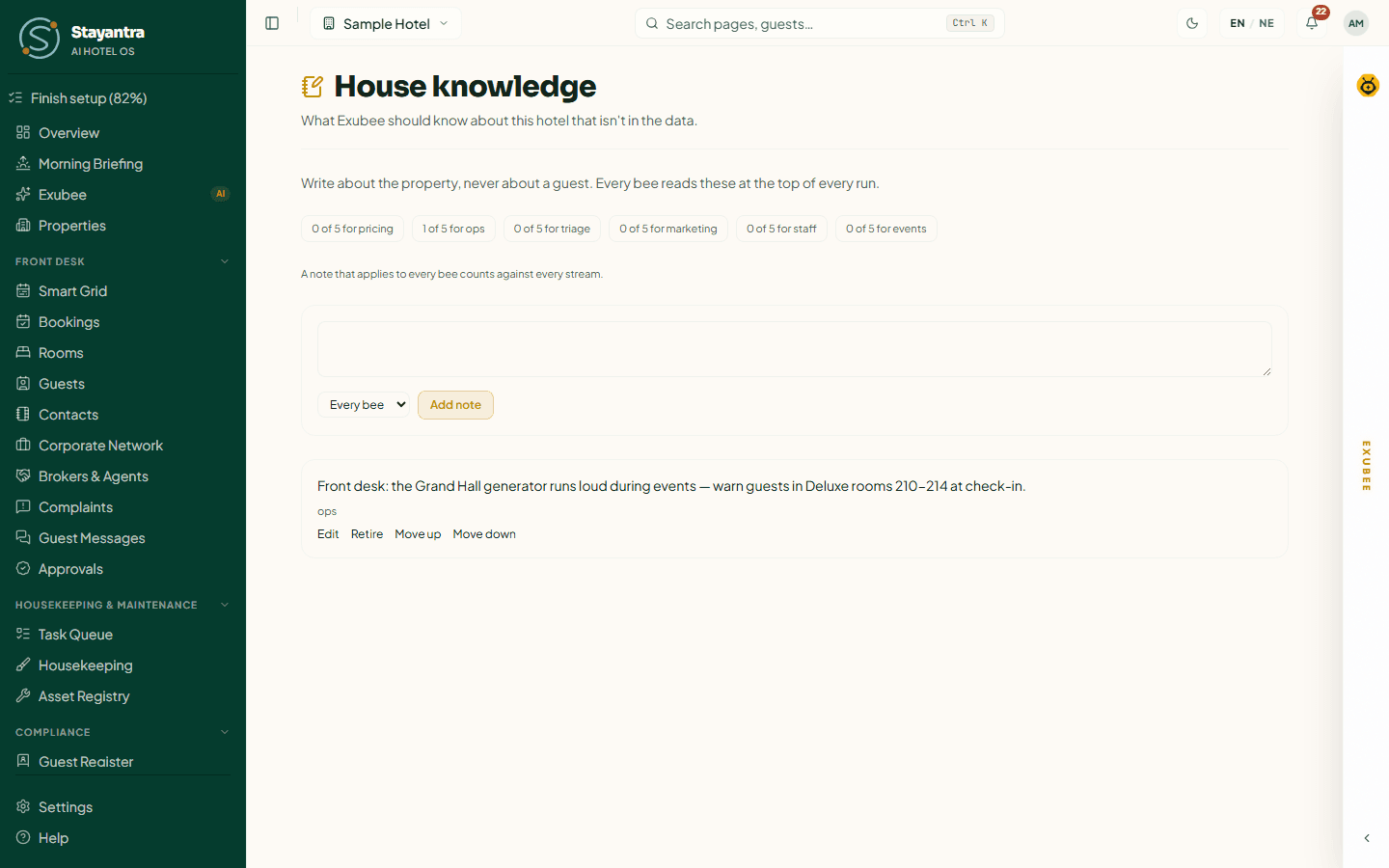
A house note is a short fact Exubee reads at the start of every conversation. Type it in the box, choose who it applies to — Every bee, or one area (pricing, ops, triage for complaints, marketing, staff or events) — and click Add note. Each note has Edit, Retire (when it is no longer true), and Move up / Move down to put the most important first. The counters above the box show how many notes each area has, for example 1 of 5 for ops.
The rules:
- 10 to 280 characters per note.
- At most 5 active notes per area. A note for Every bee counts against every area.
- Write about the property, never about a guest. Notes with an email address, phone number or ID number are refused.
- Notes are facts, not rules. Exubee uses them, and says when a note changed its answer, but nothing enforces them. For a rule, write a policy.
Good house notes for the Sample Hotel:
"The lift is out of service until 15 October. Rooms 301–303 are reached by stairs only." (Every bee)
"Housekeeping starts at 7 am; no room can be cleaned before then." (Operations)
"Our breakfast is included in every Deluxe and Suite rate." (Marketing)
"The Lake Terrace cannot be used for events in the monsoon, June to September." (Events)
A useful first note: the one thing a new manager would have to be told on their first day.