
Lesson 7: Approvals and Auto-Pilot
This is where the daily habit and the long-term payoff meet: how to decide on proposals quickly and well, and how a stream of work earns the right to run on its own.
Where proposals appear
- In the chat, as a card: price changes, task dispatches, and review quarantines and replies.
- On the Exubee page (sidebar Exubee): everything waiting for you — the cards above, plus proposals that get no card in the chat, such as moving a task, a shift change, a room status, a charge on a bill, a campaign draft, an expense or a payroll run. Scan for Suggestions asks Exubee to look for new ones now. When nothing is waiting you see Nothing waiting for your approval.
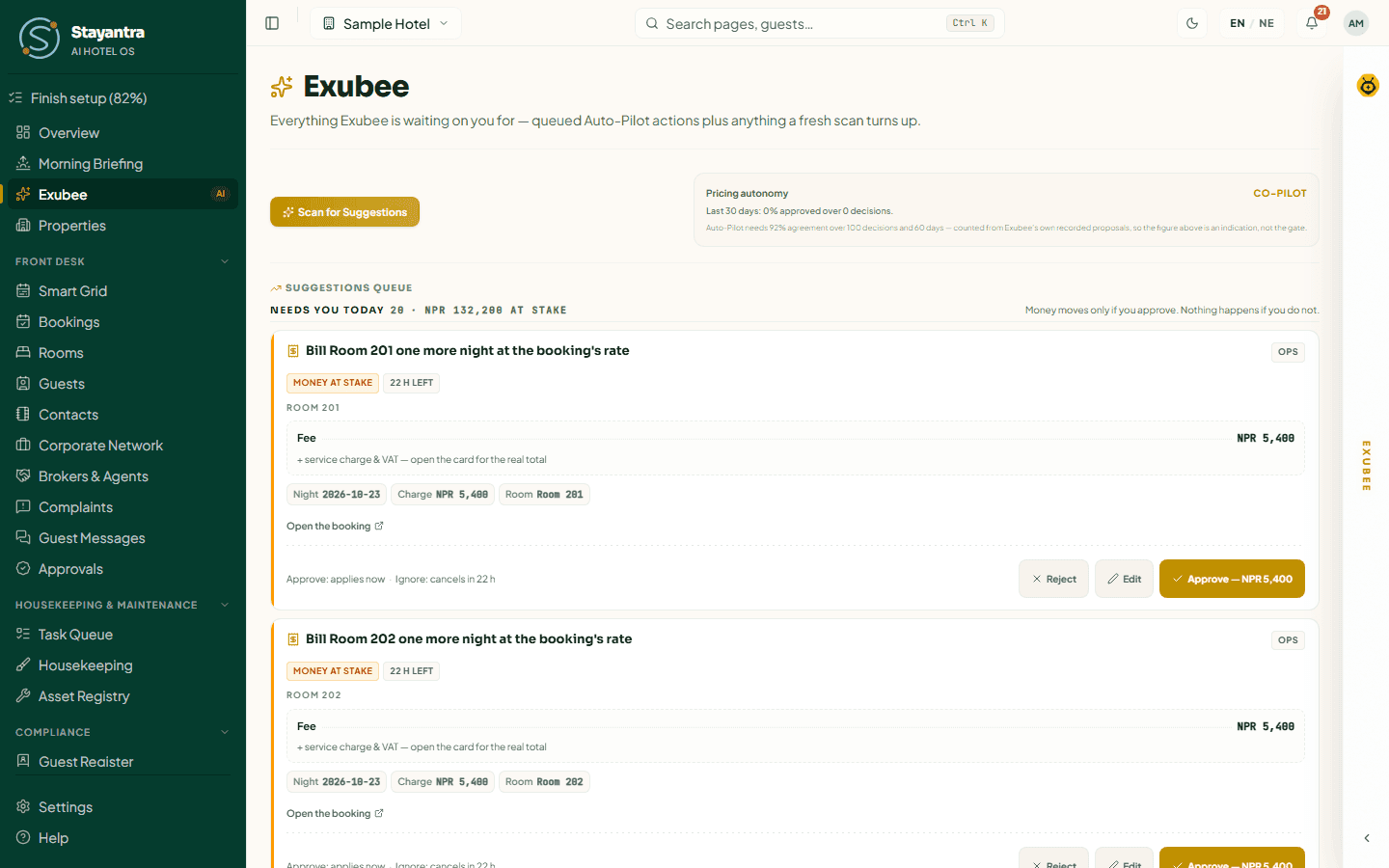
For the full approval screen, see Exubee approvals.
Reading a card
Every card shows three things:
- The action — exactly what Exubee wants to do: "Deluxe to NPR 8,400 for Saturday".
- The numbers — current and proposed values, so you can check it at a glance.
- The reasoning — why, in plain words: "88% booked and a wedding in Riverside on Saturday".

Approve, edit or reject
- Approve when the proposal is right.
- Edit when it is close. On a price card, Edit opens Change this price before approving: type your figure, answer Why are you changing this?, then Save & Approve. On a task card, Edit / Assign lets you pick a different person before approving.
- Reject when it is simply wrong. Pick a reason — Too Aggressive, Wrong Timing, Wrong Target, Factually Wrong or Other — and add a short note, then Confirm Reject.
Edit, don't silently reject
When a proposal is nearly right, edit it. An edit tells Stayantra your exact preference and your reason, which is what turns into a policy later (Lesson 6). A reject with no reason only says "no". Example from the Sample Hotel:
Exubee proposes Deluxe at NPR 8,400 for Saturday. Jordan thinks NPR 8,000 is right because a corporate group already booked two rooms at that rate. He clicks Edit, types 8,000, writes "corporate block already committed at 8,000", and clicks Save & Approve.
Next time, Exubee knows that committed group rates hold a price down.
How a stream graduates to Auto-Pilot
Auto-Pilot is granted one stream at a time, only when the record is strong, and only by invitation. Each stream has its own bar:
| Stream | Agreement with your decisions | Over at least | For at least |
|---|---|---|---|
| Operations (housekeeping dispatch), complaint triage, reviews | 85% | 30 decisions | 30 days |
| Marketing, events | 90% | 20 decisions | 45 days |
| Pricing | 92% | 100 decisions | 60 days |
| Finance | 92% | 60 decisions | 60 days |
| Staff | 92% | 45 decisions | 90 days |
Streams that touch money or staff also need a good measured outcome, not just agreement. A guardrail breach counts against a stream.
The Autonomy page shows where each stream stands. From Settings → Billing & Admin, Review Graduation Status opens it too. Only an owner can switch a stream to Auto-Pilot, and only once it is invited.
You are never locked in
- You can move any stream back to Co-Pilot whenever you want.
- The kill switch on Autonomy stops every Auto-Pilot action at once. Chat and Co-Pilot proposals keep working, because a person still approves them.
- Your guardrails still apply in Auto-Pilot: the daily price-move limit, marketing limits and the rest.
Graduation is a convenience Exubee earns. It never takes control away from you.