
Lesson 4: Running the hotel day
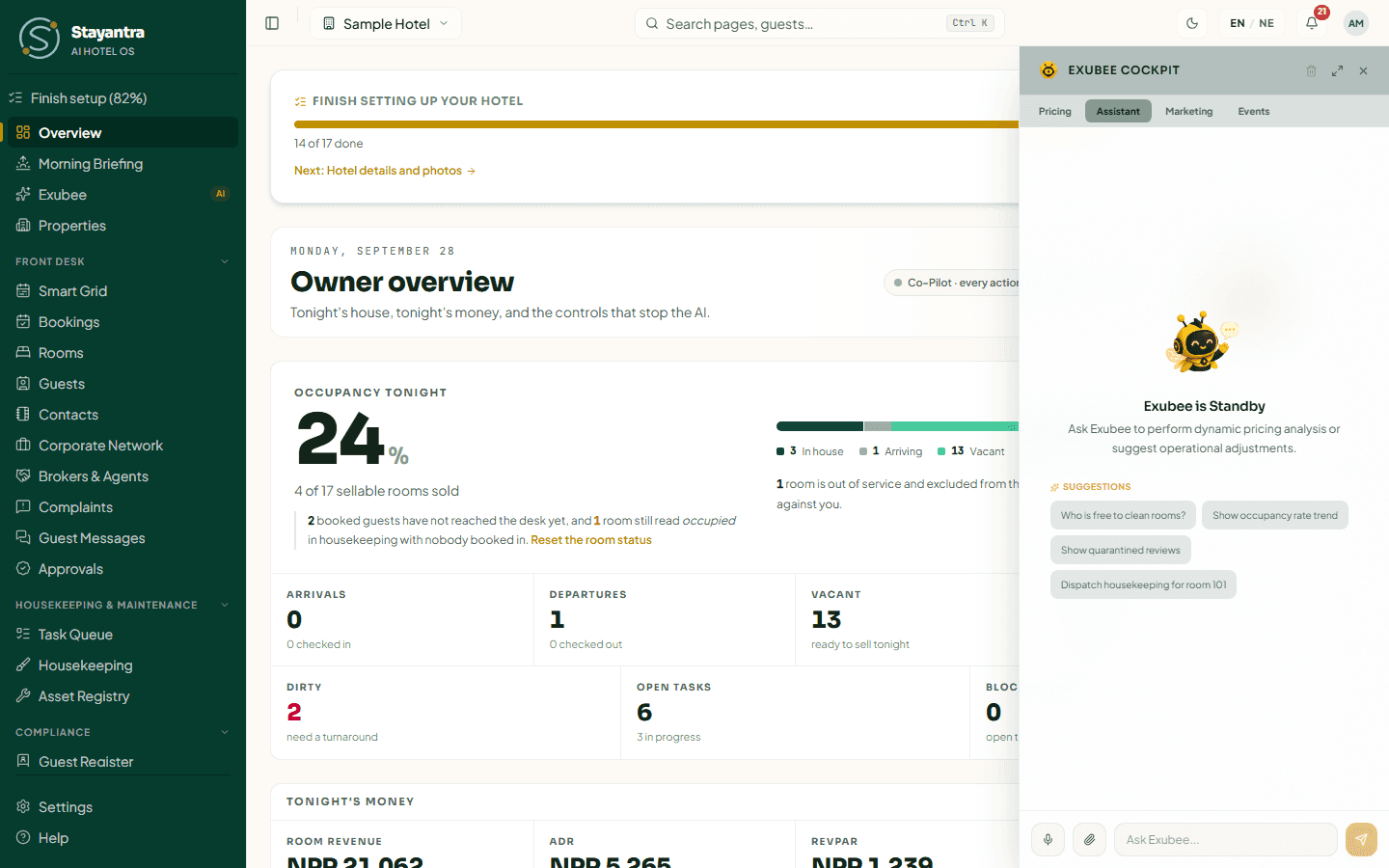
The Assistant tab is Exubee's everyday desk. Behind it sit several specialists: housekeeping and tasks, the front desk, reports, payroll, expenses, purchasing and complaint triage. You do not choose between them; Exubee does. Your job is to be specific.
Who sees the Assistant tab: everyone. Owners and managers can ask it to propose changes. Staff get answers only.
Housekeeping and tasks
What it can do: say who is on duty and how busy each person is, list tasks and their details, look at the roster, list complaints and assets and an asset's repair history, and dispatch a task. When it dispatches, it picks the person by skill, shift and floor, and shows a card: Approve Suggested, Edit / Assign or Reject.
It can also propose moving a task to someone else, a shift change, a room status change (for example marking 105 out of order), or adding an outside contact such as a plumber. Those proposals wait on the Exubee page for a manager.
Weak: "Clean the rooms."
Strong: "Emma Wilson arrives at 2 pm in 204. Dispatch housekeeping to 204 first — it was a checkout this morning."
Strong: "Who is free to clean rooms right now, and who has the most tasks?"
Strong: "The shower in 302 is leaking. Dispatch maintenance, urgent — the Suite guest is in-house."
Strong: "Maya is off sick tomorrow. Propose moving her front desk shift to Jordan."
Front desk
What it can do: find a booking, list arrivals and departures, find a guest, list rooms and their status, show a bill's balance, list table reservations, and propose a charge on a guest's bill (it waits for approval).
"Is Liam Carter's booking for next week paid?"
"List today's departures with an unpaid balance."
"Which Deluxe rooms are clean and free tonight?"
"Add a NPR 1,200 airport pickup to Noah Patel's bill in 203." (Exubee proposes the charge; a manager approves it.)
Exubee cannot check a guest in or out, move a booking or take a payment. Use the Front Desk screens for those; see Bookings and folios.
Reports and numbers
What it can read: revenue reports, expenses, the night audit status, channel health, rate plans, corporate accounts, broker balances, loyalty balances, reviews, how your AI streams are doing, occupancy and booking pace.
Weak: "How are we doing?"
Strong: "Revenue and occupancy for September against August, split by booking channel."
"Did last night's night audit finish?"
"Which OTA channel has errors this week?"
"How much do our corporate accounts owe us, oldest first?"
A question about one booking, guest, room or bill goes to the front desk specialist. A question about a period's totals goes to reports. If an answer is about the wrong thing, say which you meant.
Payroll and expenses
- Payroll: "Show this month's payroll details for housekeeping." Exubee can propose a payroll run with the gross pay; Stayantra works out the SSF and tax, and it waits for approval.
- Expenses: attach a photo of a receipt and say "Record this as a kitchen expense." Exubee reads the receipt and proposes the expense for approval. "List this month's expenses over NPR 5,000" reads them back.
Purchasing and stock
What it can do: stock levels, purchase orders, supplier bills, what the outlets ordered, menu availability, a demand forecast and why it recommends an order quantity. It can draft a request for quotes (it never sends it) and propose a purchase request — never a purchase order.
"What's running low in the kitchen store, and what should we order for next week's wedding?"
"Propose a purchase request for 20 kg of rice and 10 litres of cooking oil for the kitchen."
Complaints
The complaint specialist works on complaints already logged on Complaints. It reads the stay's history and recommends who is responsible, how severe it is (S1 to S4), and whether the guest may leave a bad review. It never sets staff penalties or pay.
Weak: "AC issue room 3."
Strong: "Look at the complaint about the air conditioning in 302 from this morning. How severe is it, and who should handle it?"
Log the complaint first on Front Desk → Complaints; Exubee cannot create one from a chat message. See Complaints.
If you are staff
Staff can ask the same questions and get the same answers about rooms, tasks and bookings. When a change is needed, Exubee says a manager has to make it and where. For example:
Housekeeper: "Can you move my 3 pm task to Liam?"
Exubee: explains that a manager has to reassign tasks, on Task Queue.