
Try the live demo
You can try Stayantra before you sign up. Demo Hotel is a sample 18-room hotel on Pokhara Lakeside, filled with sample bookings, guests, restaurant orders, events, tasks and stock. Everyone uses the same logins, and everything is put back every night.
Where to find it: app.stayantra.com. Sign in with any login below. Who can use it: anyone.
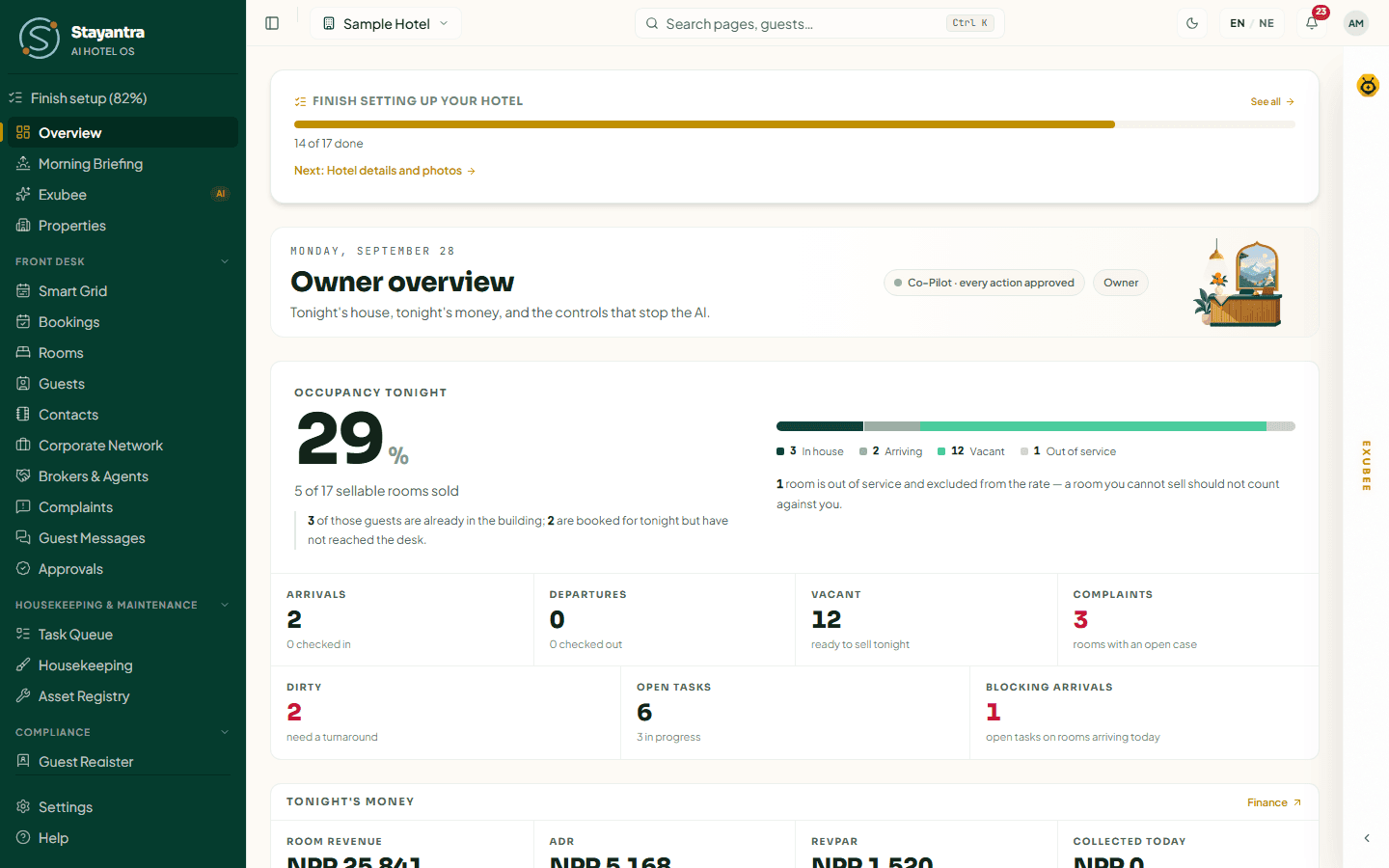
The screens on this page are from our sample hotel; the demo looks the same.
Demo logins
Every login uses the same password: StayantraDemo@2026
| Sign in as | What you will see | |
|---|---|---|
| Owner (start here) | owner@demo.stayantra.com | Everything: money, pricing, Exubee's approvals, autonomy, plan and billing. |
| Manager | manager@demo.stayantra.com | Running the hotel day to day: approvals, tasks, staff, the restaurant, reports. No plan and billing or payroll. |
| Front desk | frontdesk@demo.stayantra.com | Smart Grid, bookings, check-in and check-out, folios, the cash drawer. Also a cashier. |
| Front desk 2 | frontdesk2@demo.stayantra.com | Front desk and cashier, and also serves in the restaurant. |
| Housekeeping | housekeeping@demo.stayantra.com | Housekeeping, and also restaurant service. |
| Housekeeping 2 | housekeeping2@demo.stayantra.com | Housekeeping, and also the store. |
| Chef | chef@demo.stayantra.com | The Kitchen screen. |
| Waiter | waiter@demo.stayantra.com | Restaurant service and bellhop. |
| Bar | bar@demo.stayantra.com | Restaurant service and the kitchen screen. |
| Maintenance | maintenance@demo.stayantra.com | Maintenance and the asset register, and also housekeeping. |
| Security | security@demo.stayantra.com | Security, and bellhop at night. |
| Store | store@demo.stayantra.com | Stock and purchasing, and also maintenance. |
Staff in a small hotel often do more than one job, so several demo staff hold two or three skills. What each skill opens is in Getting started.
The staff logins also work in the Stayantra Connect staff app. See Install the apps.
What is in Demo Hotel
- 18 rooms on three floors: Standard 101 to 108, Deluxe 201 to 207, Suites 301 to 303. A few rooms are dirty or out of service, so the housekeeping board is not all green.
- Bookings across every stage: guests in house, arrivals today, future reservations and past stays, with folios, payments and restaurant charges.
- Five rate plans, with flexible, saver and advance-purchase rates, and 48-hour free cancellation.
- A restaurant, a bar and room service, with a kitchen and a bar station, a menu, tables and open orders.
- Events: halls, and function bookings from enquiry to a wedding this coming Saturday.
- Revenue data: tracked competitors with two weeks of their rates, and local market events.
- Operations: tasks across the whole team, complaints, a staff roster, SOP checklists, assets with maintenance plans, linen and lost property.
- Stock and purchasing: stock items, suppliers, and purchase requests through quotes, orders and goods received.
- Exubee: learned policies, a house note, and every module switched on, including the Exubee chat panel.
The hotel's details, rooms, rates and people are sample data. Nothing in it is a real guest.
What is switched off
The demo is shared by everyone on the internet, so nothing it does leaves Stayantra:
| Switched off | What happens instead |
|---|---|
| Confirmation emails, receipts and invitations are not sent to anyone. | |
| Payments | Taking an eSewa, Khalti, Fonepay or card payment is refused with "Taking a payment is disabled on the public demo. Sign up for a real account to use this for real." Cash and other manual payments can still be recorded. |
| Push notifications | Nothing is pushed to phones. The bell in the web app still works. |
| Owner changes | Adding a co-owner and transferring ownership are refused. |
| Document uploads | Uploading documents to a contact is refused. |
The demo is not listed on the Stayantra marketplace, so guests cannot find it there.
[!WARNING] Everyone can see what you type in the demo. Never enter a real guest's details, a real card number or anything private.
Nightly reset
Every night at 19:00 UTC (00:45 NPT) Demo Hotel is put back to its starting state. Bookings you made, prices you changed and tasks you moved are gone the next morning, and the dates move with the calendar so there are always arrivals today. Change whatever you like.
A ten-minute tour
Follow this path to see the parts most hotels care about first.
The owner's morning (2 minutes)
Sign in as owner. The Overview shows today's occupancy, arrivals, departures, money and alerts. Open Morning Briefing in the sidebar for the written summary of last night and today.
Approve something Exubee suggests (2 minutes)
Open Exubee in the sidebar. This is what Exubee is waiting on you for: price changes, tasks and more. Open one and approve, edit or reject it. Nothing Exubee suggests happens until someone approves it. Then open Insights & AI → Autonomy to see why. See Co-Pilot and approvals.
The front desk (3 minutes)
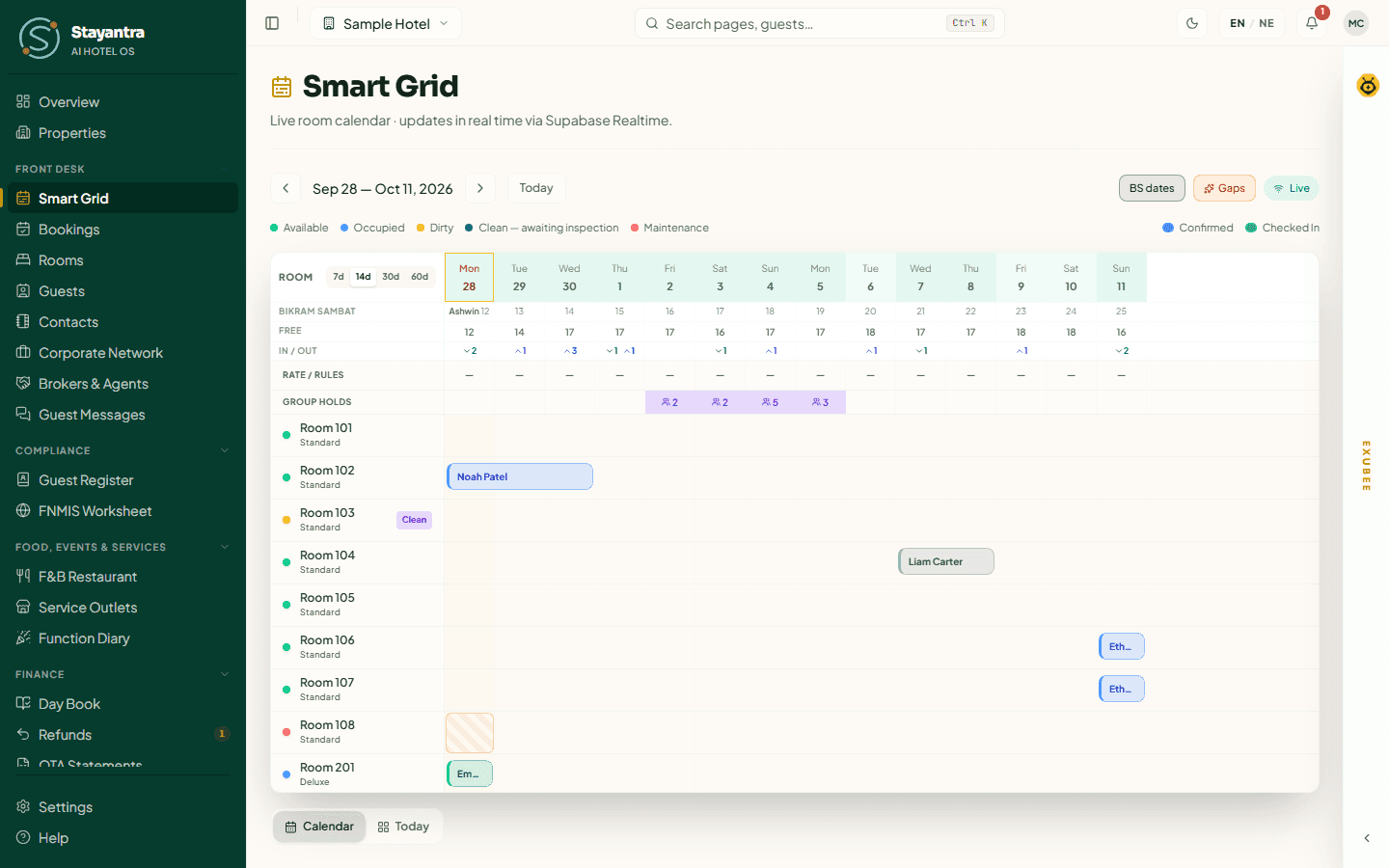
Sign out (your initials, top right, then Sign out) and sign in as frontdesk. Open Front Desk → Smart Grid. Find a guest arriving today and check them in. Open a booking and look at its folio. See Smart Grid and Bookings and folios.
Housekeeping and tasks (1 minute)
Sign in as housekeeping. Notice how much shorter the sidebar is: staff see only their own work. Open Housekeeping to see the rooms to clean. See Operations.
The restaurant (1 minute)
Sign in as manager and open Food, Events & Services → F&B Restaurant. Look at Active Orders & KOT, then click Kitchen screen to see the tickets as the kitchen does. See Restaurant and F&B.
Ask Exubee (1 minute)
As owner or manager, click the EXUBEE strip on the right edge of any page and ask a question, for example "How many guests arrive tomorrow?".
Ready for your own hotel?
- Sign up free at app.stayantra.com/register. Every module is switched on during your trial. See Create your account.
- Follow the Self-installation guide to set your hotel up yourself, or have the Stayantra team do it: Setup help and prices.
Getting started
Sign in to Stayantra, find your way around the screen, see what your role gives you, and set up your own profile.
Set up your hotel yourself
The free self-installation route, step by step. Every page a hotel follows to go from a new account to a configured, verified hotel, and the few steps only Stayantra can do.