
Complaints
When a guest reports a problem — a broken shower, a noisy room, a wrong bill — it arrives in Complaints. Exubee reads it and recommends how serious it is and who should handle it; a person decides what happens next, assigns it, and marks it resolved. Serious complaints alert the owner and the managers on duty straight away.
Where to find it: Front Desk → Complaints. A complaint also opens from the Overview's Needs attention tonight list, the Smart Grid's Today board and complaint notifications. Who can use it: managers and owners.
Where complaints come from
- Guests, from the concierge in the Stayantra Go app: they pick a category, write "What happened?", can add photos, and tap Send to the team.
- Guests on your Stayantra booking page, through Exubee, the guest assistant.
Each complaint is linked to the guest's booking and room. The guest chooses the category: Housekeeping, Maintenance, Service, Food, Billing, Staff or Other.
Staff cannot file a complaint from the web app. When a guest tells the desk about a problem in person, fix it and record the work as a task — see Housekeeping and operations.
Severity
| Severity | Means | Alert |
|---|---|---|
| S1 · critical | Safety or health. | The owner and managers on duty are alerted at once. |
| S2 · high | A serious comfort failure — no hot water, a broken AC. | Alerted at once. |
| S3 · medium | An inconvenience. | — |
| S4 · low | A preference, or not triaged yet. | — |
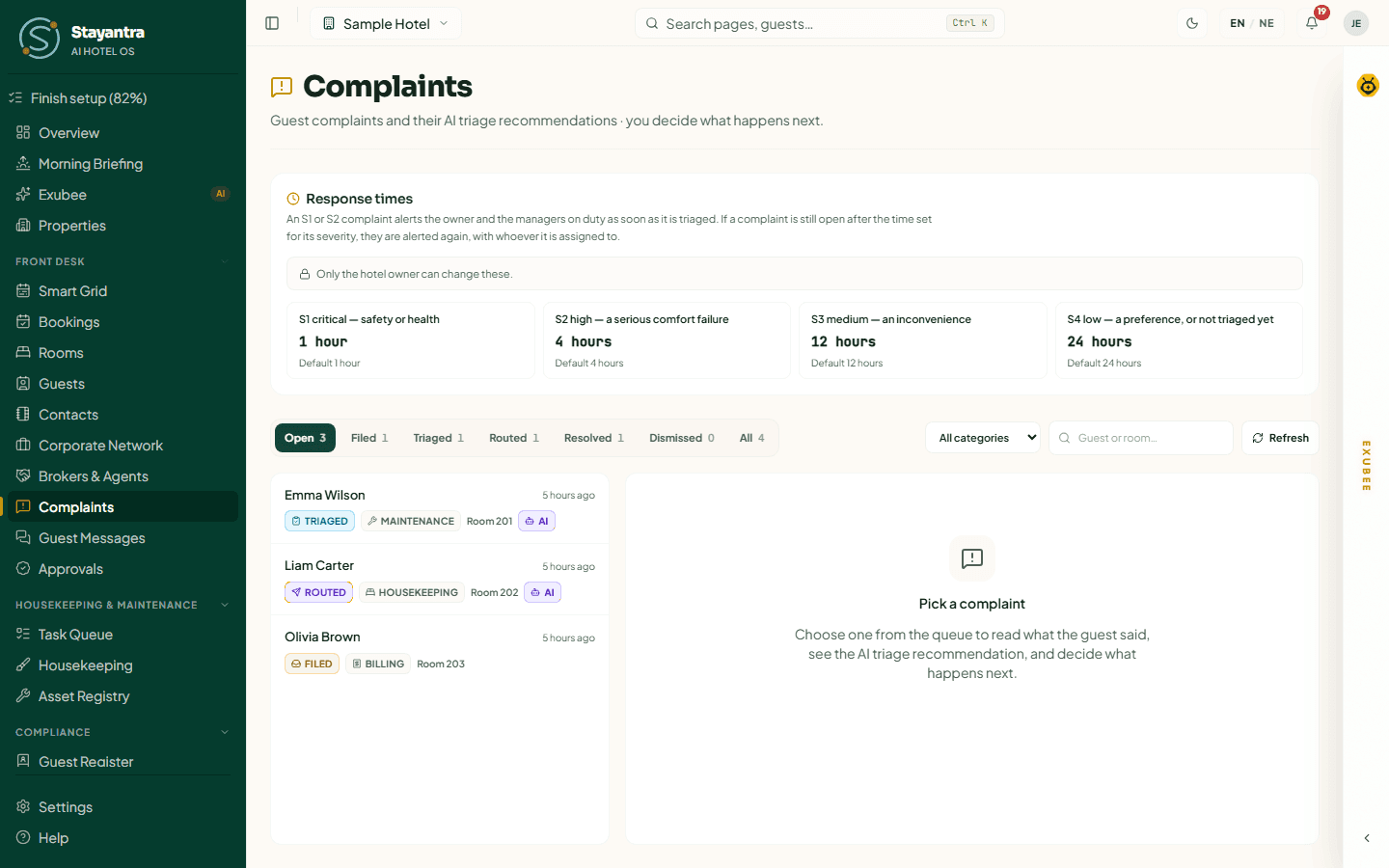
Response times
The Response times card sets how long a complaint of each severity may stay open. If it is still open after that time, the owner and managers on duty are alerted again, together with whoever it is assigned to.
| Field | Starts at |
|---|---|
| S1 critical — safety or health | 1 hour |
| S2 high — a serious comfort failure | 4 hours |
| S3 medium — an inconvenience | 12 hours |
| S4 low — a preference, or not triaged yet | 24 hours |
Enter whole hours, 1 to 168, and click Save response times. Only the owner can change these; managers see "Only the hotel owner can change these."
The queue
- Status tabs, with counts: Open (the default — Filed, Triaged and Routed together), Filed, Triaged, Routed, Resolved, Dismissed, All.
- All categories narrows to one category. Search by guest or room. Refresh reloads.
- The most serious complaints are at the top (S1 first), then the newest.
- Each row shows the guest, how long ago it was filed, its status, category, severity and room. An AI badge means Exubee's triage recommendation is attached.
What the statuses mean
| Status | Meaning |
|---|---|
| Filed | Just received. Exubee's triage runs in the background. |
| Triaged | Someone has looked at it and set how serious it is. |
| Routed | It has been handed to the person or team who will fix it. |
| Resolved | Fixed. Final. |
| Dismissed | Not a real complaint, or nothing to do. Final. |
A resolved or dismissed complaint cannot be reopened; if the guest has a new problem, they file a new complaint.
Handle a complaint
Open it
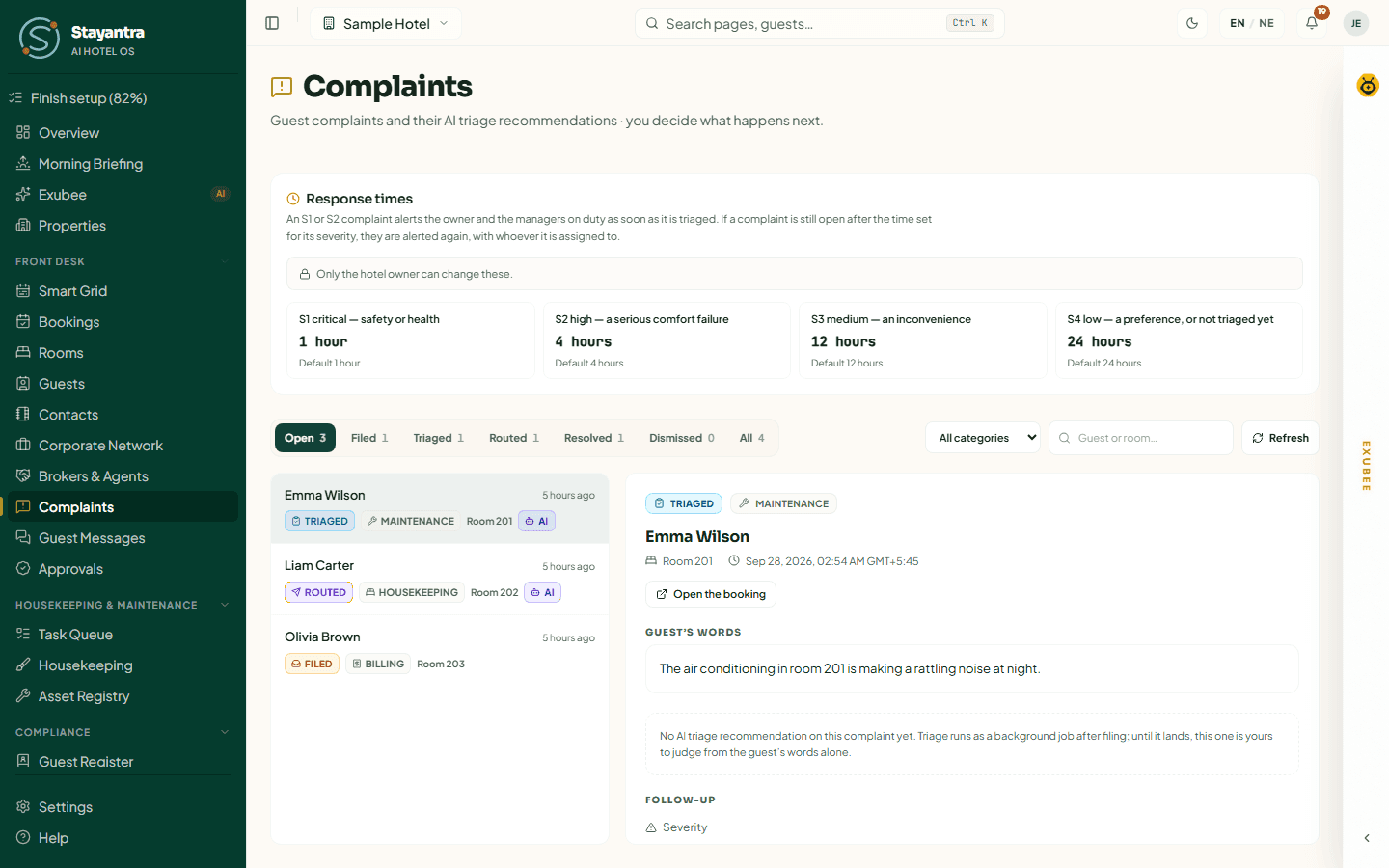
Click the complaint in the queue. The detail shows the guest, the room, when it was filed, Open the booking, and the Guest's words.
Read Exubee's recommendation
AI recommendation — for your decision shows:
- Recommended responsibility — who Exubee thinks should handle it, with High, Medium or Low confidence;
- Evidence — why;
- Severity upgrades — reasons to treat it as more serious, for example "S3 → S2", "Offer the guest another room", or that it came in during a festival and a duty manager should follow up in person.
It is only a suggestion: it carries no strikes and no payroll effect on anyone. If there is no recommendation yet, the page says so — judge it from the guest's words.
Set the follow-up
Under Follow-up:
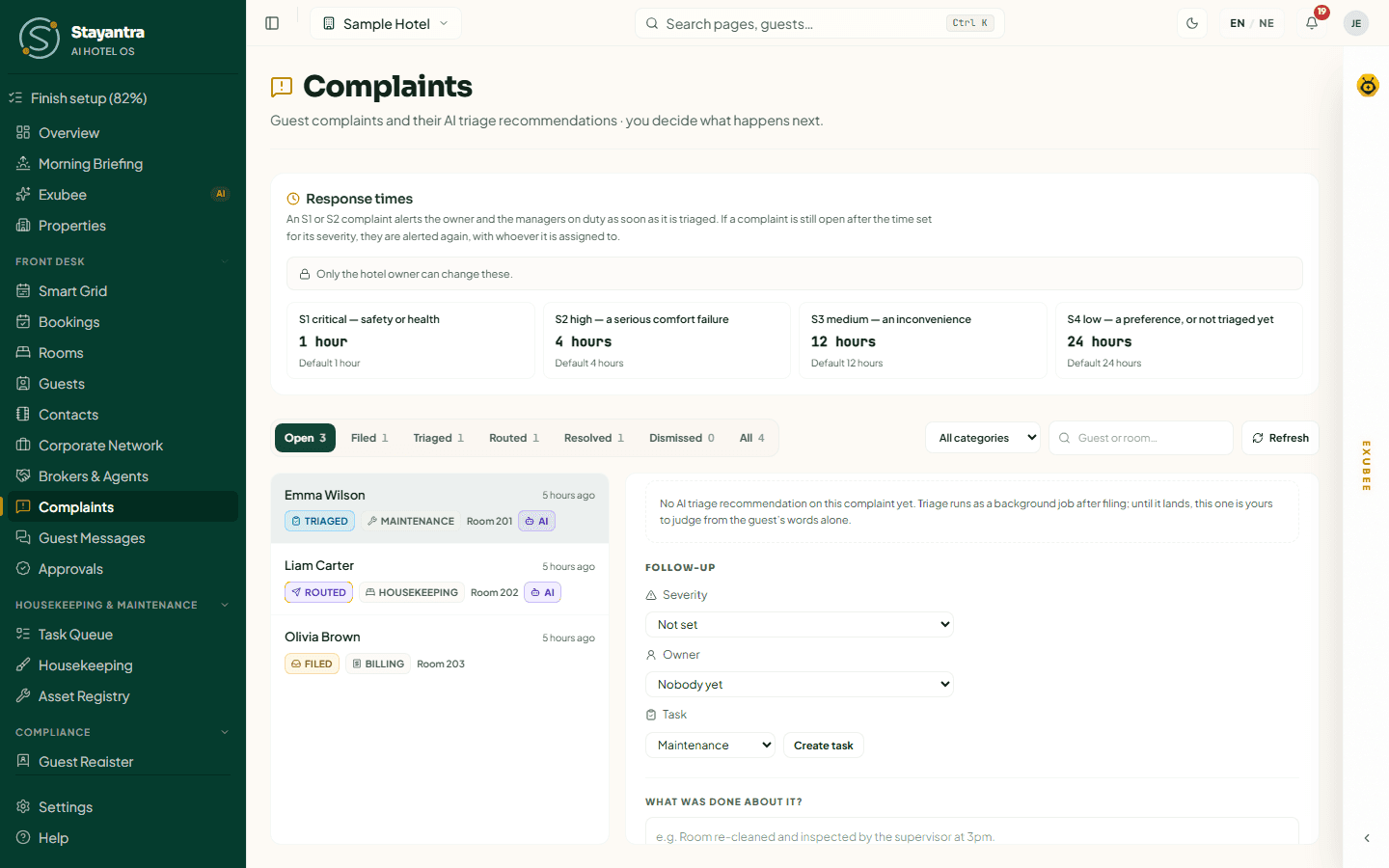
- Severity — set or change it.
- Owner — the staff member responsible ("Nobody yet" until you choose).
- Task — pick the task type (Room cleaning, Maintenance, Room service, Room inspection, Other) and click Create task to send the job to staff. Once there is a task, Open the follow-up task shows its progress. One task per complaint.
Move it on
Use the next-step buttons: Mark triaged, Mark routed (you can create the task at the same time), Mark resolved or Dismiss. A complaint must be triaged or routed before it can be resolved.
Resolve it
Mark resolved asks What was done about it? — required; it stays internal. Leave Tell the guest it is resolved ticked to send the guest a short message in their stay chat (the guest gets a standard sentence, not your note). Click Resolve. The complaint shows "Resolved {time} by {name}" with your note.
Every change is logged, and complaints are never deleted.
Exubee and Co-Pilot
Exubee triages every new complaint in the background. While your hotel runs complaint routing in Co-Pilot mode, Exubee's routing waits as a suggestion in Approvals and the complaint stays Filed until someone approves it. When the owner lets complaint routing run on Auto-Pilot, Exubee routes it on its own; the owner can stop that at any time with the kill switch on the Overview.
Making it right with the guest
Stayantra does not have a separate "goodwill gesture" button on a complaint. To make amends:
- give Stayantra Rewards points from the guest's profile (Guests);
- move the guest to a better room with Amend Booking (Change a booking);
- correct or void a charge on the bill (Correct a charge).
When something goes wrong
| What you see | What to do |
|---|---|
| "No open complaints" | Nothing is waiting. Check All to see closed ones. |
| "Nothing matches these filters" | Clear the search or choose All categories. |
| No AI recommendation on a complaint | Triage runs a little after filing. Refresh in a minute, or decide from the guest's words. |
| You cannot see Complaints in the sidebar | It is for managers and owners. |
Brokers and agents
Record the brokers, travel agencies and OTAs that sell your rooms — their commission terms, who collects the money, TDS, and the running account of who owes whom.
Using Exubee
How Exubee suggests and you decide — the suggestions queue, the chat panel, Approvals, Co-Pilot and Auto-Pilot, the kill switch, policies and house knowledge.