
Webhooks
A webhook is a message Stayantra sends to a web address you own whenever something happens at your hotel: a booking is made, a guest checks in, a payment arrives. Your developer uses it to keep another system — accounting, a door system, a data warehouse — up to date without asking Stayantra over and over.
Where to find it: Settings → Connections → Webhooks → Open Webhooks. Who can use it: owners and managers.
This page is written for the developer who builds the receiver. The first two sections are for the hotel.
Add an endpoint
An endpoint is the web address Stayantra sends events to. A hotel can have up to 10 endpoints, including turned-off ones.
Open the form
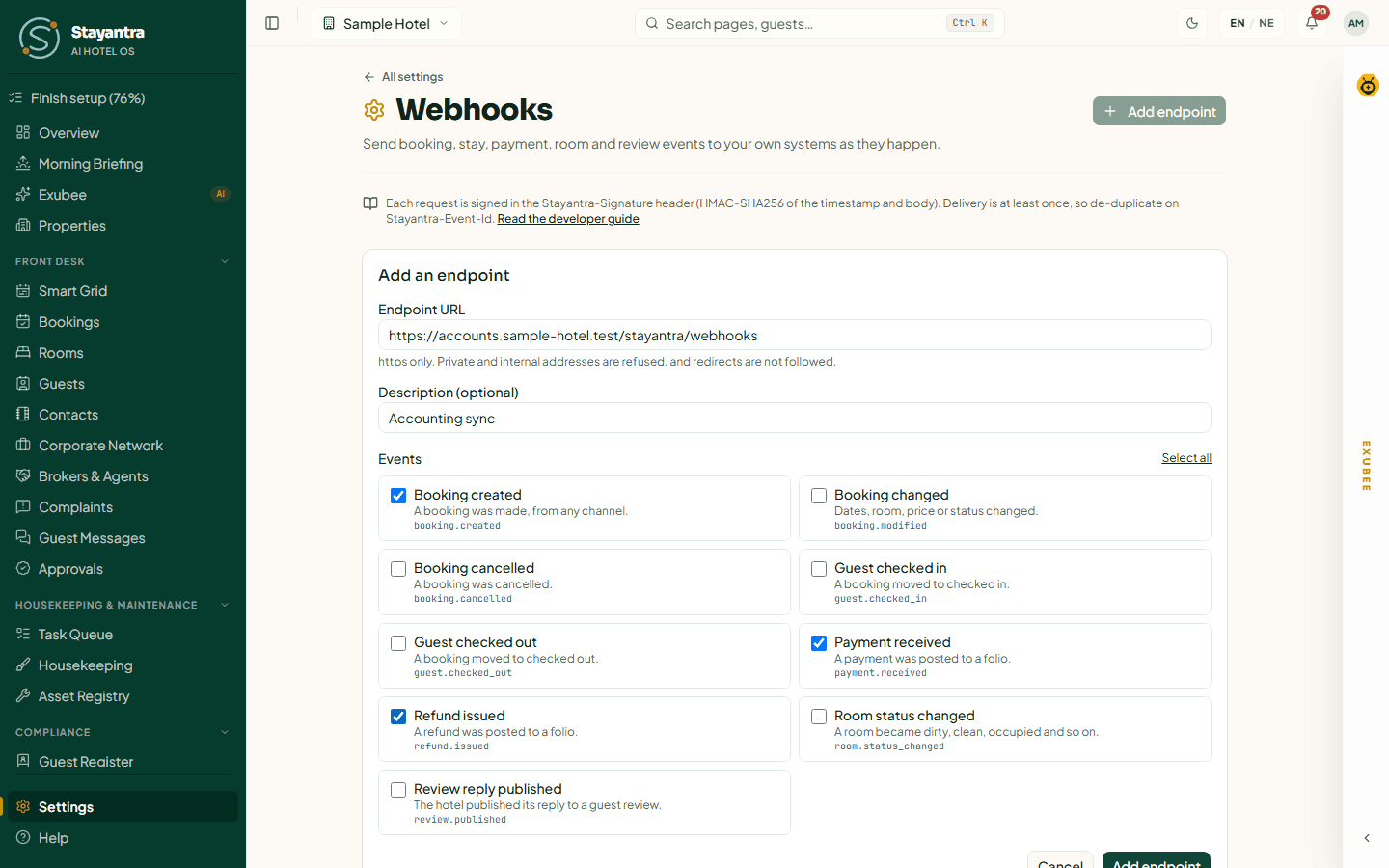
On Webhooks, click Add endpoint. The Add an endpoint form opens.
Enter the address
In Endpoint URL, type your receiver's address. It must start with https://. Private and internal addresses are refused, redirects are not followed, and the address may not contain a username or password.
Describe it
Add a Description (optional), for example "Accounting sync".
Pick the events
Under Events, tick the events this endpoint should receive, or click Select all.
Save and copy the secret
Click Add endpoint. Stayantra shows Endpoint added. Copy its signing secret now: it will not be shown again. Copy the secret (it starts with whsec_) and give it to your developer. Your receiver needs it to check signatures.
Send a test
Click Send test event on the endpoint. You see whether your receiver accepted it, with the HTTP status and how long it took.
[!TIP] Before your receiver is built, point an endpoint at a request-bin service and click Send test event to see exactly what Stayantra sends.
Manage endpoints
Each endpoint shows its address, its events, the last four characters of its secret, when it last delivered, and how many attempts have failed in a row. Its badge is Active, Off, or Turned off after repeated failures.
| Button | What it does |
|---|---|
| Send test event | Sends one webhook.test event now. |
| Edit | Change the address, description or events. |
| Rotate secret | Makes a new signing secret, shown once. See Rotating the secret. |
| Turn off | Stops sending to this endpoint. Events that happen while it is off are not sent later, and queued retries are dropped. |
| Turn on | Starts sending again and clears the failure count. |
Recent deliveries
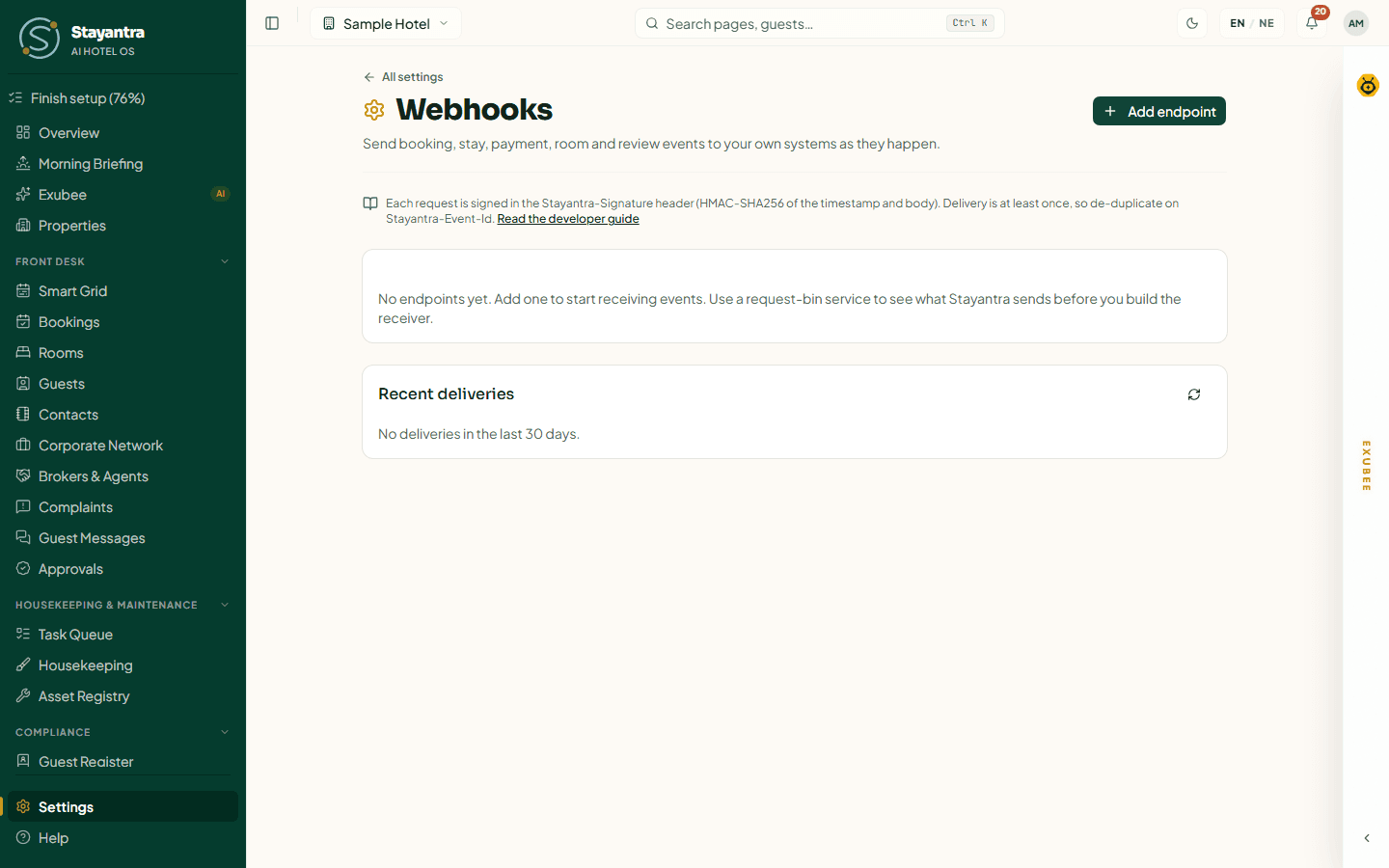
Recent deliveries lists every delivery of the last 30 days: When, Event, Endpoint, Status, Response and Attempts. Click the refresh icon to update it.
| Status | Meaning |
|---|---|
| Delivered | Your receiver answered with a 2xx status. |
| Retrying + a time | The last attempt failed; the next one is scheduled. |
| Failed, not retried | Your receiver answered in a way that is not retried (see below). |
| Gave up after retries | All 8 attempts failed. |
For Failed, not retried and Gave up after retries on an active endpoint, a Retry button sends that event once more. The Response column explains failures in words, for example No reply within 10 seconds or The receiver answered HTTP 500.
Events
| Event | On screen | Sent when |
|---|---|---|
booking.created | Booking created | A booking is made, from any channel. |
booking.modified | Booking changed | A booking's dates, room, price or status changes (other than cancel, check-in or check-out). |
booking.cancelled | Booking cancelled | A booking is cancelled. |
guest.checked_in | Guest checked in | A booking moves to checked in. |
guest.checked_out | Guest checked out | A booking moves to checked out. |
payment.received | Payment received | A payment is posted to a bill (folio). |
refund.issued | Refund issued | A refund is posted to a bill. |
room.status_changed | Room status changed | A room becomes dirty, clean, occupied and so on. |
review.published | Review reply published | The hotel publishes its reply to a guest review. |
webhook.test | — | Only from Send test event. You cannot subscribe to it. |
A booking that is part of a multi-room reservation sends one event per room.
The request
Every delivery is an HTTP POST with a JSON body.
Headers
| Header | Value |
|---|---|
Content-Type | application/json |
User-Agent | Stayantra-Webhooks/1.0 |
Stayantra-Signature | t=<unix seconds>,v1=<hex signature> |
Stayantra-Event-Id | The event's id. The same on every retry. |
Stayantra-Event-Type | For example booking.created |
Stayantra-Delivery-Attempt | 1 for the first attempt, then 2, 3 … |
Body
Every body has the same envelope. data holds the event's details.
{
  "id": "0b6f3c1e-8d7a-4a51-9d0e-2f3c4b5a6d7e",
  "type": "booking.created",
  "occurred_at": "2026-10-01T08:15:32.114Z",
  "hotel_id": "5a5a5a5a-0000-4000-a000-000000000001",
  "api_version": "2026-09-13",
  "data": {
    "booking_id": "5a5a5a5a-0005-4000-a000-000000000007",
    "reservation_id": null,
    "status": "confirmed",
    "check_in_date": "2026-10-12",
    "check_out_date": "2026-10-14",
    "room_id": "5a5a5a5a-0003-4000-a000-000000000201",
    "source": "direct",
    "total_price": 9800,
    "currency": "NPR"
  }
}
Payloads are deliberately small: ids and non-sensitive fields, never a guest's name, email or phone. To get more detail, look the record up in Stayantra.
What data holds
| Event | Fields |
|---|---|
booking.created | booking_id, reservation_id, status, check_in_date, check_out_date, room_id, source, total_price, currency |
booking.modified | The booking fields above, plus changes (a list of the fields that changed: status, check_in_date, check_out_date, room_id, total_price) and previous (their old values) |
booking.cancelled | The booking fields above, plus previous_status |
guest.checked_in | The booking fields above, plus checked_in_at |
guest.checked_out | The booking fields above, plus checked_out_at |
payment.received | payment_id, booking_id, folio_id, amount, currency, method |
refund.issued | refund_id, booking_id, folio_id, amount (a positive number), currency, method |
room.status_changed | room_id, room_number, previous_status, status |
review.published | reply_id, review_id, review_source (stayantra or ota), version, published_at |
webhook.test | message ("A test event from Stayantra."), endpoint_id |
Verify the signature
Check every request before you trust it. The signature is an HMAC-SHA256 of the timestamp, a dot, and the raw request body, keyed with your endpoint's whole secret (including the whsec_ prefix):
signature = hex( HMAC_SHA256( secret, "<t>.<raw body>" ) )To verify:
- Read the raw body exactly as received. Do not parse and re-serialise the JSON first.
- Split
Stayantra-Signatureon commas. Taket=as the timestamp and everyv1=value as a candidate signature. - Reject the request if the timestamp is more than 5 minutes away from your clock. This stops someone replaying an old request.
- Compute the signature with your secret and compare it, in constant time, with each
v1value. Accept if any one matches.
Node.js (Express)
import crypto from 'node:crypto';
import express from 'express';

const SECRET = process.env.STAYANTRA_WEBHOOK_SECRET; // whsec_...
const TOLERANCE_SECONDS = 300;

function verify(header, rawBody) {
  let t = null;
  const sigs = [];
  for (const part of (header ?? '').split(',')) {
    const [k, v] = part.trim().split('=', 2);
    if (k === 't' && /^\d+$/.test(v ?? '')) t = Number(v);
    else if (k === 'v1' && v) sigs.push(v);
  }
  if (t === null || sigs.length === 0) return false;
  if (Math.abs(Date.now() / 1000 - t) > TOLERANCE_SECONDS) return false;

  const expected = crypto.createHmac('sha256', SECRET).update(`${t}.${rawBody}`, 'utf8').digest();
  return sigs.some((s) => /^[0-9a-f]{64}$/.test(s) && crypto.timingSafeEqual(Buffer.from(s, 'hex'), expected));
}

const seen = new Set(); // use your database in production

const app = express();
app.post('/stayantra/webhooks', express.raw({ type: 'application/json' }), (req, res) => {
  const raw = req.body.toString('utf8');
  if (!verify(req.get('Stayantra-Signature'), raw)) return res.status(400).send('bad signature');

  const eventId = req.get('Stayantra-Event-Id');
  if (seen.has(eventId)) return res.sendStatus(200); // already handled
  seen.add(eventId);

  const event = JSON.parse(raw);
  // queue the work, then answer quickly
  res.sendStatus(200);
});
Python (Flask)
import hmac, hashlib, os, re, time
from flask import Flask, request, abort

SECRET = os.environ["STAYANTRA_WEBHOOK_SECRET"].encode()  # whsec_...
TOLERANCE_SECONDS = 300

def verify(header: str, raw_body: bytes) -> bool:
    t, sigs = None, []
    for part in (header or "").split(","):
        key, _, value = part.strip().partition("=")
        if key == "t" and value.isdigit():
            t = int(value)
        elif key == "v1" and value:
            sigs.append(value)
    if t is None or not sigs or abs(time.time() - t) > TOLERANCE_SECONDS:
        return False
    expected = hmac.new(SECRET, f"{t}.".encode() + raw_body, hashlib.sha256).hexdigest()
    return any(re.fullmatch(r"[0-9a-f]{64}", s) and hmac.compare_digest(s, expected) for s in sigs)

app = Flask(__name__)

@app.post("/stayantra/webhooks")
def receive():
    if not verify(request.headers.get("Stayantra-Signature"), request.get_data()):
        abort(400)
    event = request.get_json()
    # de-duplicate on request.headers["Stayantra-Event-Id"], queue the work
    return "", 200
Answer quickly, and expect repeats
- Answer with any
2xxstatus within 10 seconds. Do the real work afterwards, in a queue. - Delivery is at least once. The same event can arrive more than once, for example after a timeout. Use
Stayantra-Event-Idto ignore repeats. - Events can arrive out of order, especially after retries. Use
occurred_at, and for bookings thestatusin the payload, rather than the order of arrival.
Retries
If a delivery fails, Stayantra tries again, up to 8 attempts in total over roughly a day. The waits between attempts are about 1 minute, 3 minutes, 10 minutes, 30 minutes, 1.5 hours, 5 hours and 15 hours, each varied a little so a recovering server is not hit all at once.
| Your receiver… | Retried? |
|---|---|
| Does not answer within 10 seconds | Yes |
| Cannot be reached (connection refused, DNS failure, TLS error) | Yes |
Answers 408, 429 or any 5xx | Yes. A Retry-After header is honoured. |
Answers any other 4xx | No |
Answers with a redirect (3xx) | No. Redirects are never followed; use the final address. |
| Resolves to a private or internal address | No |
When all 8 attempts fail:
- If the endpoint has delivered nothing since that event's first attempt, Stayantra turns the endpoint off (Turned off after repeated failures) and owners and managers get a notice: Webhook endpoint turned off. Fix the receiver, then click Turn on.
- Otherwise the endpoint stays on, and owners and managers get Webhook event not delivered. Use Retry in Recent deliveries to send it again.
Events are kept for 30 days.
Rotating the secret
Rotate the secret if it may have leaked, or on a schedule.
- Click Rotate secret on the endpoint, then Rotate secret again to confirm.
- Copy the new secret from the banner. It is shown once.
- Update your receiver with the new secret.
For 24 hours after a rotation, every delivery carries two v1 signatures in Stayantra-Signature: one made with the new secret and one with the old. A receiver that follows the steps above (accept if any v1 matches) keeps working during that time, whichever secret it holds. After 24 hours only the new secret signs.
[!NOTE] The confirmation dialog on the screen says your receiver rejects deliveries until it has the new secret. That is only true for a receiver that checks just the first
v1value; the verification code on this page accepts either.
If something goes wrong
| What you see | Cause | Fix |
|---|---|---|
| Webhook URLs must start with https://. | The address is http://. | Serve your receiver over https. |
| That address is private or internal. | The address resolves to a local or private network. | Use a public address. |
| Put credentials in your receiver, not in the URL. | The address contains user:password@. | Remove them; check the signature instead. |
| A hotel can have at most 10 webhook endpoints. | You reached the limit. | Edit or reuse a turned-off endpoint. |
| Every delivery shows The receiver answered HTTP 400 | Your signature check fails. | Make sure you hash the raw body, and that the secret includes whsec_. |
| No reply within 10 seconds | Your receiver does the work before answering. | Answer first, then process. |
| You don't have access to this | You are staff. | Ask an owner or manager. |
See also Integrations for developers for API keys and the booking widget.
Integrations for developers
API keys, the booking and chat widgets for your website, the availability API, outside AI assistants, and how guests' own assistants book with you.
The mobile apps
Stayantra Connect for hotel staff and Stayantra Go for guests. Who each app is for, how to get it, signing in, notifications, offline use, languages and the app lock.