
Create your account
Your Stayantra account is the owner's login for your hotel. You create it once, and it takes you straight into the setup wizard. This page is for the hotel owner, or the person the owner has authorised to set the hotel up.
Where to find it: app.stayantra.com/register, or Start free on stayantra.com. Who can use it: anyone setting up a new hotel. Staff do not register here; the hotel invites them (see Staff and owners).
Register your hotel
Open the registration page
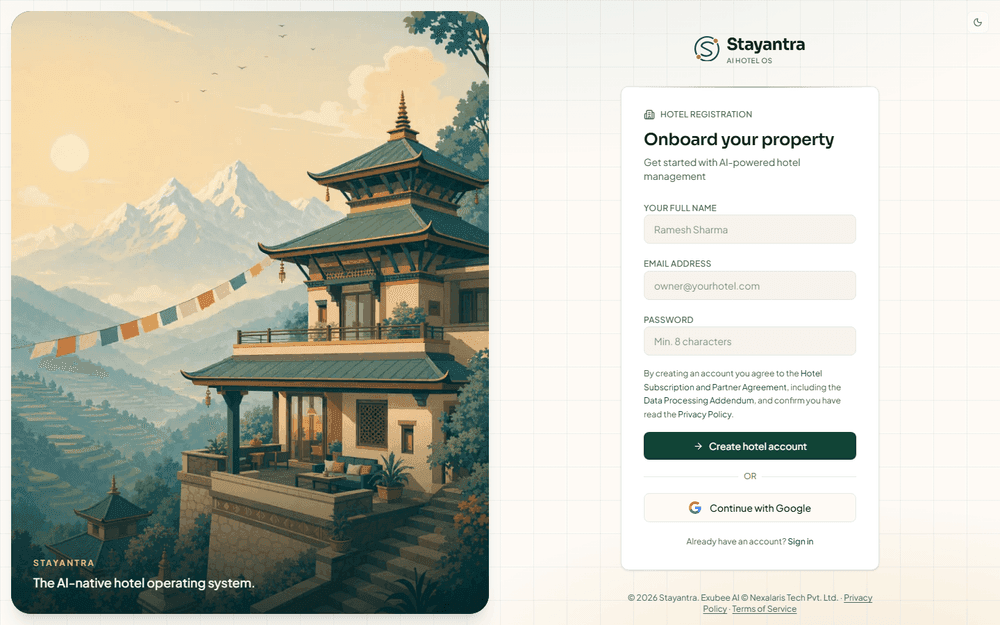
On stayantra.com click Start free, or go straight to app.stayantra.com/register. The page is headed Onboard your property.
Fill in the three fields
| Field | What to enter |
|---|---|
| Your Full Name | Your own name, as the hotel's owner. It appears on your account and in staff views. |
| Email address | An email you read every day. Stayantra sends password resets, verification results and owner alerts here. |
| Password | At least 8 characters. |
Read the agreement line
Under the fields, a line says that by creating an account you agree to the Hotel Subscription and Partner Agreement, including the Data Processing Addendum, and confirm you have read the Privacy Policy. Each name is a link; open them if you want to read them first.
Click Create hotel account
The button shows Creating account… while it works, then Account created! and "Taking you to hotel setup…". You are signed in automatically and land on the setup wizard at /onboarding.
[!NOTE] There is no email-confirmation step. You can start setting up the hotel the moment the account exists. Make sure you typed your email correctly, because password resets go to it.
Register with Google instead
Click Continue with Google on the registration page and pick your Google account. Stayantra creates your owner account from it and opens the setup wizard. You do not choose a password: from then on, sign in with the same Continue with Google button.
[!TIP] A Google-only account has no Stayantra password, so Forgot? cannot send you a reset link. Keep signing in with Google.
Use a referral or promo link
Stayantra and other hotels share sign-up links that carry a code:
| Link | What it does |
|---|---|
app.stayantra.com/register?ref=HTL-XXXXXXXX | A referral code from another hotel. When you later choose a paid plan, you and the hotel that invited you each get a free month. It applies to your first hotel only. |
app.stayantra.com/register?promo=CODE | A promo code. It can give you a longer free trial now, or a discount kept for when you start paying. |
Open the link, then register as usual with email or with Google; the code travels with you. If you arrived without the link, you can still type either code in the first step of the setup wizard (Referral Code (Optional) and Promo Code (Optional)). A code typed there that cannot be used stops the step with a message; a code that came in a link and cannot be used is dropped quietly.
What happens next
After registering you are on Configure Your Property, the start of the setup wizard. Nothing about your hotel exists yet: the hotel, its 30-day free trial and its business-verification record are created when you finish the wizard's first step. Continue with The setup wizard.
If you close the browser before finishing, nothing is lost. Sign in again and Stayantra takes you back to where you stopped.
Sign in later
Open the sign-in page
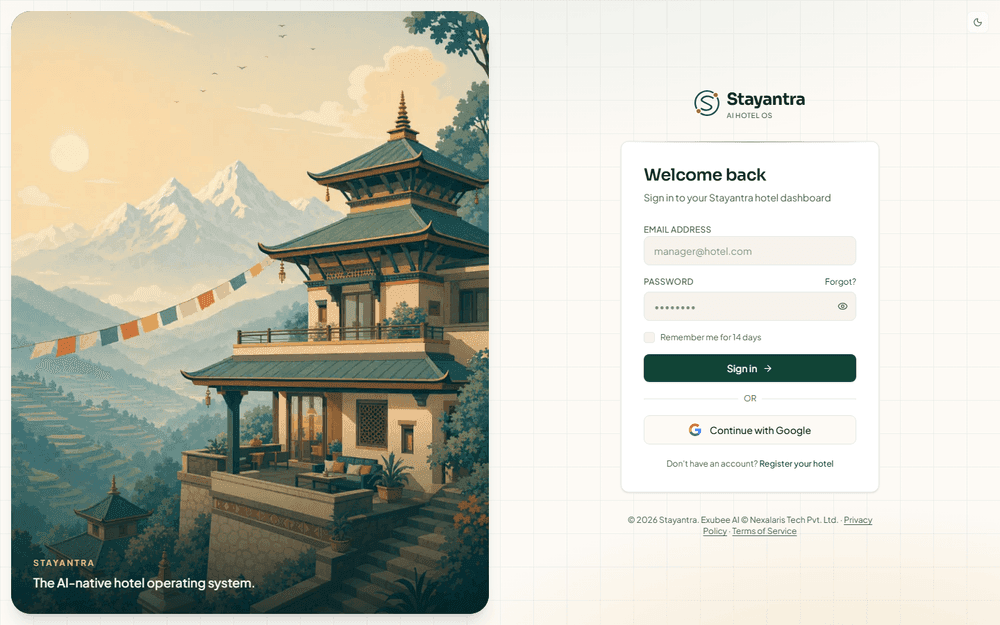
Go to app.stayantra.com/login. The page is headed Welcome back.
Enter your email and password
Tick Remember me for 14 days on your own computer or phone so you stay signed in. Leave it unticked on a shared front-desk computer.
Click Sign in
An owner whose hotel is still being set up goes back to the setup wizard. Everyone else goes to the dashboard. If you registered with Google, click Continue with Google instead.
Forgot your password
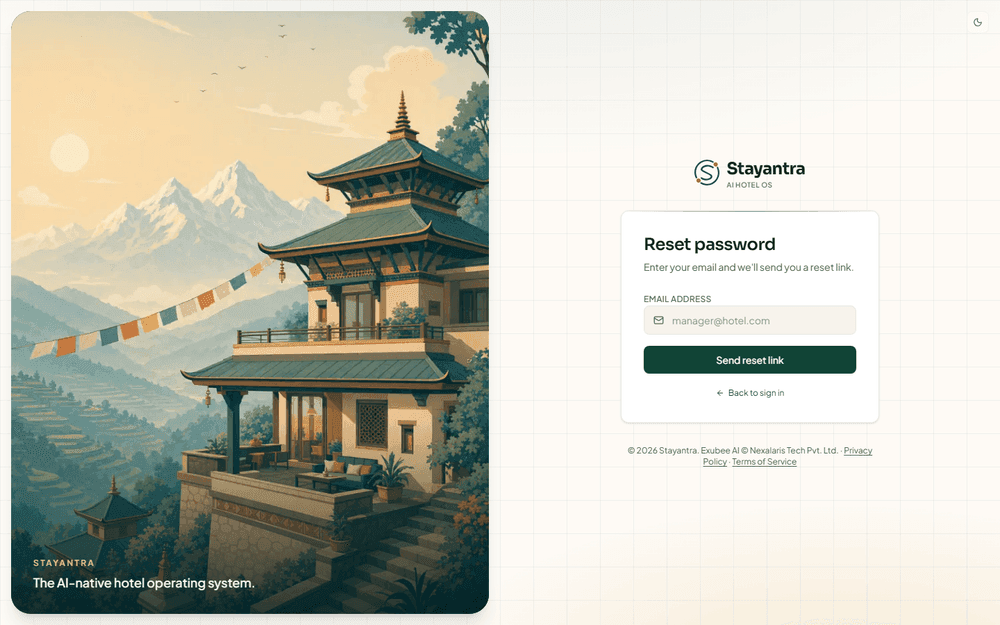
Click Forgot?
It is next to the Password label on the sign-in page.
Enter your email and click Send reset link
The page then says Check your email. For privacy it says the same thing whether or not an account uses that address.
Open the link in the email
The link works for 1 hour, and only the newest link you asked for works. Choose a new password of at least 8 characters on Set new password, then sign in with it.
If the page says Invalid or expired link, ask for a new one from Forgot?.
If something goes wrong
| What you see | What to do |
|---|---|
| Email already registered | An account with this email exists. Sign in with it, use Forgot? if you do not know the password, or register with a different email. |
| Account created, but sign-in failed. Please sign in manually. | Your account exists. You are sent to the sign-in page; sign in with the email and password you just chose. |
| No reset email arrives | Check spam. If you registered with Google, there is no password to reset: use Continue with Google. |
| This account isn't part of any hotel | The account is not a hotel owner or staff member, for example a guest account from booking on Stayantra. Register a new owner account with a different email, or ask the hotel to invite you. |
Still stuck? See Getting help.
Set up your hotel yourself
The free self-installation route, step by step. Every page a hotel follows to go from a new account to a configured, verified hotel, and the few steps only Stayantra can do.
The setup wizard
Every step of the setup wizard, by chat with Exubee or by form, from Hotel Basics to Launch, and what "live" means before your business is verified.