
The Stayantra Go app
Stayantra Go is the guest app for hotels that use Stayantra. Find a hotel, book it, and keep every trip in one place. During the stay the same app checks you in, sends requests to the hotel and shows your bill; that part is on Your stay.
Where to get it: Google Play (Android), by invitation during launch. There is no iPhone app yet. Who can use it: any guest. You can browse without an account.
Install Go
Go is in Google Play closed testing during launch, so it cannot be found by searching the Play Store. Stayantra adds testers to a list and sends them a link. Open the link on your Android phone, accept the invitation, then tap Install. You can book the same hotels without the app on the Stayantra marketplace in any browser: see Book online.
[!NOTE] Hotels: to have a guest added as a tester, ask from Help → Open a support ticket with the Gmail address on their phone. See Install the apps.
Three ways to use Go
| You | What you can do |
|---|---|
| Just browsing | Search hotels, open their pages and book. |
| Linked a booking | Everything for that one stay: check-in, requests, food orders, chat, the bill, check-out. |
| Signed in | Every trip on your account, past and ahead, plus the Wallet (points, vouchers, offers, referrals) and your profile. |
Link a booking
If you booked on the website or by phone, open Trips. Under Find your booking, enter the Booking reference from your confirmation (for example STY-12345) and the Email on the booking, then tap Link my booking. The stay appears in Trips and on the Stay tab.
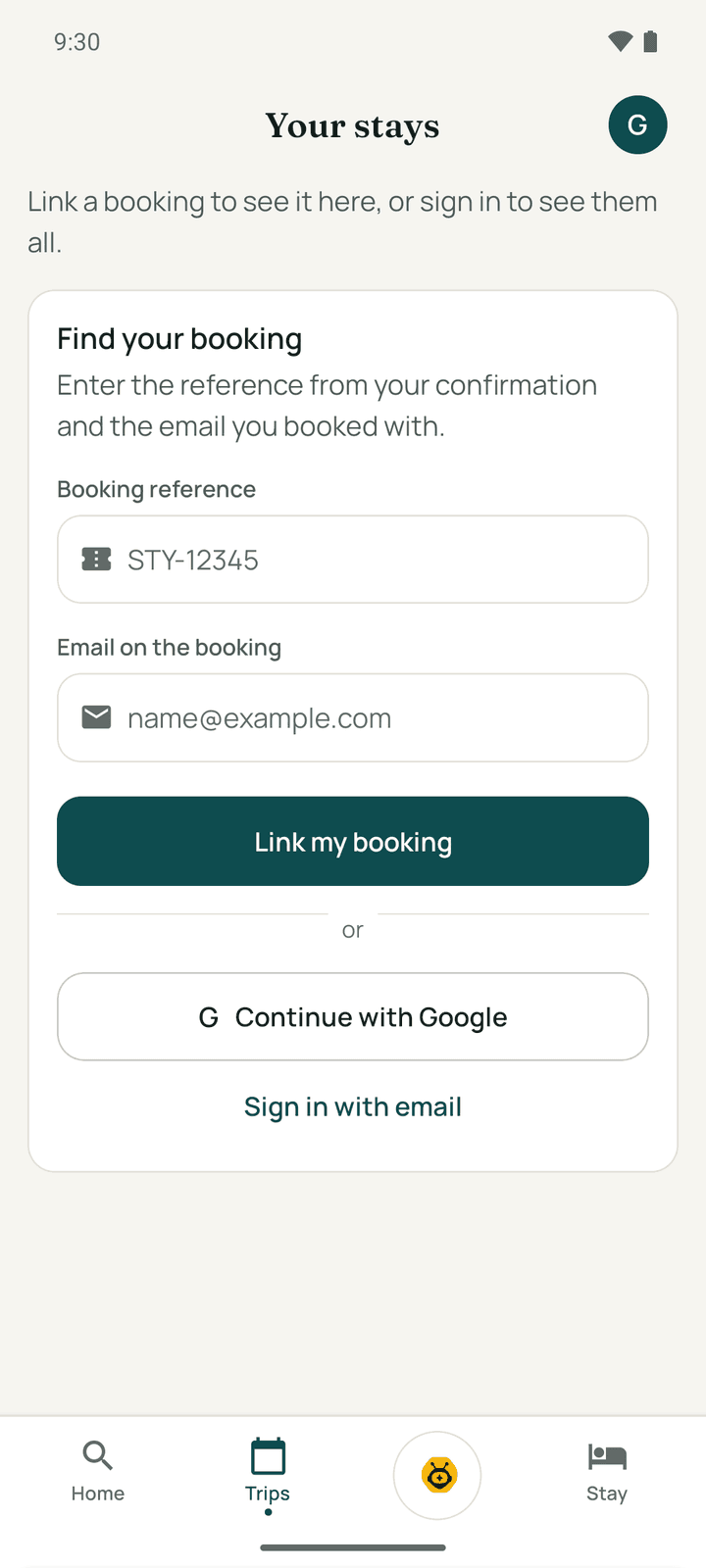
A booking you make in the app is linked by itself. To remove a linked booking from the phone, open your account (the round button with your initials) and tap Unlink this booking.
Sign in or create an account
Tap your initials (top of Home, Trips or Wallet), then Sign In.
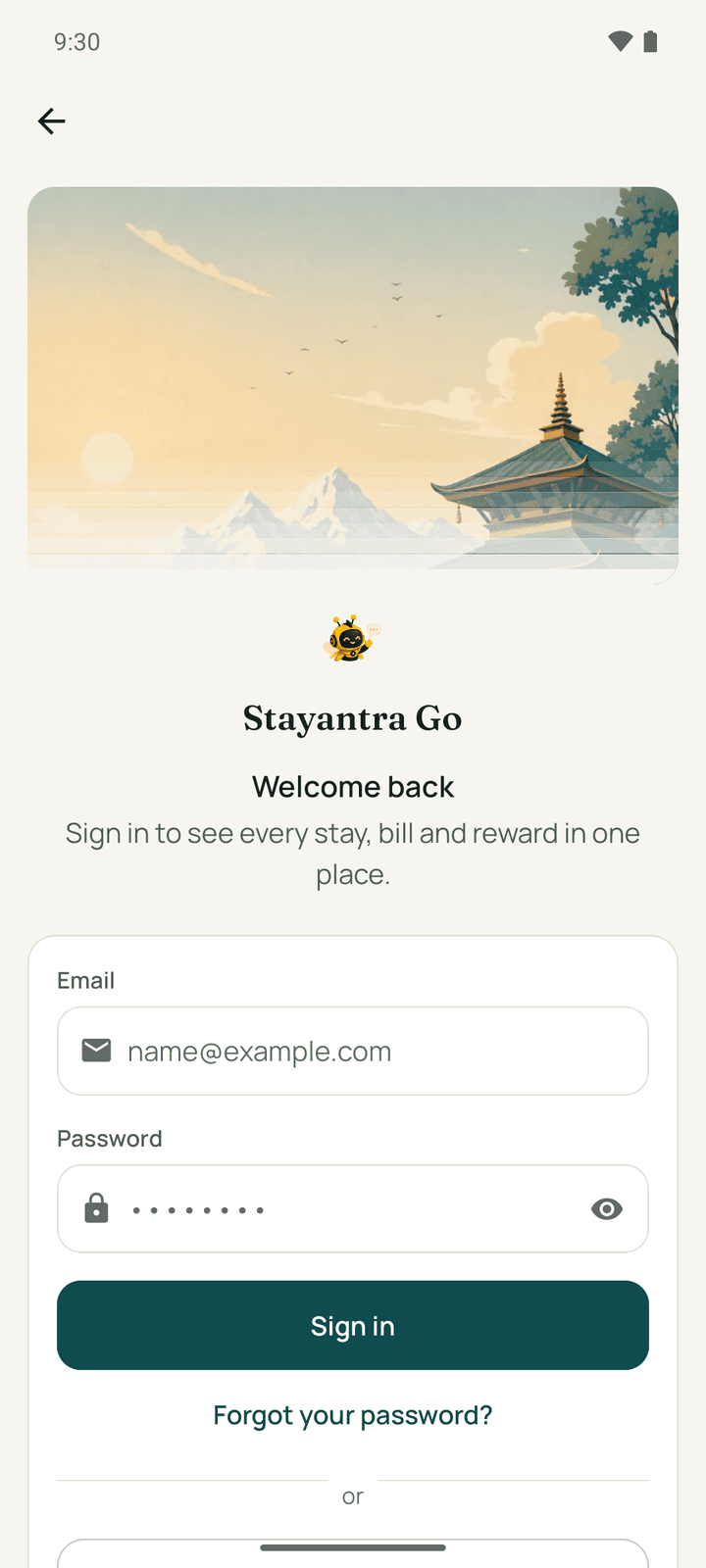
- Email and password: enter your Email and Password, then Sign in. Forgot your password? sends a reset link to your email; you set the new password on the web page it opens.
- Continue with Google: pick your Google account.
- Continue with Apple appears on iPhone only, once the iPhone app is released.
- Continue as a guest goes back to browsing.
New here? Create an account opens Create your account: Full name, Email, Password (at least 8 characters) and Confirm password. Tick "I am 18 or older and agree to the Terms of Service. I have read the Privacy Policy." and tap Create account. There is no phone-number or text-message step.
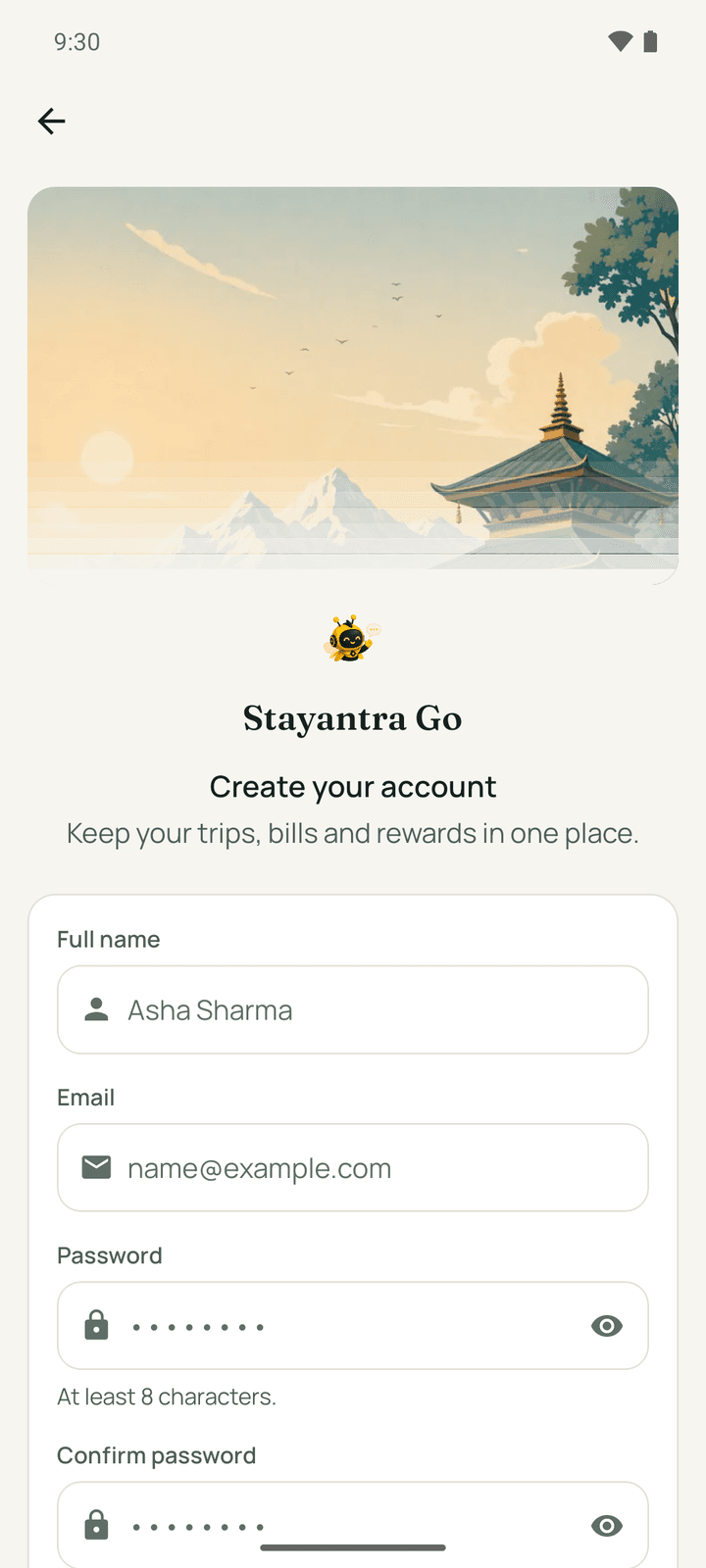
If a hotel has already created a guest profile for your email, sign-in offers You already have a guest profile and Claim it, which emails you a link to set a password.
The tabs
| Tab | What it holds |
|---|---|
| Home | Search, featured hotels, moods, and your notifications |
| Trips | Your bookings, event hall requests, and Settings |
| Exubee (the round button in the middle) | Your AI concierge |
| Stay | Your current or next stay: check-in, requests, food, chat, bill, check-out |
| Wallet | Points, vouchers and offers. Shown only when you are signed in. |
Find a hotel
Home greets you ("Namaste") and opens on Where to next?.
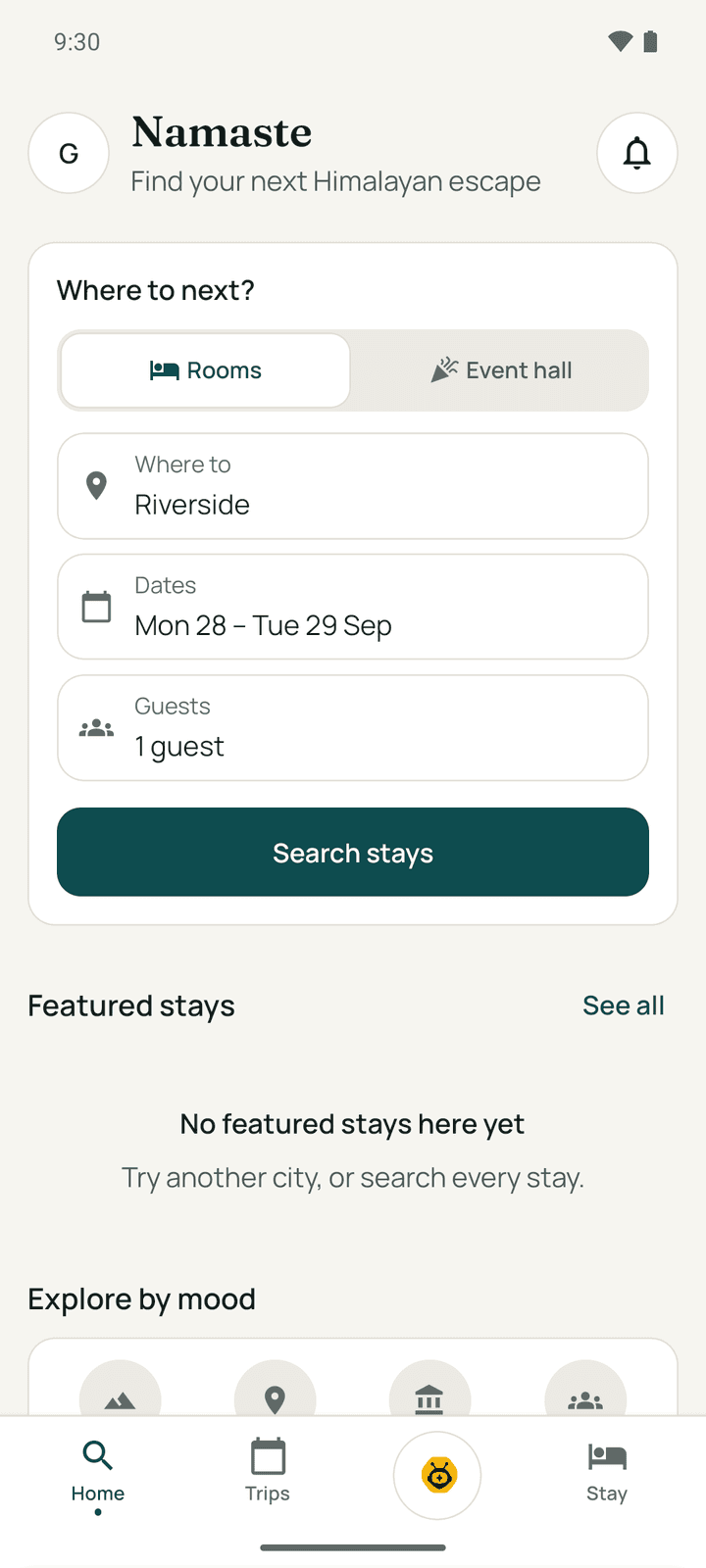
- Choose Rooms (a stay) or Event hall (a wedding, party or meeting).
- Tap Where to and pick a city, or Near me to sort by distance.
- Tap Search stays.
On Search stays you can change the city, Dates and Guests, and narrow the list:
- Mood: Nature, Pilgrimage, Heritage, Family, Wellness, Adventure, Business, Luxury, Budget.
- Amenities: Wi-Fi, AC, Hot water, TV, Room service, Laundry.
- Sort by: Recommended, Price: low to high, Price: high to low, Top rated, Nearest first.
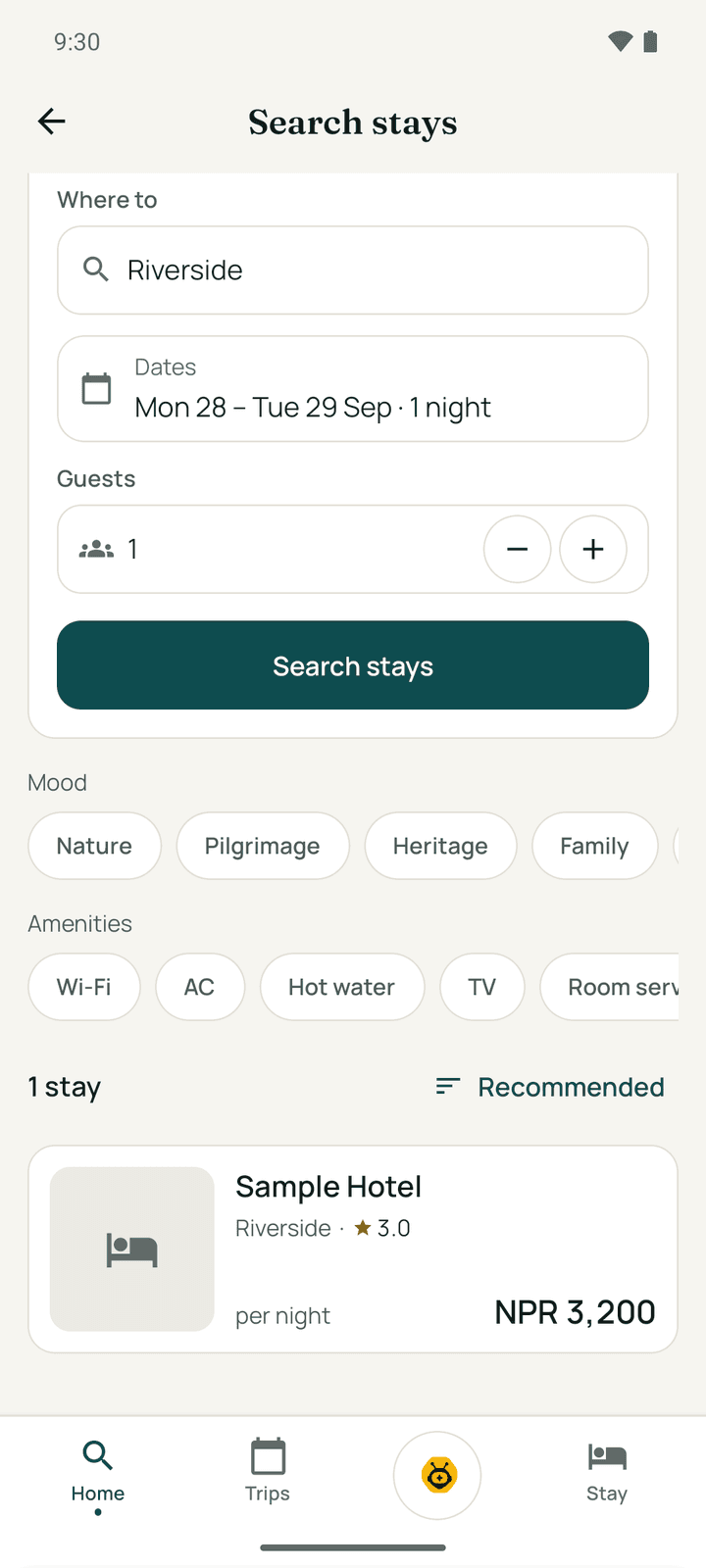
Featured stays on Home are hotels Stayantra highlights; a Sponsored tag marks a paid placement. Explore by mood opens a search for that kind of stay.
A hotel's page
Tap a hotel to see its photos, rating and reviews, About, Available rooms for your dates, Event halls, Amenities, Policies (check-in and check-out times and the cancellation rule) and Location with Directions. Reserve a table appears when the hotel's restaurant takes bookings.
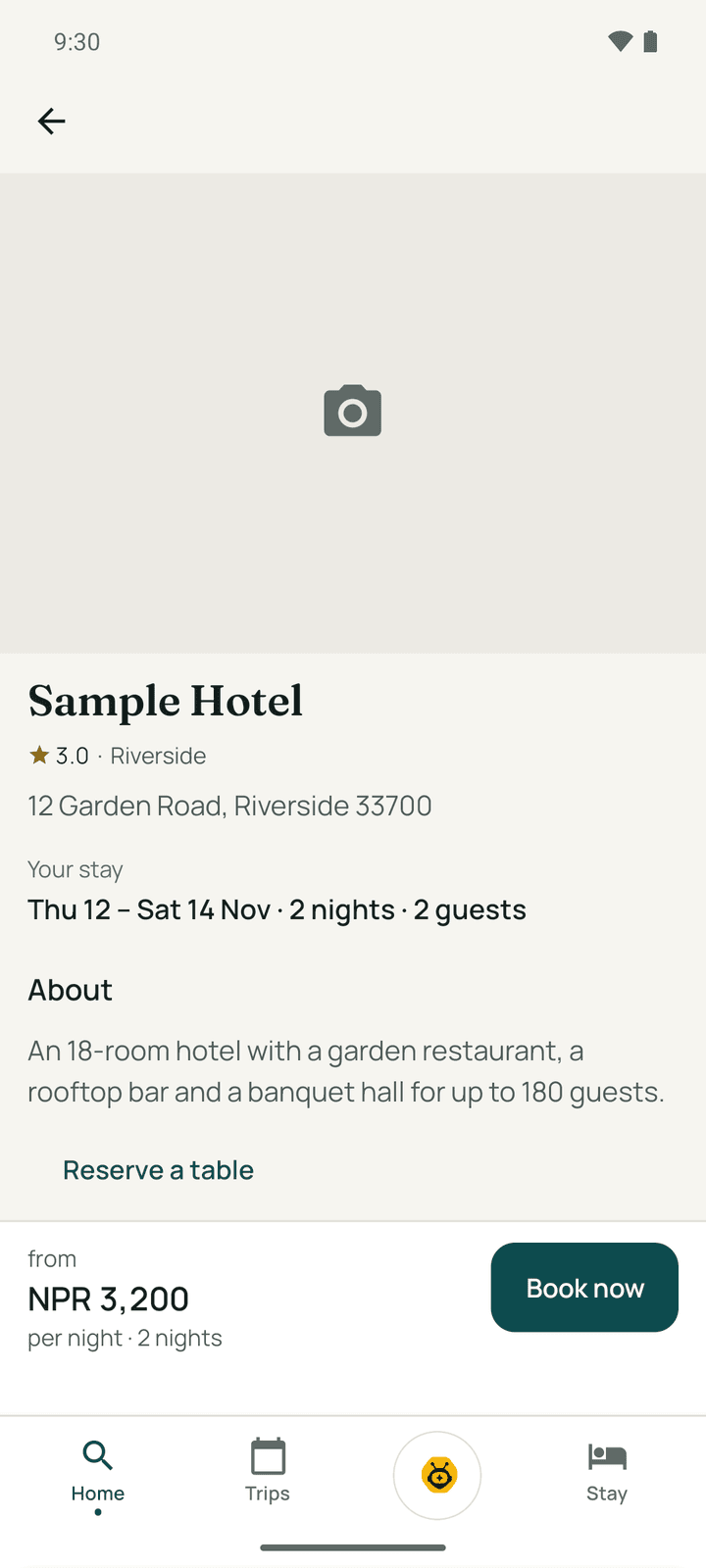
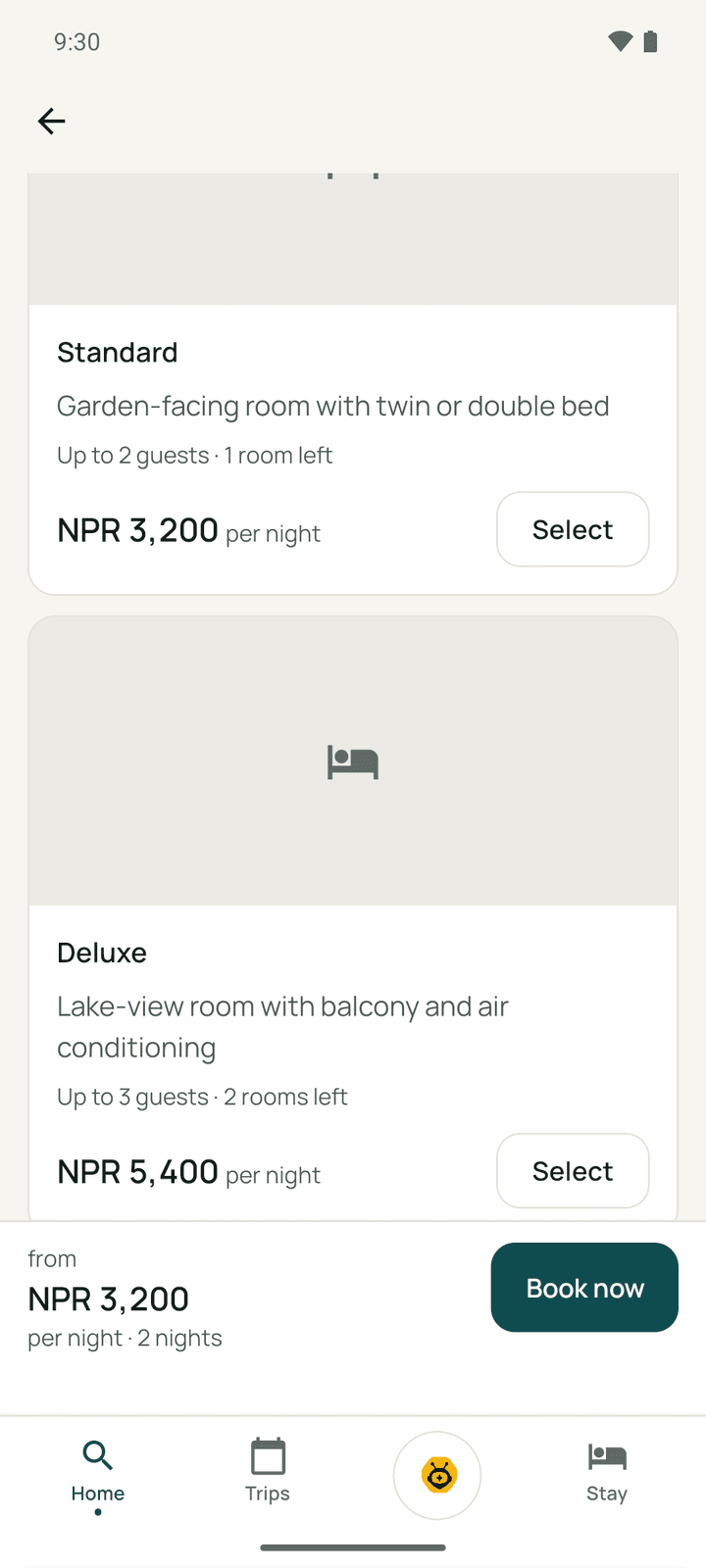
Tap Select on a room, or Book now at the bottom.
Book a room
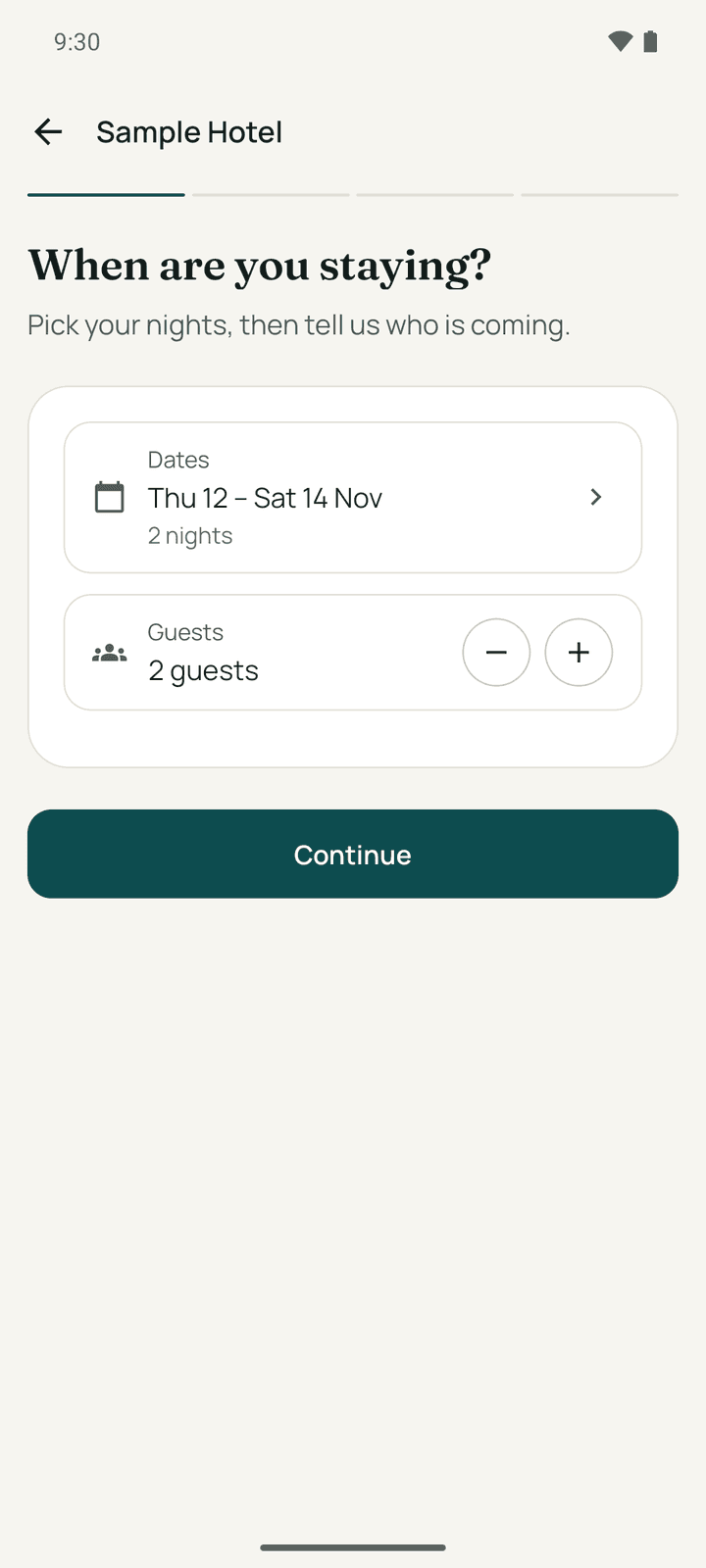
Choose your room
Each room shows the price for your whole stay, the nightly price and the tax. When a room has more than one rate, Choose a rate: a Refundable rate, a Non-refundable rate that is paid online now, or a Package. Some hotels let you book several rooms at once. For a big group, Send a group request asks the hotel for a quote instead. Tap Continue.
If you tapped Select on a room on the hotel's page, Go skips this step.
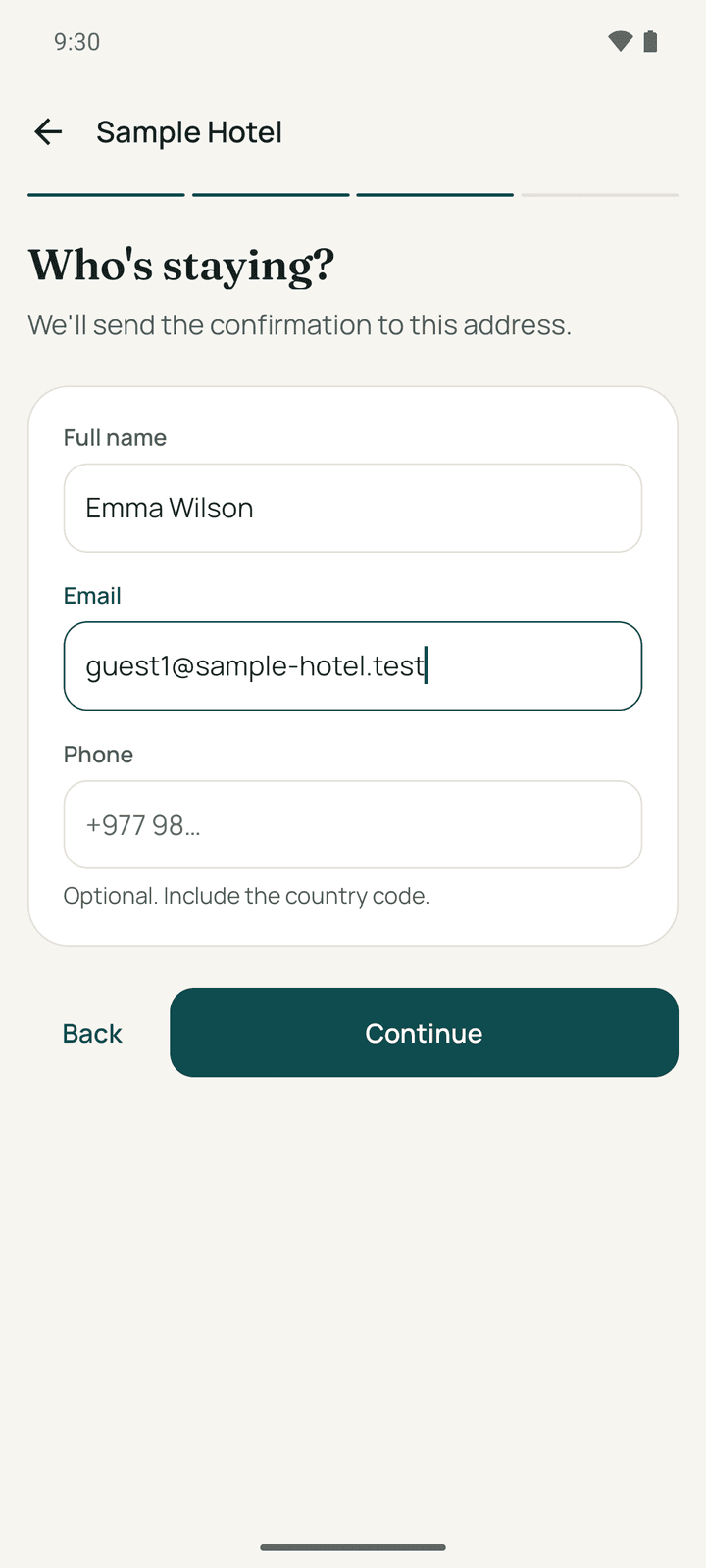
Who's staying?
Enter the Full name and Email for the booking, and a Phone with the country code (optional). Use my details fills them in when you are signed in. Tap Continue.
Review and pay
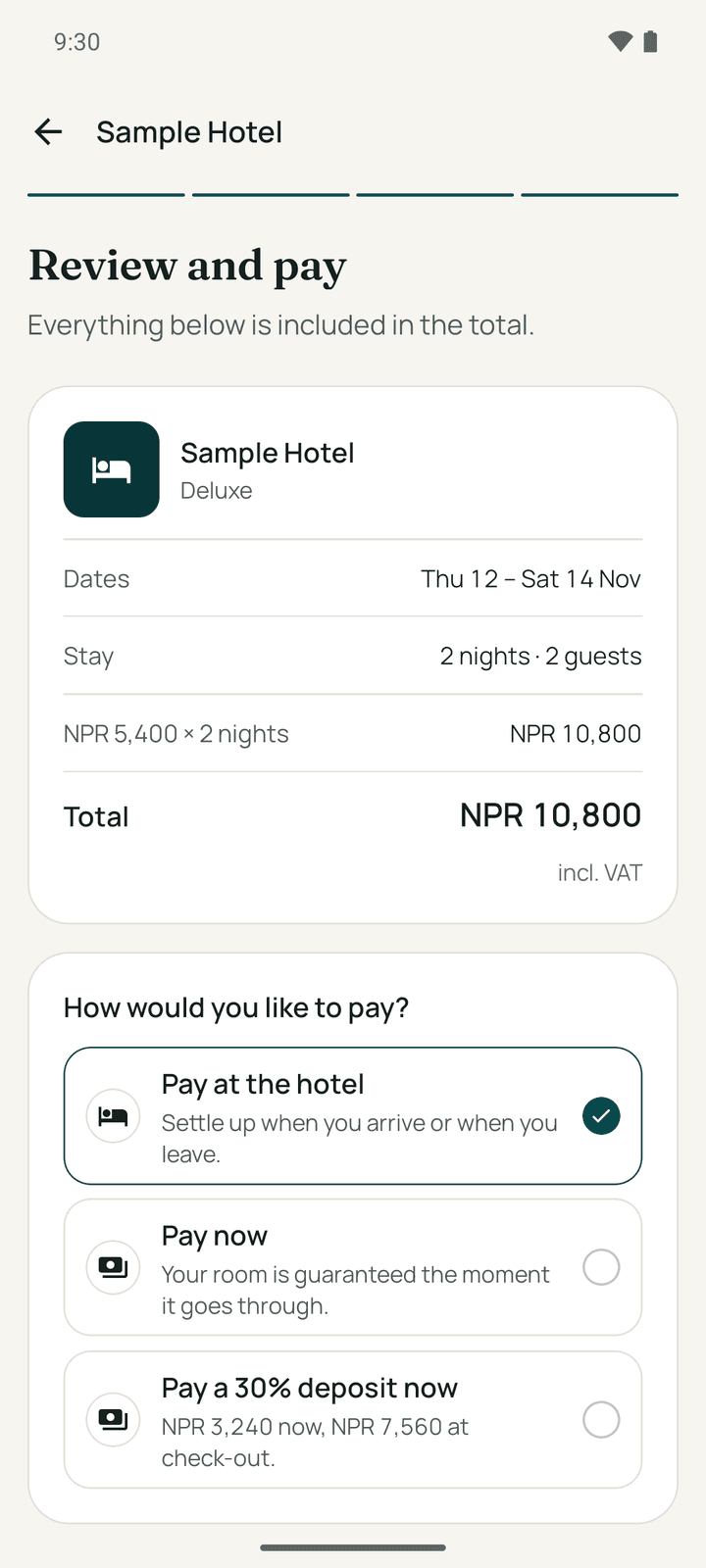
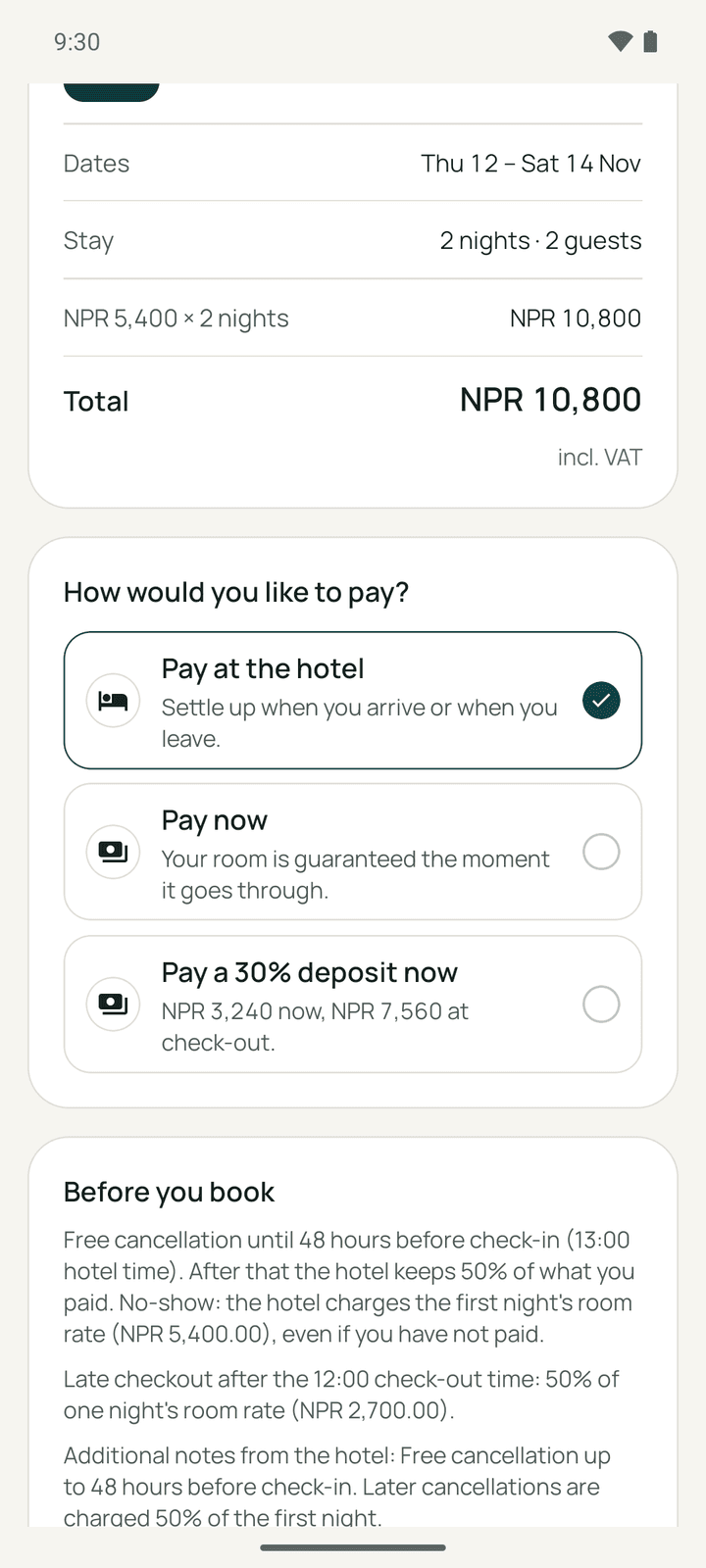
Check the receipt: the room, dates, nights, every tax and charge, and the Total. Then choose How would you like to pay?:
| Option | What happens |
|---|---|
| Pay now | Pay the whole stay online with eSewa, Khalti, Fonepay or Card (the ones the hotel accepts). The room is guaranteed. |
| Pay a …% deposit now | Pay part now and the rest at check-out. Offered when the hotel asks for a deposit. |
| Pay at the hotel | Nothing now; settle when you arrive or leave. Not offered for non-refundable rates or when the hotel needs a deposit. |
| Pay the hotel directly | Transfer the total yourself to the hotel's eSewa ID or bank account within the hotel's deadline (usually 24 hours). Offered when the hotel has switched it on. After booking, How to pay the hotel shows the account details and QR code, with a copy button for each, on the confirmation and on the trip's page until the hotel confirms your transfer. Once it does, you can check in from the app. |
| Bill to my company | For employees of a company in the Stayantra corporate network. See Business travel. |
Signed-in members can pick a Stayantra Rewards voucher under Use a voucher. Read Before you book (the hold time, cancellation and no-show terms), tick "I agree to the hotel's cancellation terms above and Stayantra's Terms of Service", and tap Pay and confirm or Confirm booking.
If you pay online, the payment page of eSewa, Khalti, Fonepay or your card opens. When you come back, Go checks with the hotel ("Confirming with the hotel…") for up to 30 seconds and shows You're booked. with your stay pass. The confirmation also goes to your email.
If the payment fails, "The payment didn't go through" and your room is not reserved yet: Try again, Pay at the hotel (when allowed), or Check my Trips.
There is no coupon-code box: Stayantra Rewards vouchers are picked from your list. Splitting the bill with friends is done after booking, from the Stay tab (see Split the bill).
Other requests
- Event hall: search in Event hall mode, then Request a quote with the date, time of day, guests and occasion. The hotel's quote arrives in Trips, where you can Accept quote. You need to be signed in.
- Group request: for more rooms than the app books at once, tell the hotel your dates, rooms, people and occasion. The hotel replies by email.
- Reserve a table: pick the restaurant, date, time and guests. The restaurant replies by email; it is not confirmed until then.
Trips
Trips (Your stays) lists Coming up and Past stays, and your Event requests. Each trip shows the hotel, dates, room type and its status.
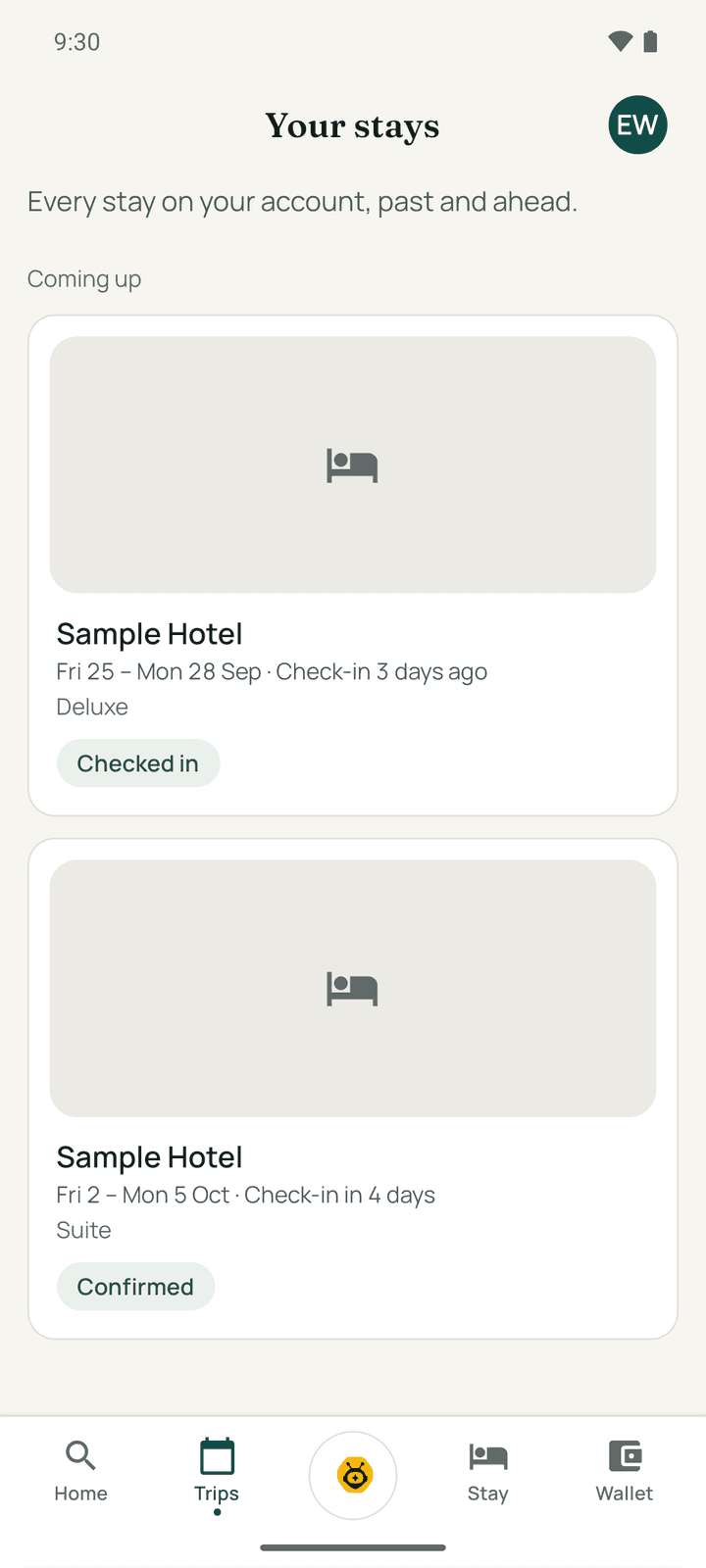
| Status | Meaning |
|---|---|
| Awaiting payment | The booking is waiting for your payment |
| Confirmed | Booked |
| Checked in | You are staying there now |
| Completed | The stay is over |
| Cancelled / No show / Expired | The booking did not go ahead |
Tap a trip to open Your stay:
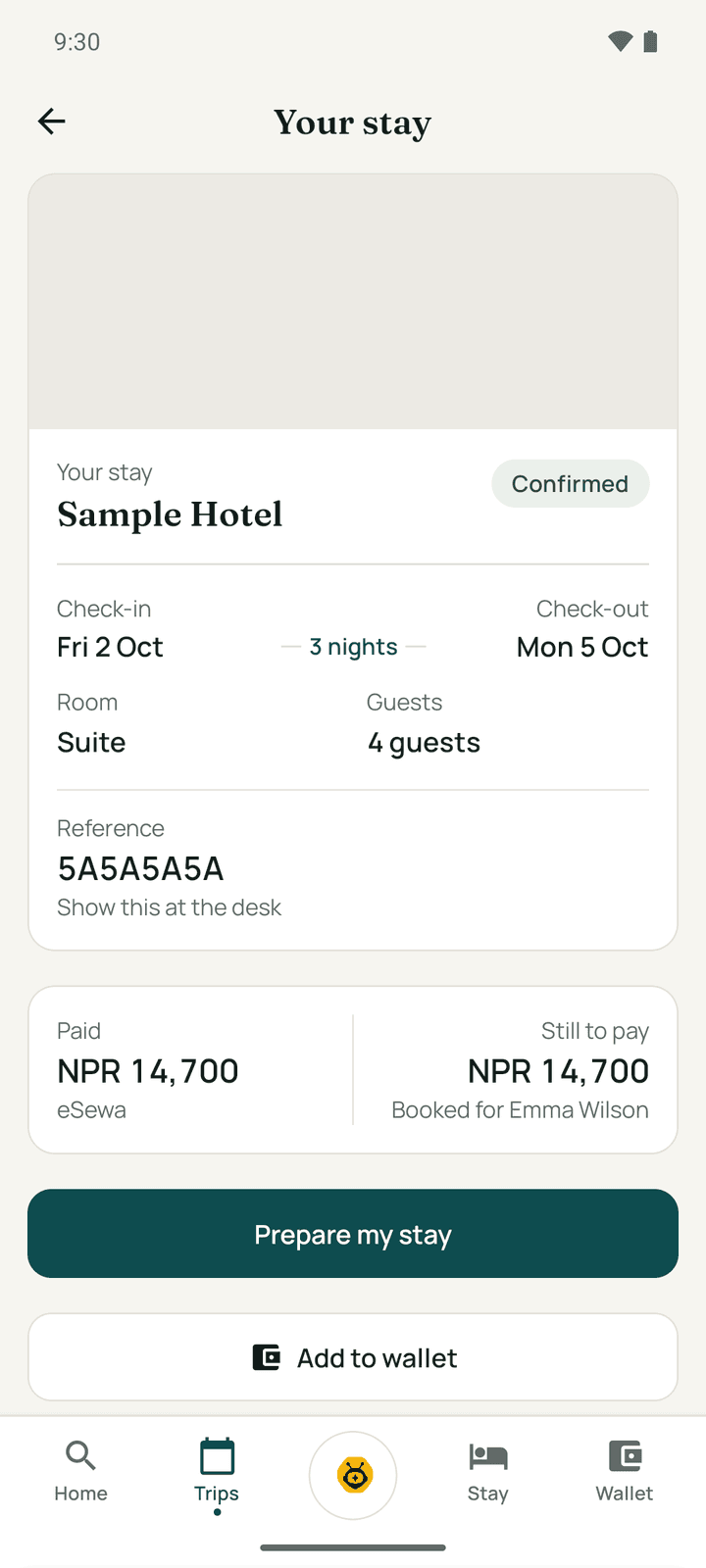
- The stay pass with your booking reference, and the payment: what you paid and what is still to pay.
- Prepare my stay / Open my stay opens the Stay tab for this booking.
- Change dates and Cancel this stay, under the hotel's terms.
- Share this stay, Add to calendar, and Add to wallet (a web page with your pass).
- Send your ID ahead (optional): Photograph my ID so check-in is quicker. "ID received. Your check-in will be quicker."
- Your stay, day by day and Around the hotel: places nearby with Get directions.
- After check-out: Rate your stay. For a cancelled stay: Stay here again.
- When a refund is due, tell the hotel where to send it: eSewa, Khalti, Fonepay or Bank transfer.
Wallet and Stayantra Rewards
Sign in to see Wallet. It shows your Available points (and their value in NPR), points that unlock later, your tier and how far you are from the next one.
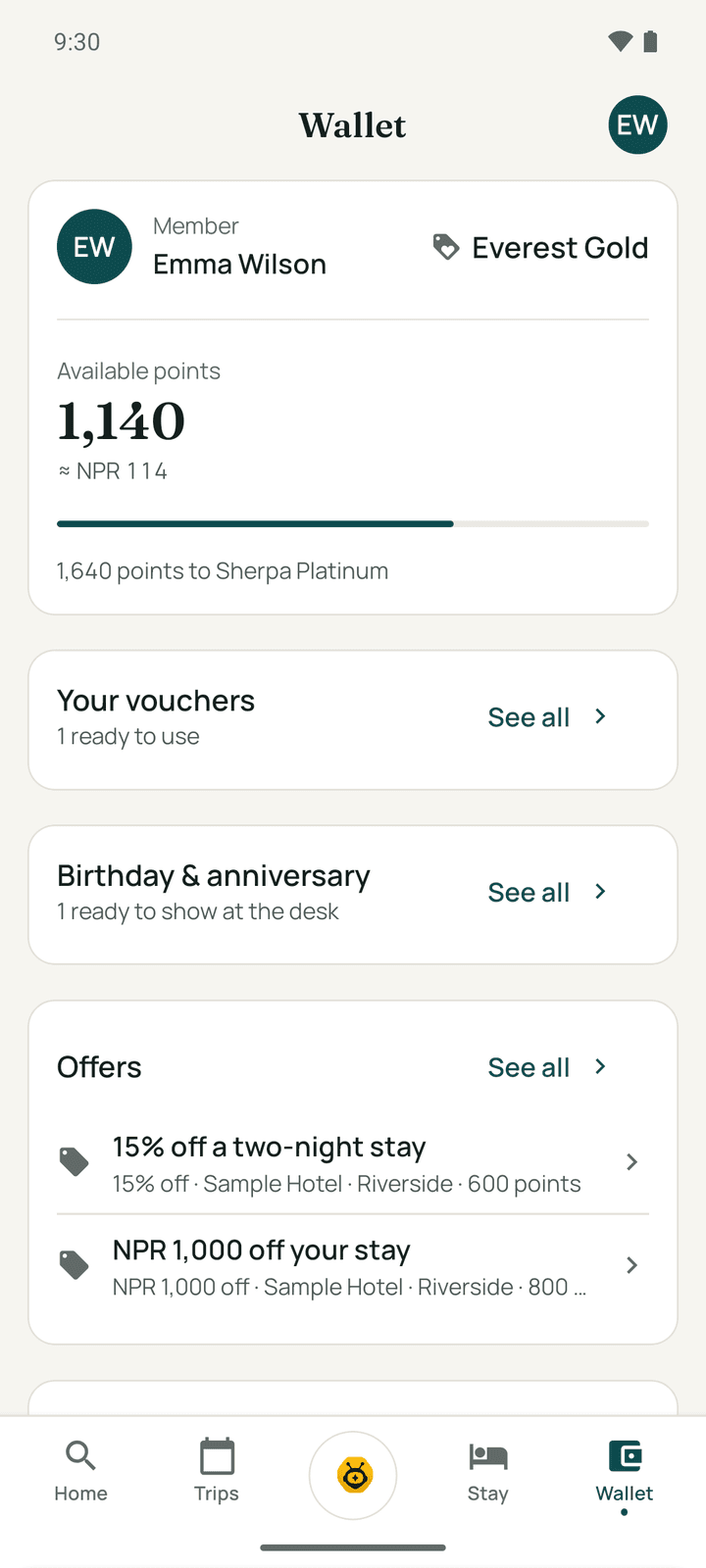
- Offers: offers you can claim with points ("Costs 500 points"). Tap Claim, then confirm. The voucher is added to Your vouchers.
- Your vouchers: each code, which hotel it is for, the use-by date, and Cancel voucher (the points come back). Choose a voucher at the payment step when you book that hotel.
- Birthday & anniversary: discount codes from hotels you have stayed at, to show at the desk.
- Refer a friend ("Give 500 points, get 500 points"): Share your code or Copy code. If a friend gave you a code, enter it under Got a code from a friend? and tap Apply a code.
- Points history: every point earned and spent.
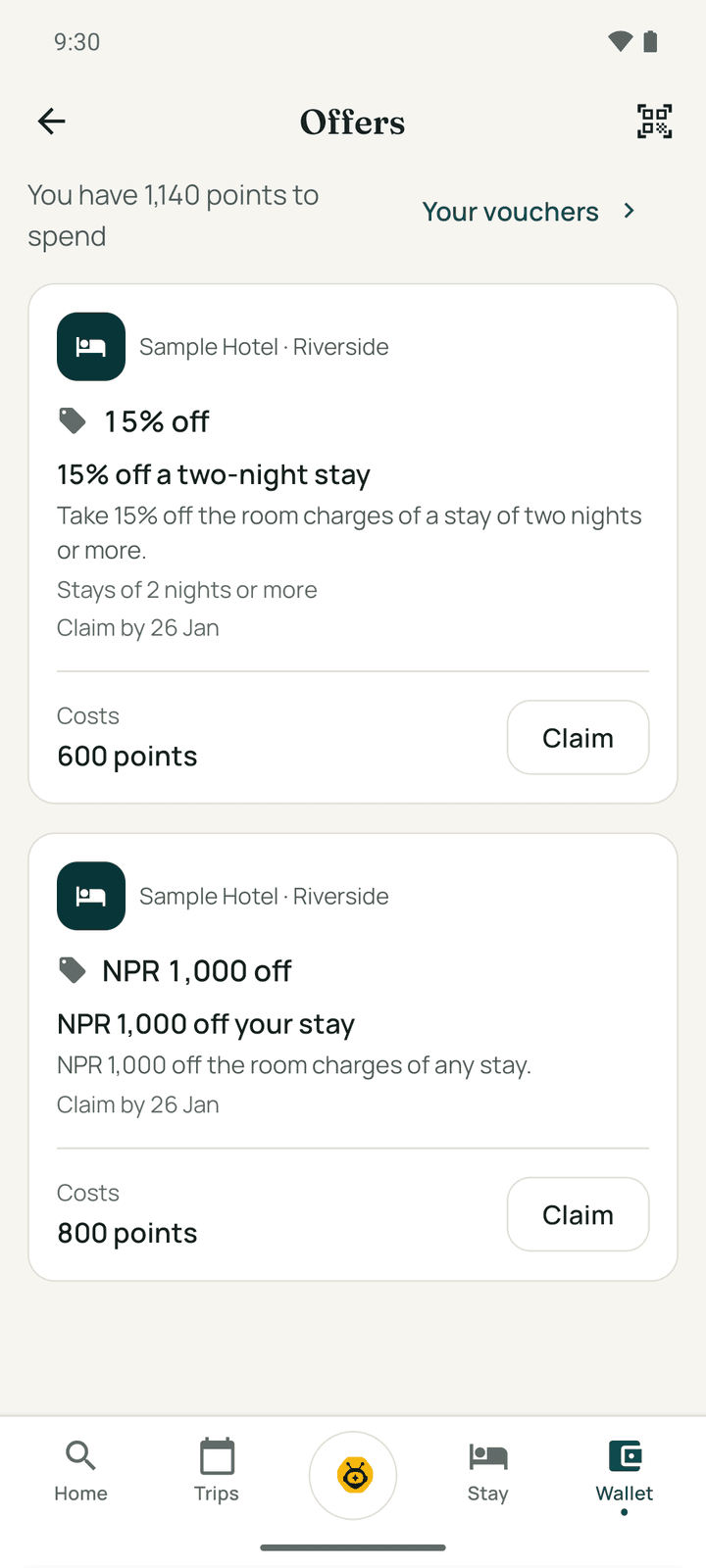
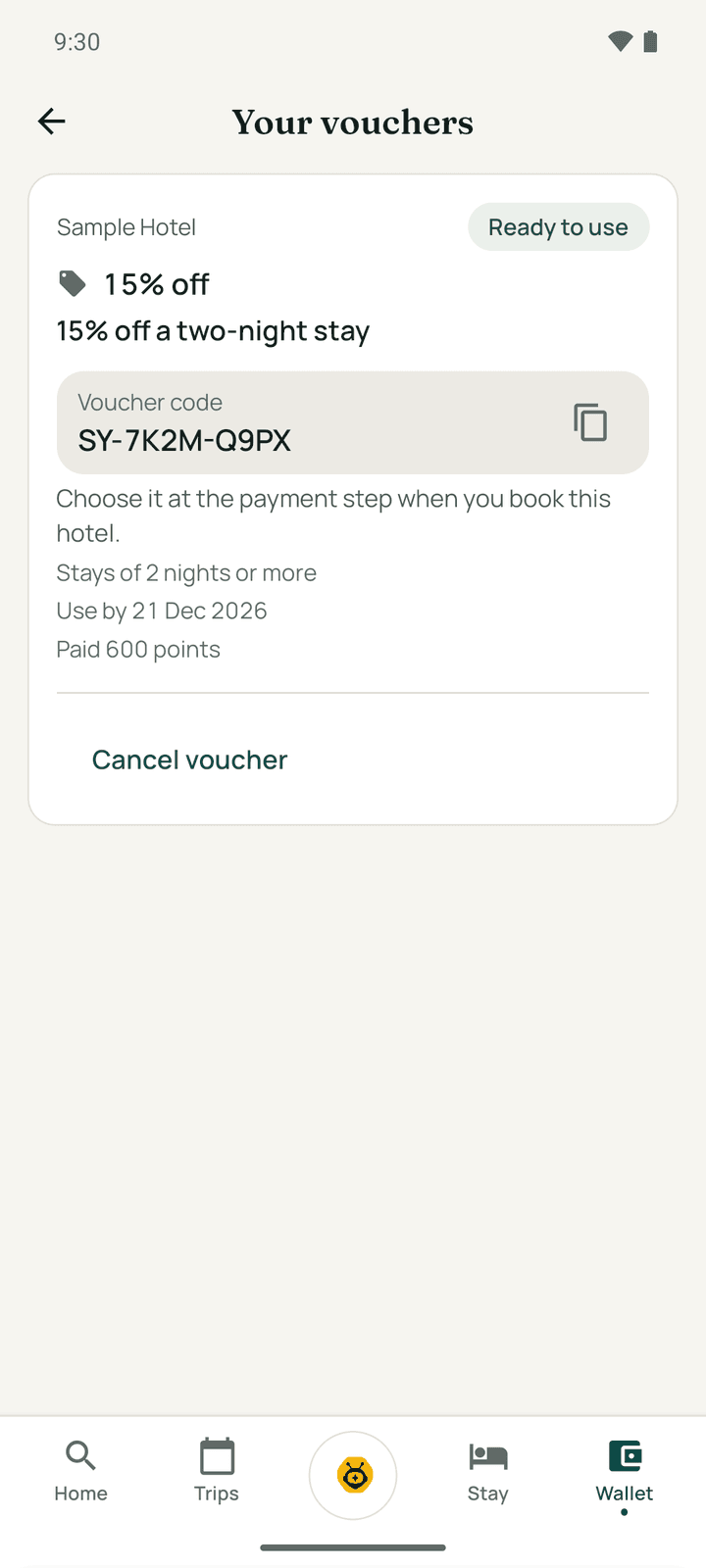
The points rules are on Rewards and referrals.
Exubee, your concierge
Tap the round Exubee button in the middle of the tab bar. Ask about the hotel, the area, your booking or anything you need. Exubee can find and book rooms for you when you are signed in.
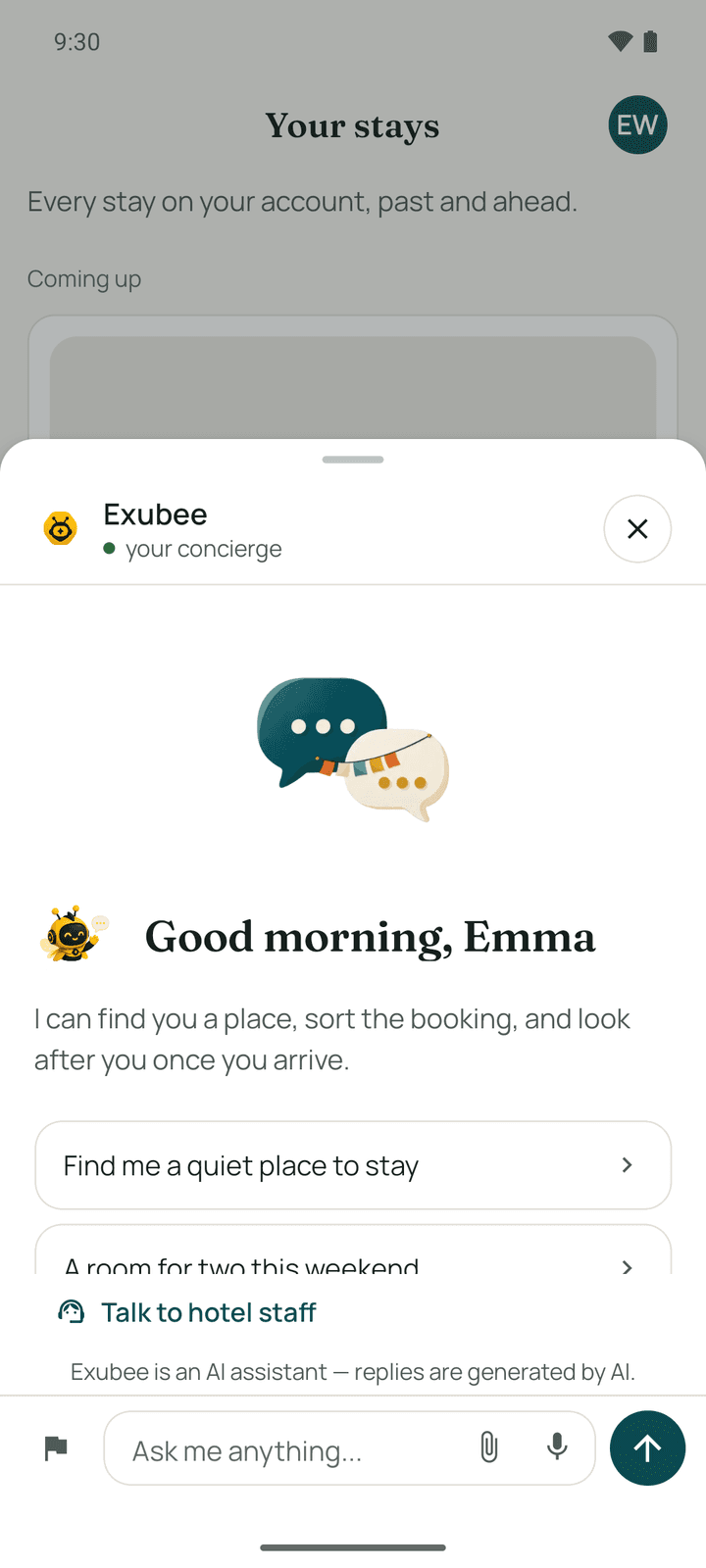
- The microphone turns your speech into text (up to 60 seconds). Exubee replies in text.
- Talk to hotel staff opens the chat with the front desk.
- The warning sign reports a problem with your room to the hotel.
- "Exubee is an AI assistant — replies are generated by AI."
You need to be signed in or have a linked booking to chat with Exubee.
Notifications
The bell on Home opens Notifications: booking confirmations, check-in reminders and replies from the hotel. Mark all read clears them. Go asks permission to send notifications once you have linked a booking or signed in.
Settings
Open your account (your initials) and tap Settings, or open Trips → Settings.
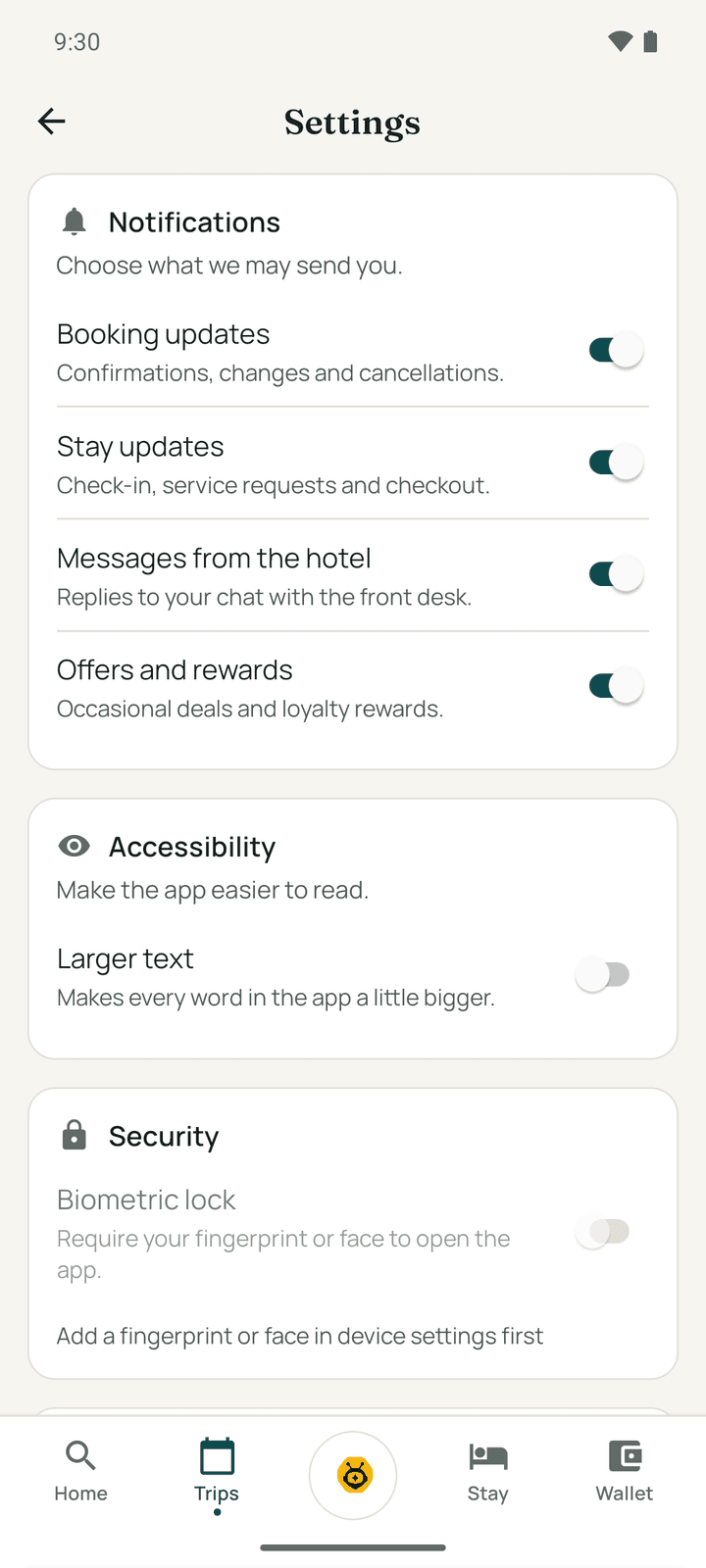
| Section | What it does |
|---|---|
| Notifications | Turn on or off Booking updates, Stay updates, Messages from the hotel, Offers and rewards |
| Accessibility | Larger text makes every word in the app a little bigger |
| Security | Biometric lock: ask for your fingerprint or face to open the app. Shown on phones with a fingerprint or face set up. |
| Your data | Download my data (a file with everything Stayantra holds about you) and Close my account (erased after 30 days; not possible during an upcoming or current stay). See Privacy and your data. |
| Legal | Privacy Policy, Terms of Service, AI Transparency |
| Permissions | Whether Go may use your location and microphone, and Open system settings |
Go is in English only.
Your profile
Signed-in guests can open Your profile from the account button. Your name and email are shown but cannot be changed in the app. Fill in Travel preferences (why you usually travel, who comes along, your birthday and anniversary, home country, floor, meals, anything else hotels should know) and tap Save preferences. Hotels you stay at use them to prepare. Change your password under Password.
My company is for business travellers: see Business travel.
If something goes wrong
| What you see | What to do |
|---|---|
| Invalid booking reference or email. | Check the reference on your confirmation email and use the email the booking was made with. |
| You are offline | Go shows your last saved trips and stay. Searching and booking need a connection. |
| "The payment didn't go through" | Your card or wallet was not charged for a room. Try again, or choose Pay at the hotel. |
| "This hotel can't take a payment right now." | Try again a little later, or book by phone with the hotel. |
| The app asks for your fingerprint and you cannot unlock | Tap Unlock to use the phone's PIN. |
Book online
Find a hotel on the Stayantra marketplace, book a room step by step, and manage, change or cancel your booking.
Your stay
Use Stayantra Go during your stay. Send your ID ahead, check in from the app or with your stay pass, ask for things, order food, chat with the desk, see and settle your bill, extend, check out and rate the stay.