
Your stay
Once you have a booking, the Stay tab in Stayantra Go is your remote control for the hotel: check in, ask for towels, order breakfast, message the front desk, see your bill, and check out. Everything you send goes straight to the hotel's staff.
Where to find it: the Stay tab (the bed icon). Who can use it: a guest who has linked the booking or is signed in to the account it was booked with. See The Go app.
Open your stay
Tap Stay. If you are signed in, Go opens your current or next stay by itself ("Preparing your stay…"). Otherwise tap Link my booking and enter your booking reference and email.
With no booking you see No stay linked yet or No upcoming stay.
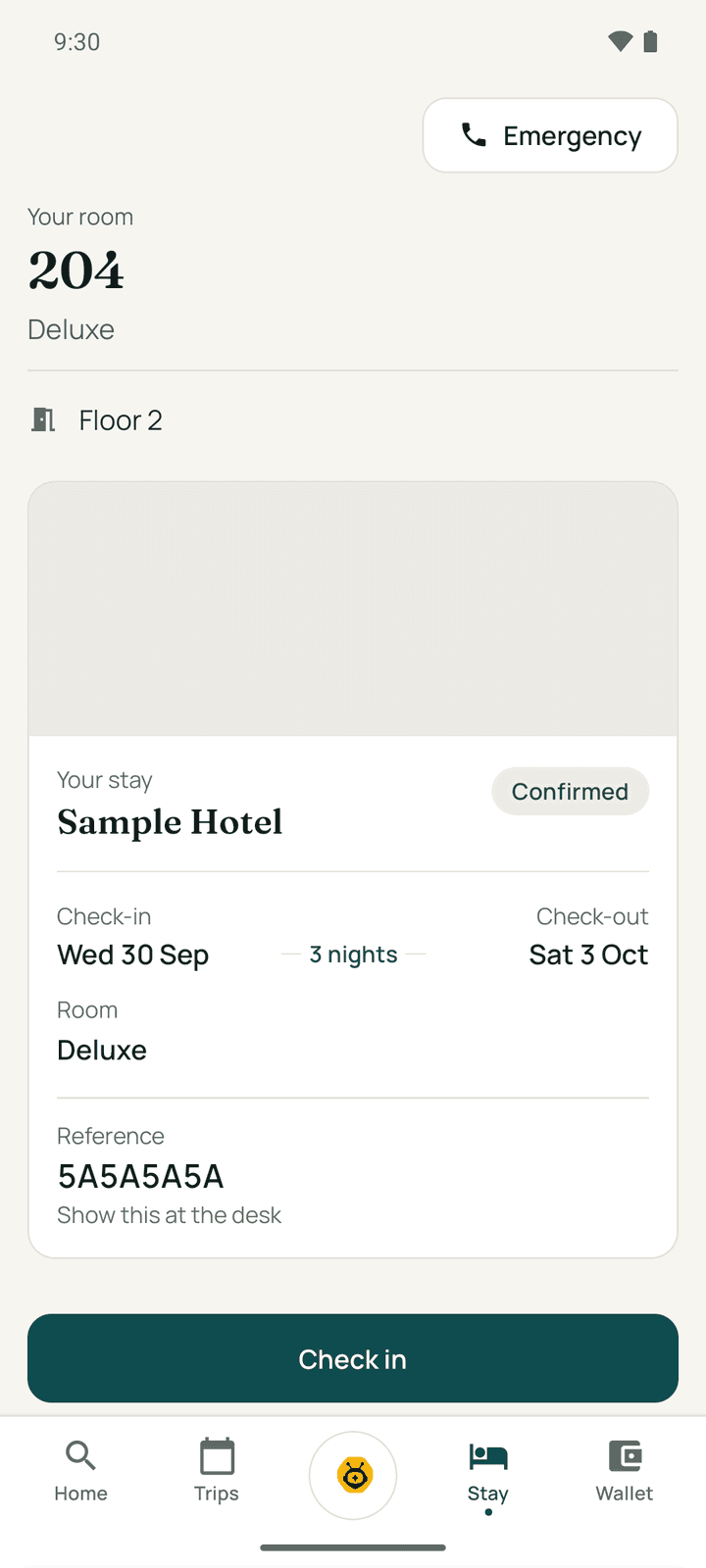
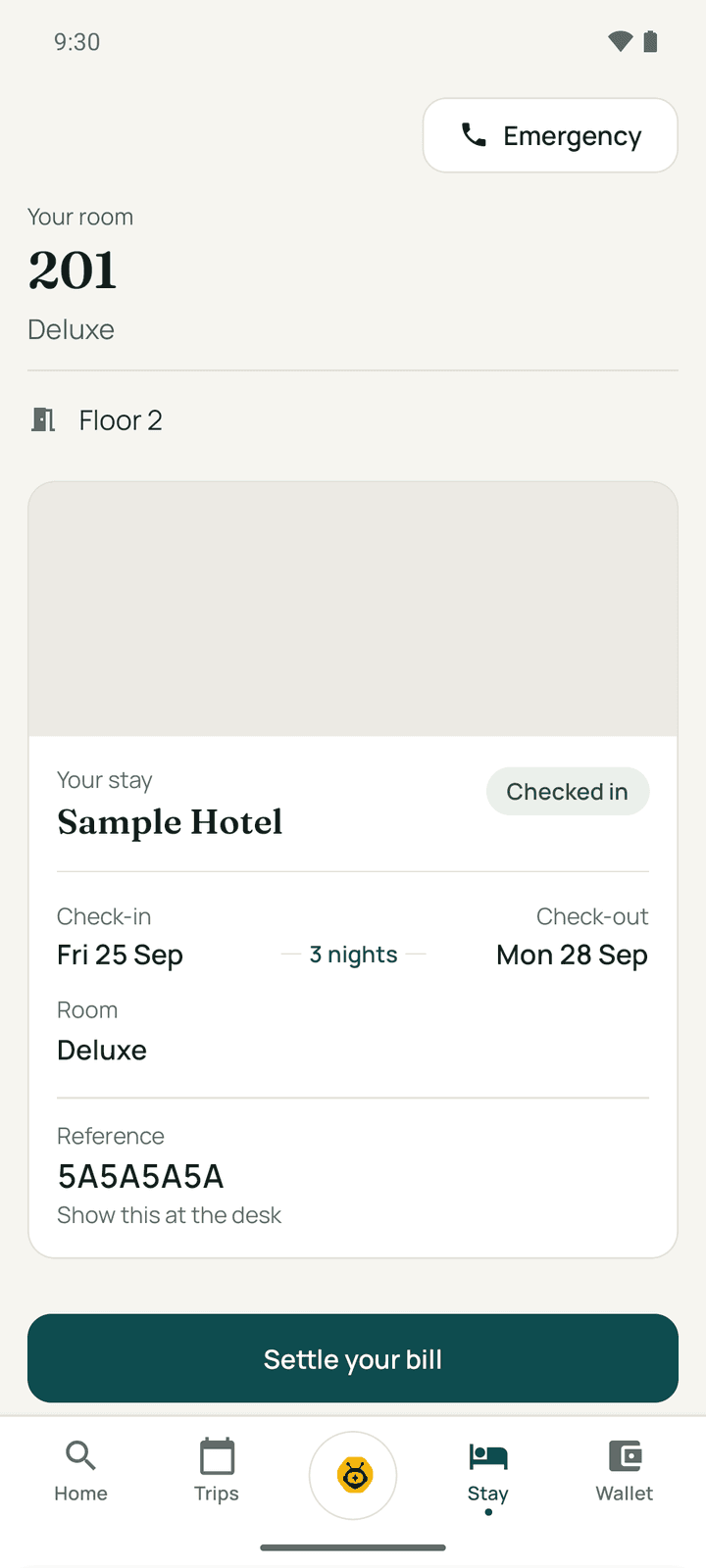
The top of the Stay tab shows Your room (the room number, type and floor once it is assigned), the hotel's Wi-Fi name and password, and your stay pass. One large button shows the next thing to do, with a short reason, and the other actions are listed below it.
Before you arrive
Before check-in the big button is Check in: "Show your pass at reception and your room is yours." You can also open Your bill, Split with your group and My requests.
Send your ID ahead
Nepal's hotels must record an identity document for every guest. To save time at the desk, open the trip in Trips and, under Send your ID ahead, tap Photograph my ID. Photograph your passport, citizenship card or driving licence so the text is sharp. You see "ID received. Your check-in will be quicker." This is optional. Why we ask explains it.
Arrival reminder
On the Stay tab or the trip, Remind me to check in when I arrive offers to remind you when you reach the hotel. Read Arrival reminder and tap Allow and turn on. Go then uses your location in the background, only to notice when you reach that hotel, and it stops after your arrival day. Turn off stops it at any time.
Check in
Tap Check in on the Stay tab from your arrival day. What you see depends on whether your stay is paid.
Paid in full: check in from the app
Your stay is paid — check in now. Tap Check in now. Go shows "Checking you in…", then Your room is ready: "Welcome to Sample Hotel. Make yourself at home." The card shows your room number, type, floor and Wi-Fi. Tap Go to my stay.
You can tap Show my pass at reception instead if you would rather check in at the desk.
Not paid yet: pay now, or show your pass
Skip the queue — pay now and check in from the app shows what you still owe and the ways this hotel takes payment in the app: eSewa, Khalti, Fonepay or card. Pick one and tap Pay …; the payment page opens. When you come back, Go confirms the payment itself, then shows Check in now (from your arrival day) or "You're all set — check in here from …" (before it).
If Go says "We haven't seen your payment yet", do not pay again. Tap Check again in a moment; a payment can take a little while to arrive. A card payment charged in another currency shows the approximate amount before you pay.
Or go to the front desk. Show this at reception shows your check-in QR code. Hold your phone up and the front desk scans it and checks you in. Go changes to Your room is ready as soon as they do. The code renews itself, so there is nothing to refresh.
If you chose to pay the hotel directly, you can also wait for the hotel to confirm your transfer, then check in from the app.
The hotel hands over your key as usual. Go does not open doors.
| What you see | What to do |
|---|---|
| Your check-in code is on its way | Your stay has not started yet. The code appears on your arrival day. |
| We need your ID first | Tap Add your ID and photograph your ID from the trip, then try again. |
| Your room is almost ready | Housekeeping is finishing. Try again in about 15 minutes. |
| Early check-in is at the front desk | It is before the hotel's check-in time. The front desk can check you in early. |
| We could not check you in | Show your pass at reception. They can check you in from their side. |
During your stay
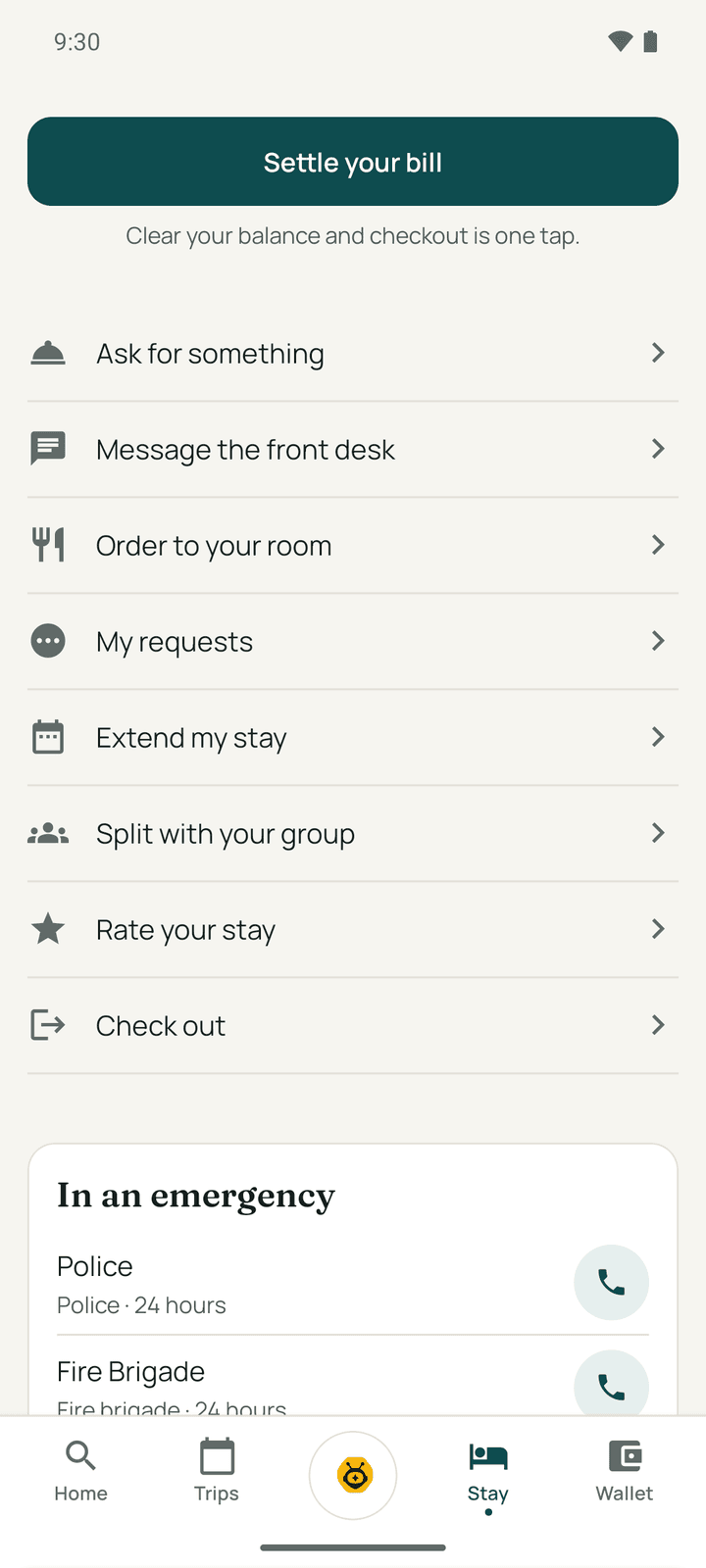
Once you are checked in, the big button is usually Order something ("Towels, a late breakfast, a taxi — just ask"). If money is owed, it becomes Settle your bill; on your last day, Check out.
Ask for something
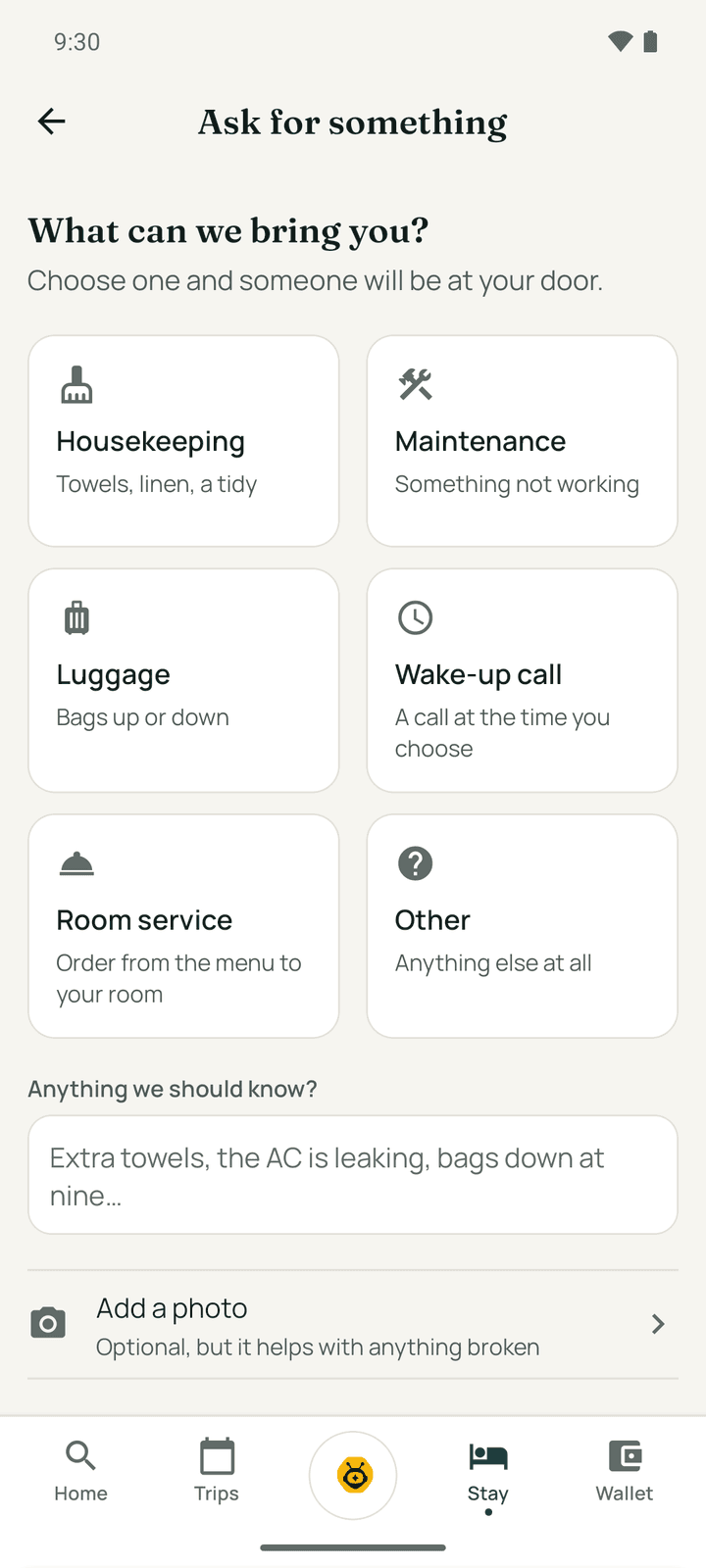
Tap Ask for something ("What can we bring you?"):
- Choose Housekeeping (towels, linen, a tidy), Maintenance, Luggage, Wake-up call (pick a time or type one), Room service or Other.
- Add Anything we should know? and, if it helps, Add a photo.
- Tap Send request.
"On its way" confirms it reached the hotel, with a time estimate. Without a signal the request is "Saved on your phone" and sent when you are back online. Track my request shows its progress.
My requests
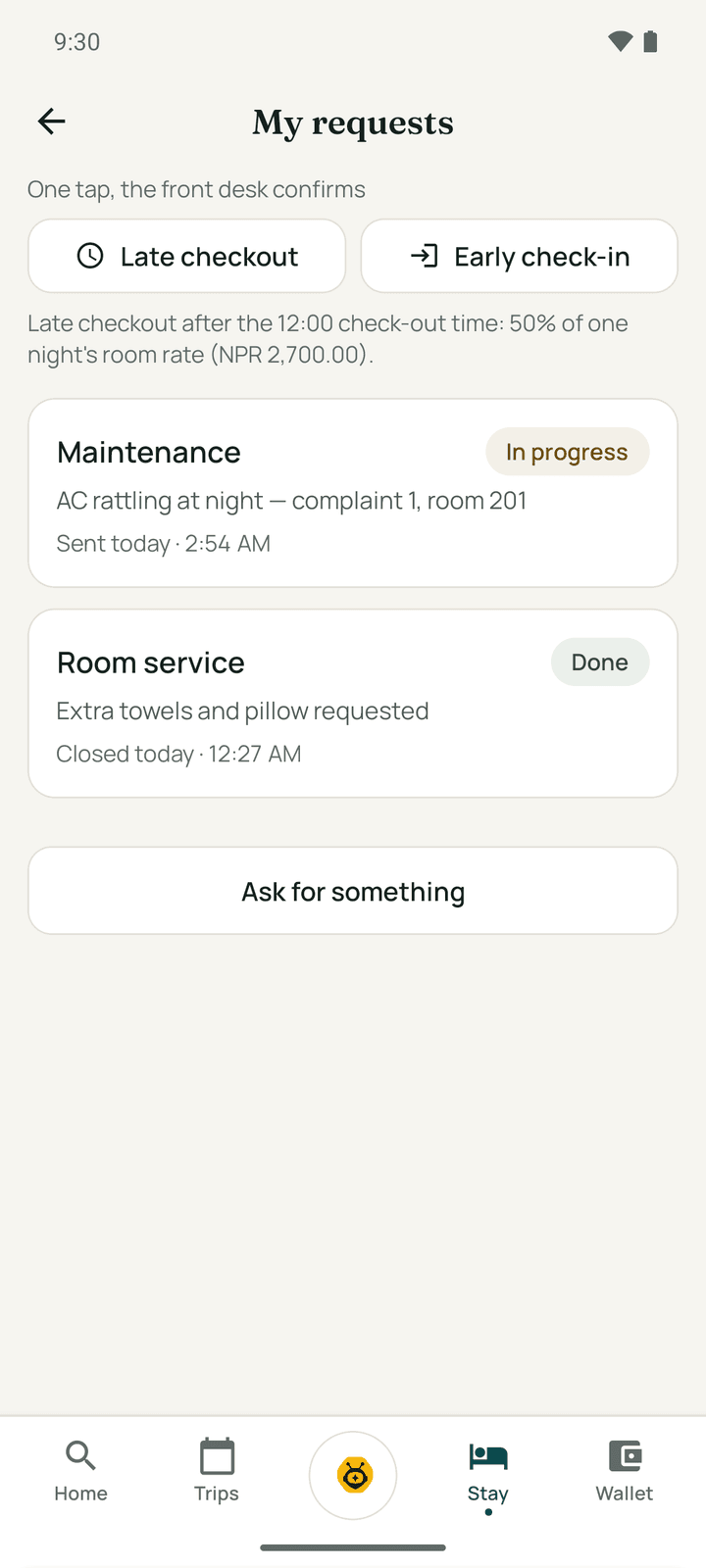
My requests lists everything you have asked for, with its status: Received, On its way, In progress, Done, Cancelled or Declined. At the top, Late checkout and Early check-in ask the desk with one tap; the desk confirms.
Order food to your room
Tap Order to your room. Pick a category, tap Add (or + and −) on each dish, add Anything for the kitchen?, and tap Place order.
"Your order is in the kitchen": the ticket number and the amount, which goes on your bill once it is served. Track my order shows Received, In the kitchen, On its way, Delivered and On your bill.
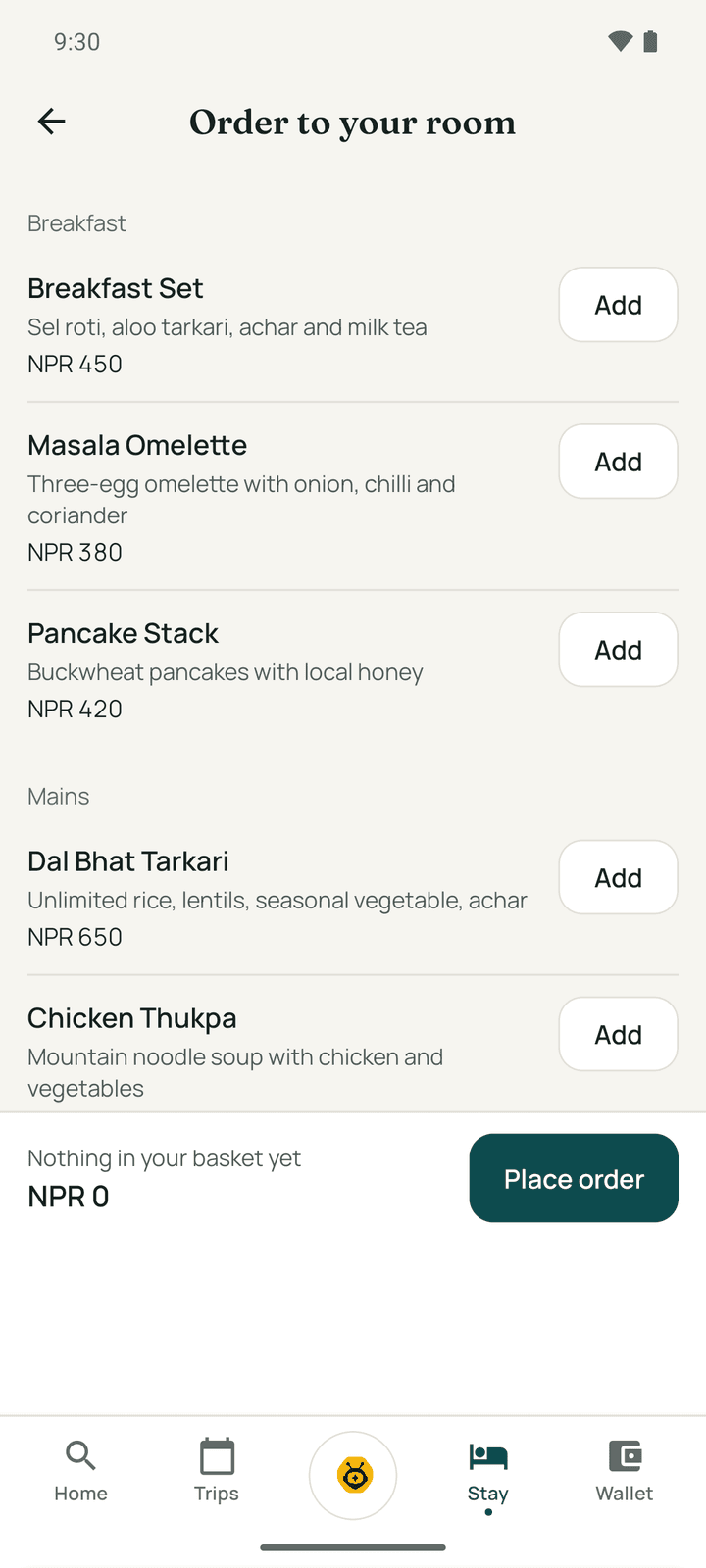
If the hotel's menu is not online yet, Message the front desk instead. Ordering opens once you are checked in.
Chat with the front desk
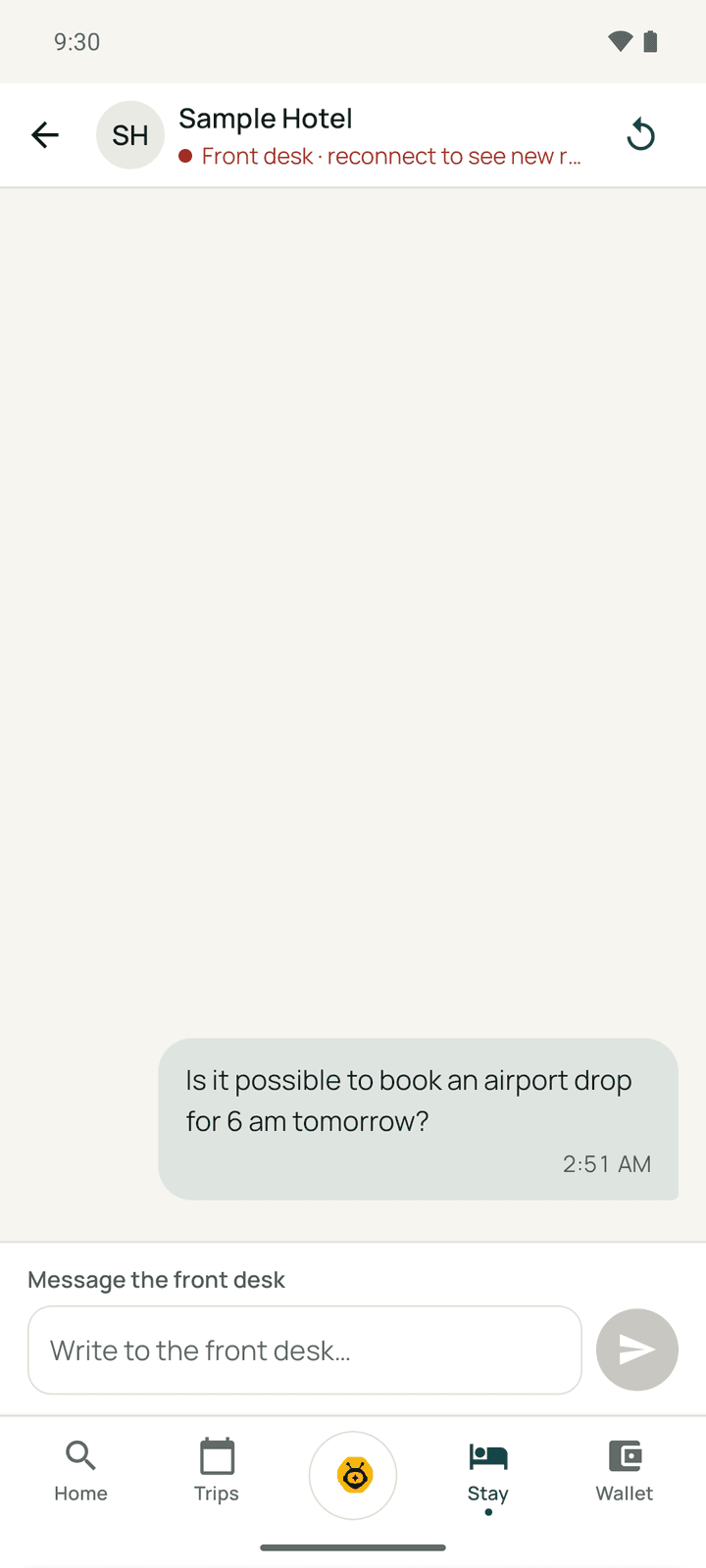
Tap Message the front desk. Type in Write to the front desk… and send. The desk usually replies in minutes, and you get a notification. Do not send card numbers or payment details in the chat; Go blocks them.
You can also ask Exubee, the concierge (the round button in the middle of the tab bar), about the hotel and the area; Talk to hotel staff hands you to the front desk.
Your bill
Tap Your bill to see the running bill: Balance due (or Nothing owing), Charged so far, Paid, and every charge by day. It is a running bill for your reference, not a tax invoice.
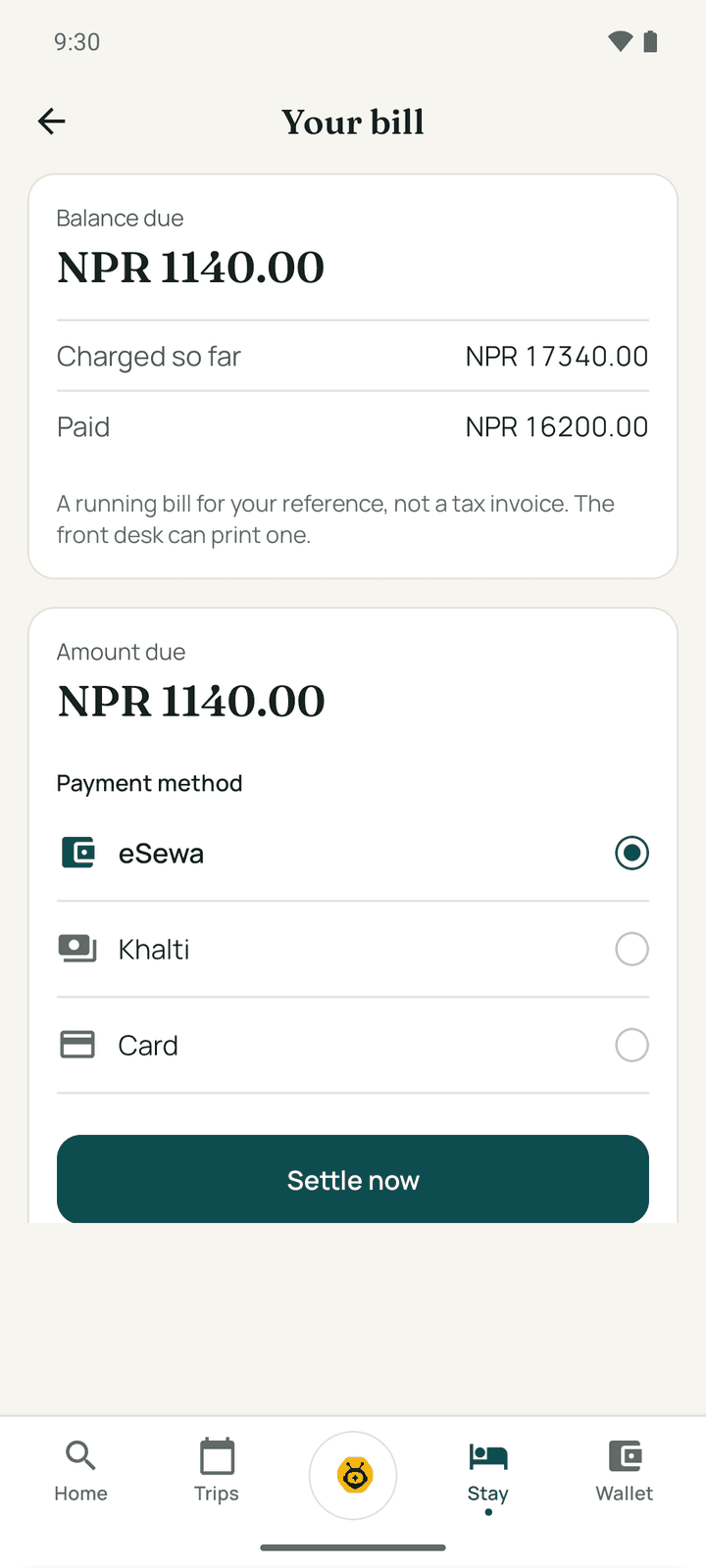
- Settle now: pay the Amount due with eSewa, Khalti or Card.
- Pay with points: Stayantra Rewards members choose how many points to use.
- Split charges: tap charges to select them, then Personal or Company to move them to a separate bill (for example for your employer).
- Split with your group: share the stay's cost with the people travelling with you, each paying their share by link. See Split the bill.
A stay billed to your company shows "Billed to …"; you cannot pay or split the company's part.
Extend your stay
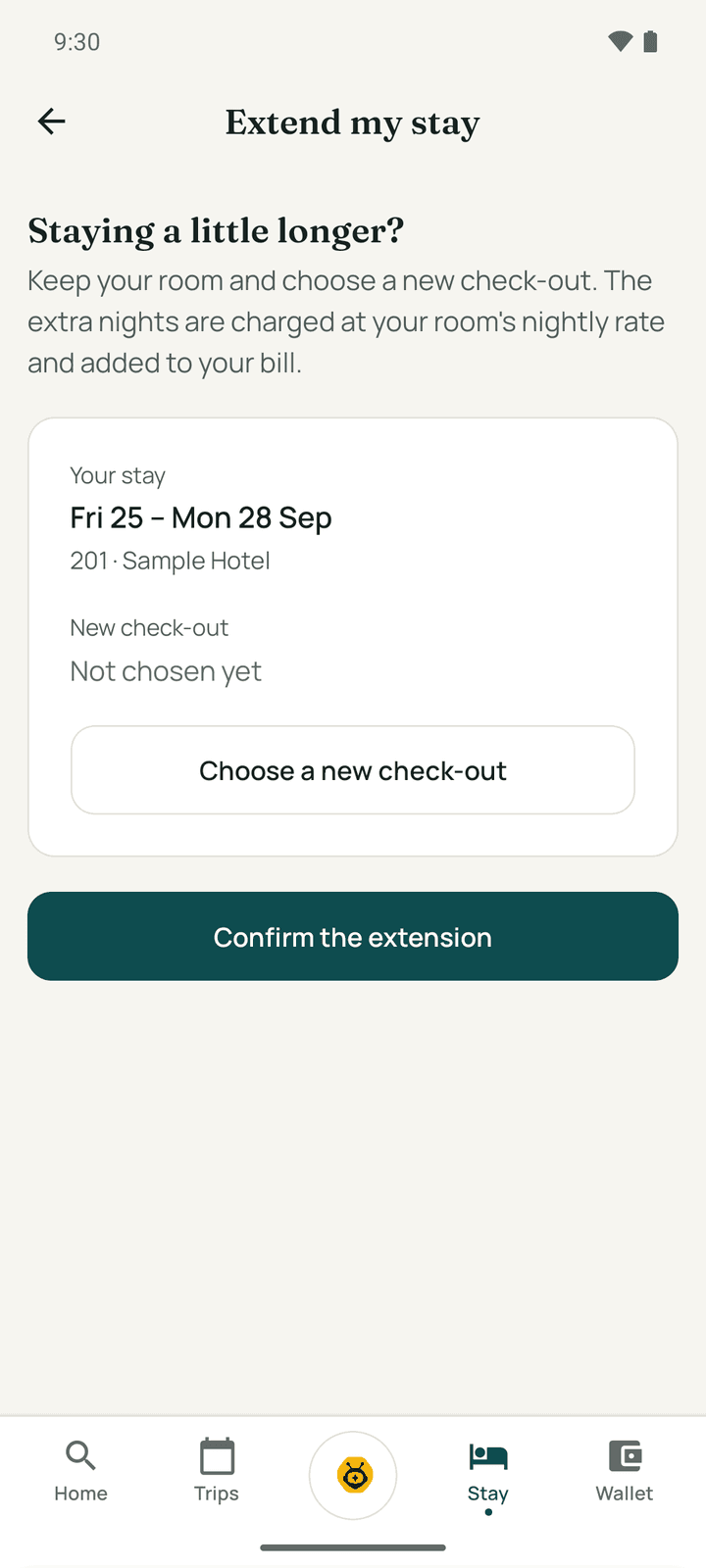
Tap Extend my stay ("Staying a little longer?"). Choose a new check-out on the calendar, tap Use this check-out, check the new total and tap Confirm the extension. You see Your stay is extended. Extending opens once you are checked in, and depends on the room being free.
Check out
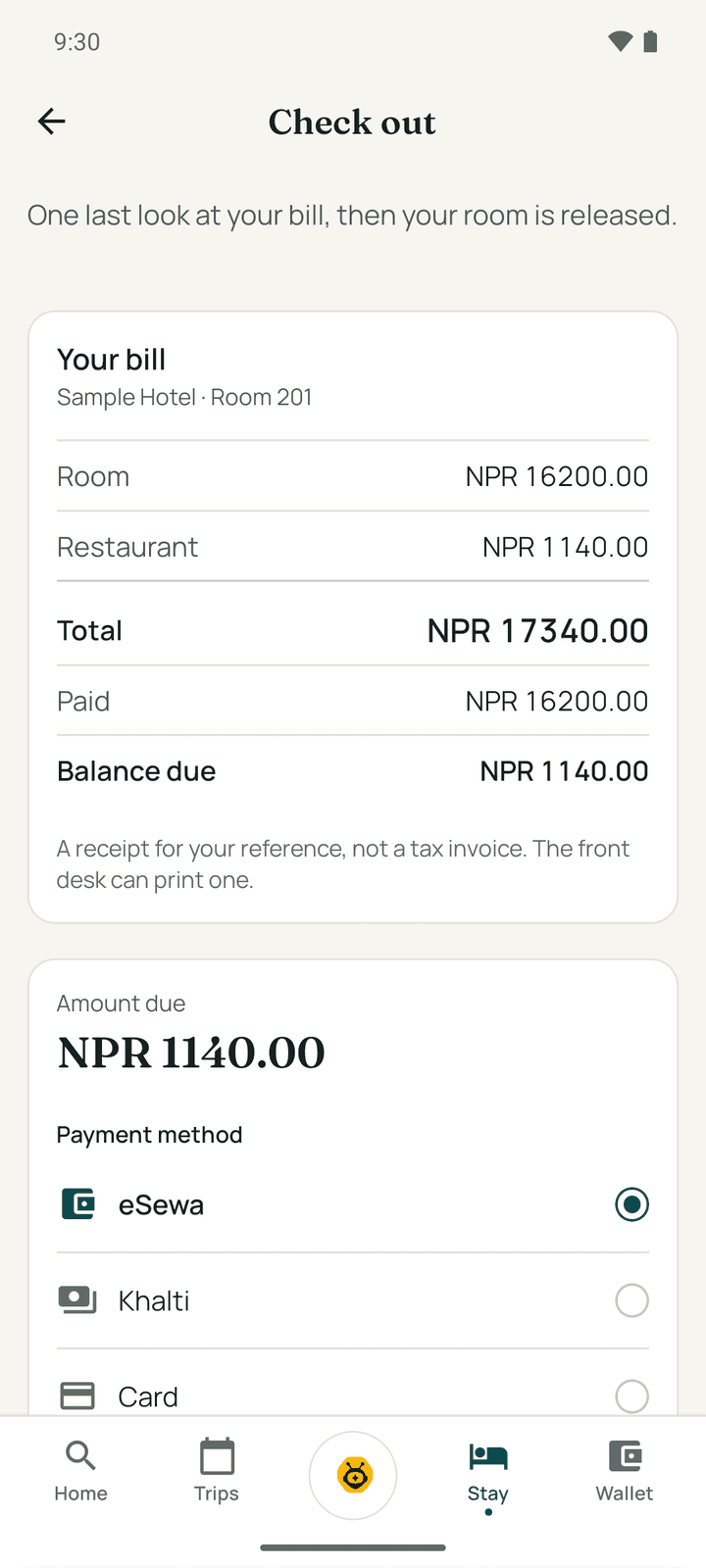
On your last day the big button is Check out ("One last look at your bill, then your room is released").
- Check Your bill: every line, the Total, what you have Paid and the Balance due.
- If anything is owed, settle it on the same screen.
- Tap Confirm check-out.
You see "Safe travels, Emma", the Stayantra Rewards points you earned, and Rate your stay. Hand your key back at reception.
Check-out waits when money is owed, when an order is not on the bill yet, or when a company bill needs the desk. Settle it or ask the front desk.
Rate your stay
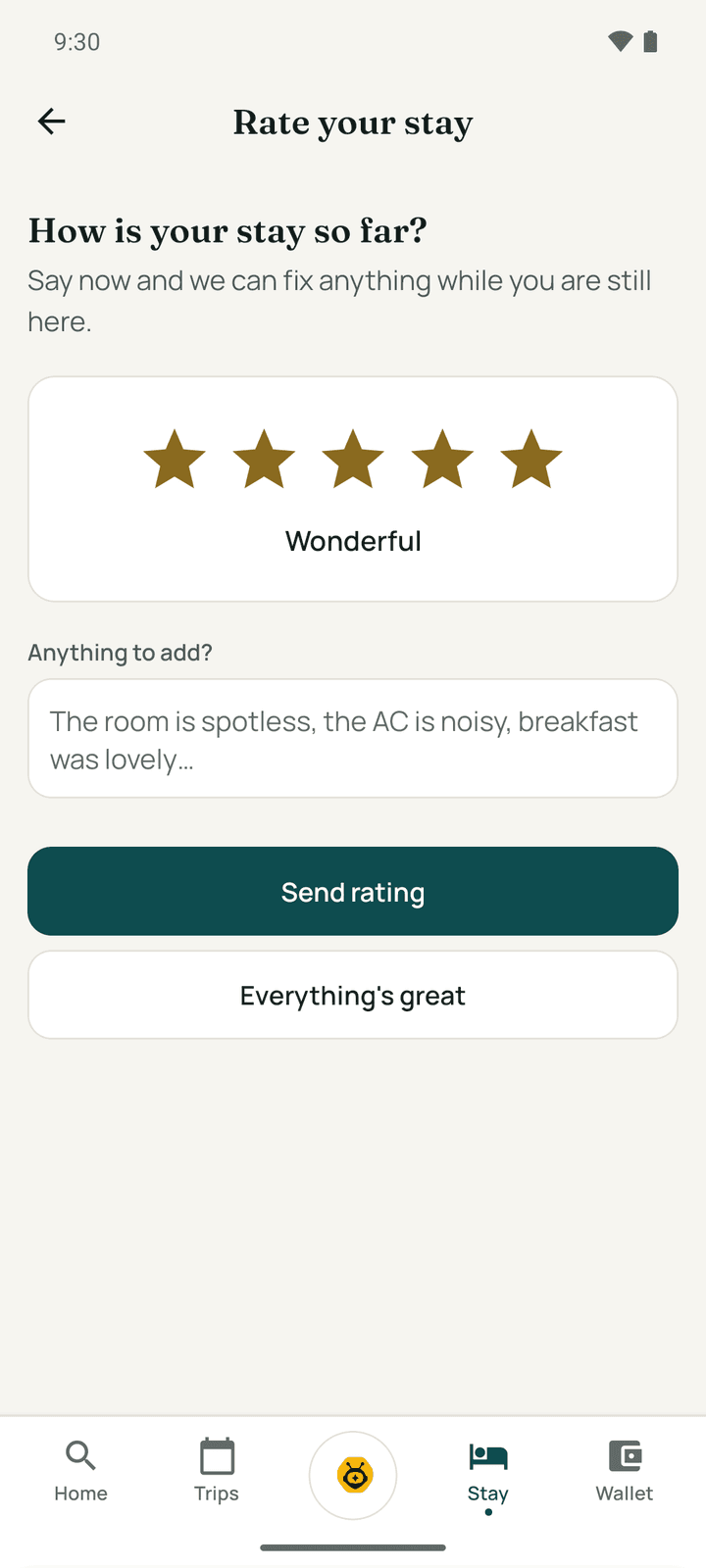
Tap Rate your stay (during the stay or after). Choose the stars, add Anything to add? and tap Send rating, or Everything's great. The rating goes to the hotel. After check-out you can also write a review from the trip (Rate your stay in Trips), with a headline and more detail.
Emergencies
For a confirmed or current stay, the Stay tab has an Emergency button at the top. It scrolls to In an emergency: the hotel's reception, the hotel's emergency numbers, and Nepal's national lines: Police 100, Fire 101, Ambulance 102, Tourist Police 1144. Tap one to call. The list works offline.
Without a signal
The Stay tab, your bill and the emergency numbers show the last saved copy, with You are offline. Requests, late check-out and early check-in asks, and ratings are saved on the phone and sent when you are back online ("1 action waiting to sync"). Paying, ordering food and checking in need a connection.
The Stayantra Go app
Install Stayantra Go, sign in or link a booking, find and book a hotel, keep your trips, collect Stayantra Rewards and change your settings.
Rewards and referrals
Earn and spend Stayantra Rewards points, use vouchers and birthday offers, refer friends, and see how hotels are ranked.