
Maintenance and security
This page is for maintenance technicians and security guards using Stayantra Connect, and for the managers who follow their work.
Where to find it: maintenance staff open Today (My tasks) and More → Assets & maintenance. Security guards open Today (Security log) or More → Security log. Who can use it: staff with the maintenance or security job; managers and owners.
Maintenance
Your work orders
A fault reported by housekeeping, the front desk, a guest or a manager becomes a maintenance task. Open More → Assets & maintenance (Maintenance, "Assets and preventive schedules"). The My work orders tab lists the ones assigned to you, with their status (Pending, In progress, Completed, Flagged, Cancelled) and priority (High, Medium, Low).
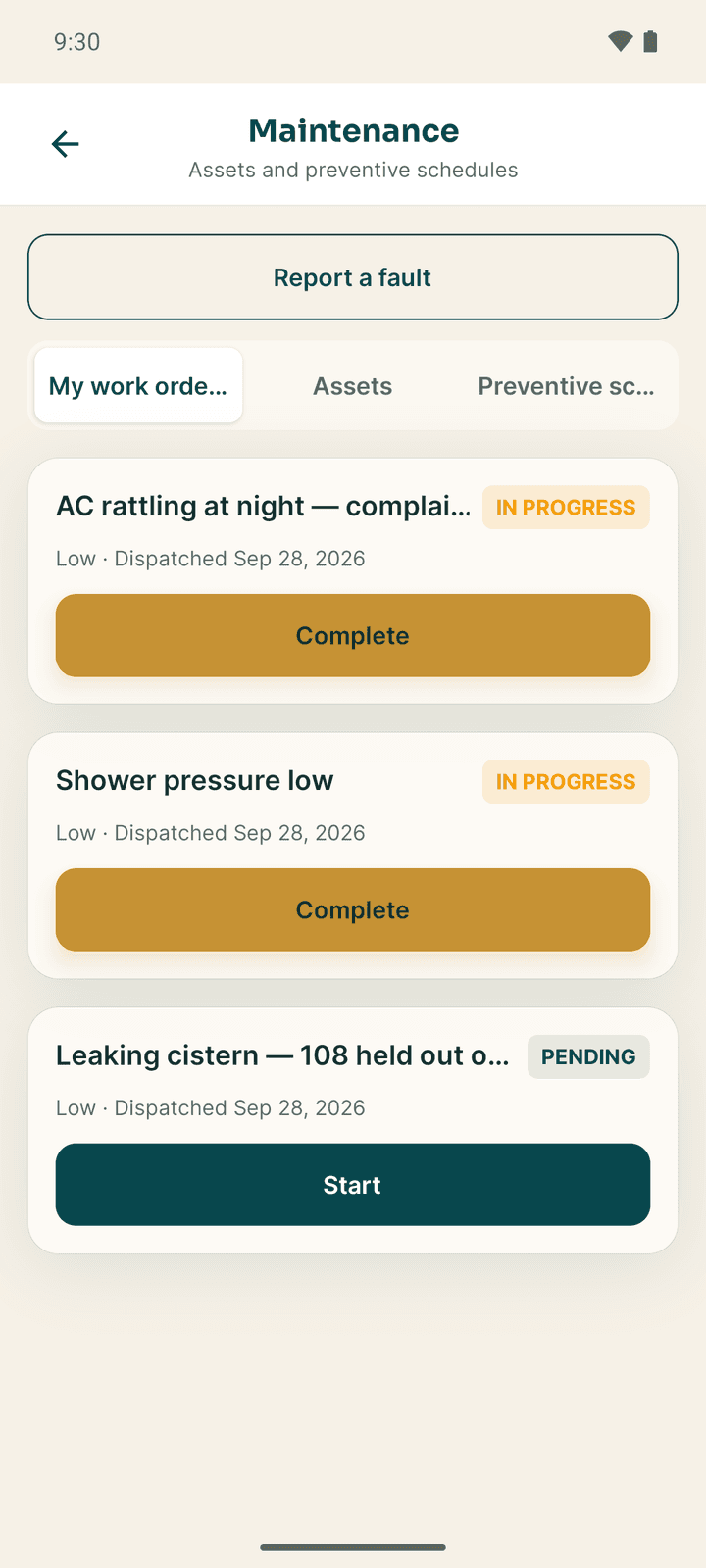
The same orders are on your Tasks tab and on Today (My tasks), where you can also take open maintenance tasks that nobody has claimed yet (Take this task).
Start the order
Tap Start. A Before photo — optional camera opens; take a photo of the fault or Skip & start.
Do the repair
While the order is in progress, Today shows it with the Asset (tap Open asset for its history), any outside Technician assigned by a manager, and Finish the job.
Complete it
Tap Complete (or Record parts and complete on the Work screen). In Complete work order:
- Spare parts used: Add a part, Choose a part from the maintenance store and enter the Quantity. The parts come off the store's stock.
- After photo: show the finished repair. Some hotels require it before an order can be closed.
- Notes: what you did.
Tap Complete. Parts are saved first, then the photo, then the order is closed.
Report a fault yourself
Tap Report a fault at the top of the Maintenance screen. Fill What is wrong, pick the Priority (High, Medium, Low) and tap Send report. It joins the maintenance queue. If no technician is on shift, the manager and owner are alerted.
Assets
The Assets tab is the hotel's register of equipment: generators, boilers, air conditioners, lifts, pumps. A Retired tag marks equipment no longer in use. Tap an asset to open it.
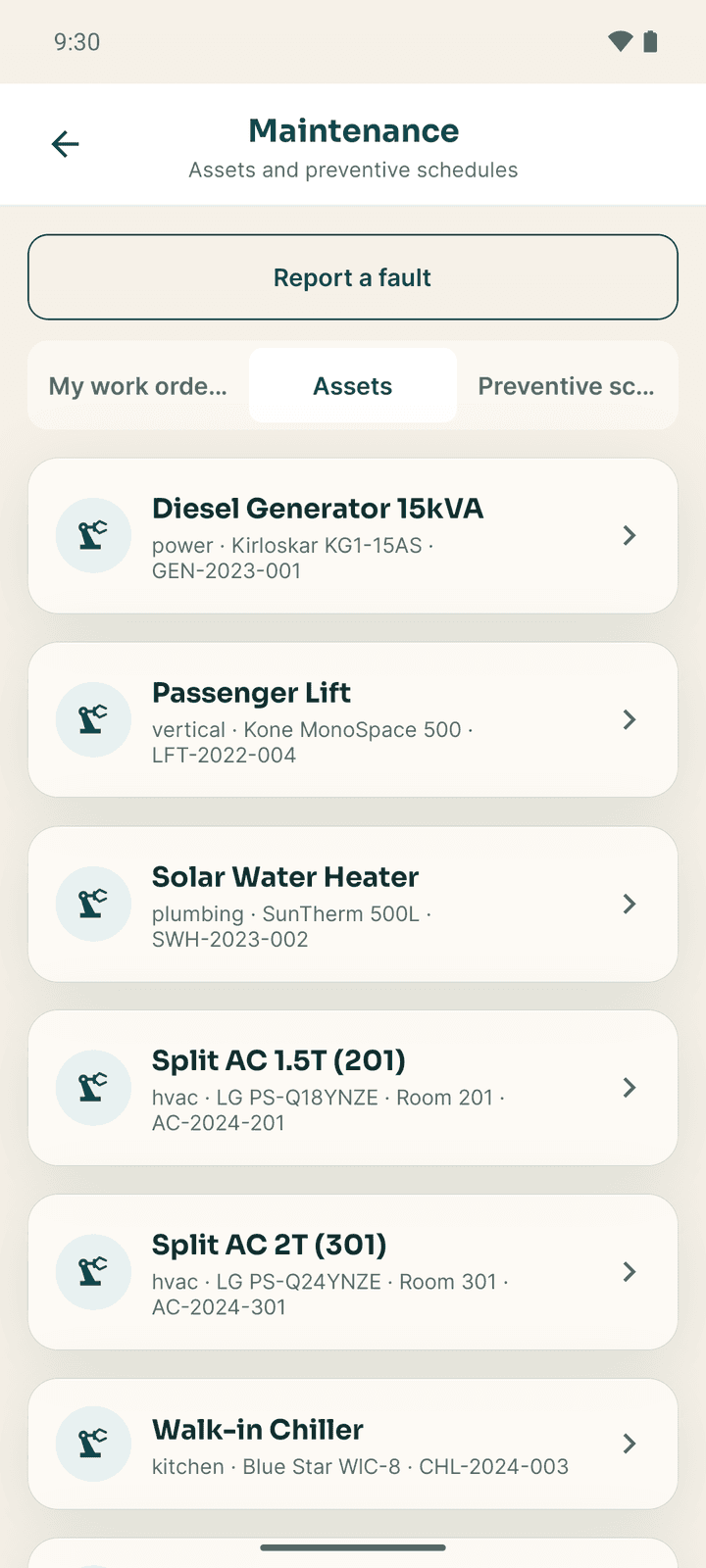
An asset shows its category, model and serial number, room, install date and notes, and:
- Service contact: the outside company that services it.
- Preventive schedules for it, Open work orders and History, with Start and Complete on each order.
- Raise work order (managers): sends a new order to the maintenance queue, with the asset's name added to the note.
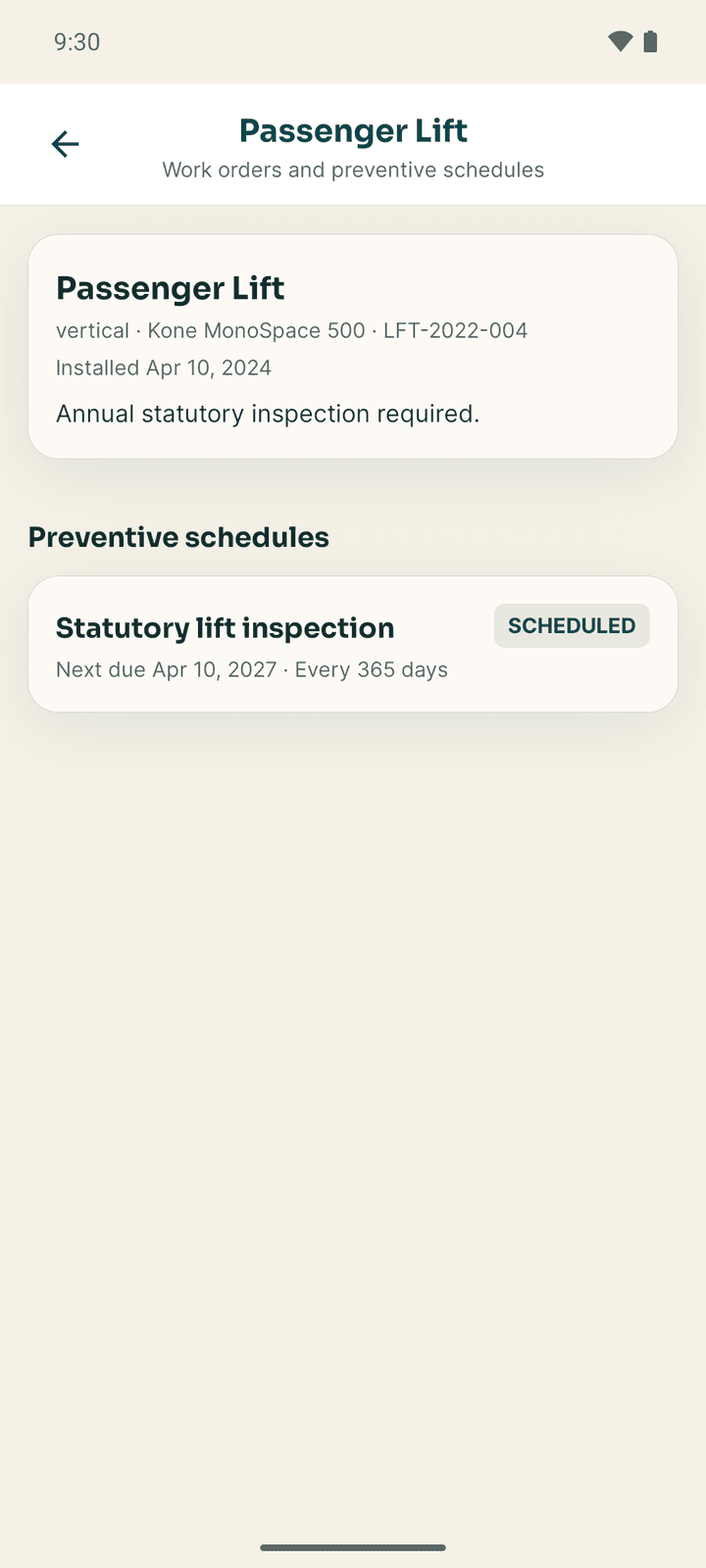
Assets are added and edited in the web app under Housekeeping & Maintenance → Asset Registry.
Preventive schedules
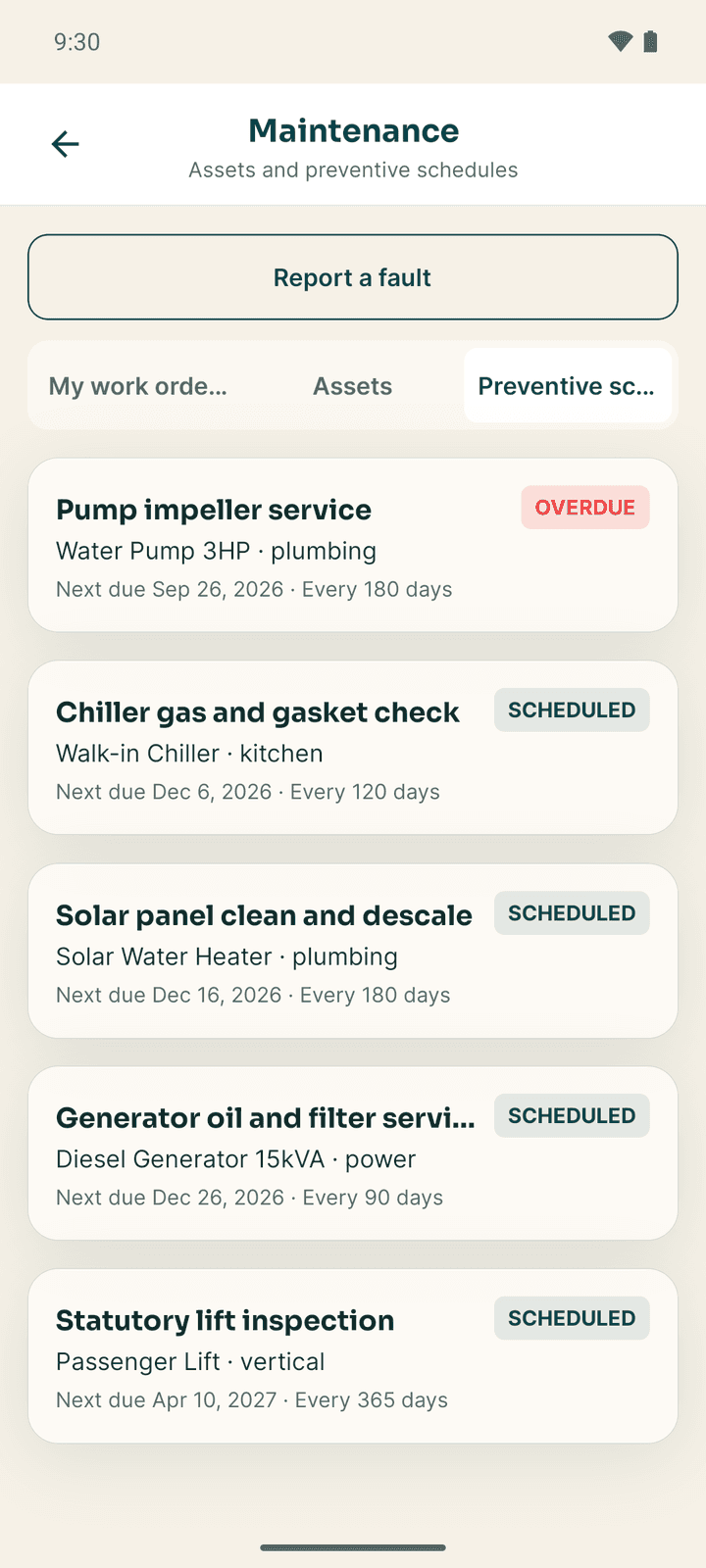
The Preventive schedules tab lists regular servicing, such as "every 90 days", with the Next due date. Overdue means the date has passed; Due soon means within 7 days; Scheduled means later. A Paused schedule is not running.
Security
The security log
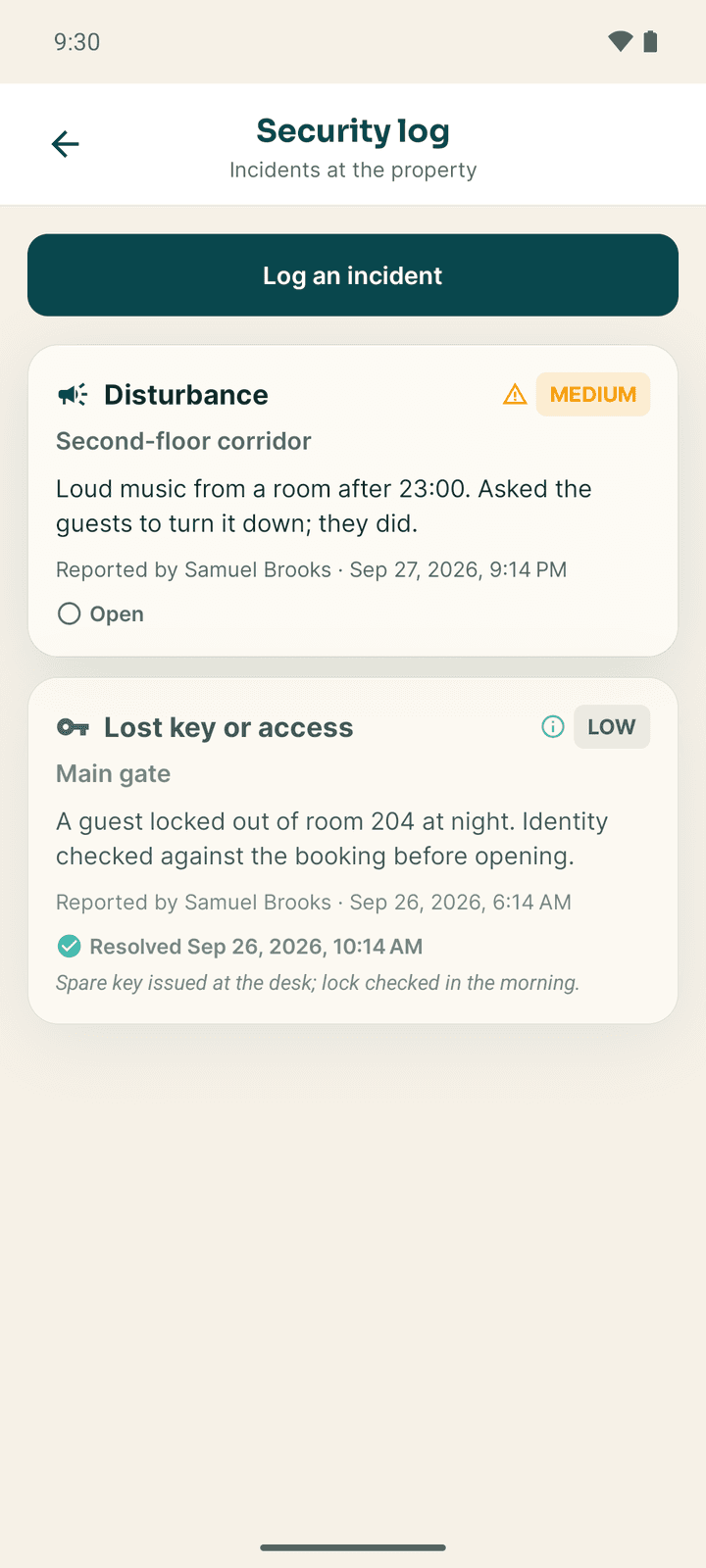
With the security job, Today opens the Security log ("Incidents at the property"). Each entry shows what happened, where, who reported it and when, and whether it is Open or Resolved. Tap View photo to see an attached photo.
Log an incident
Open the form
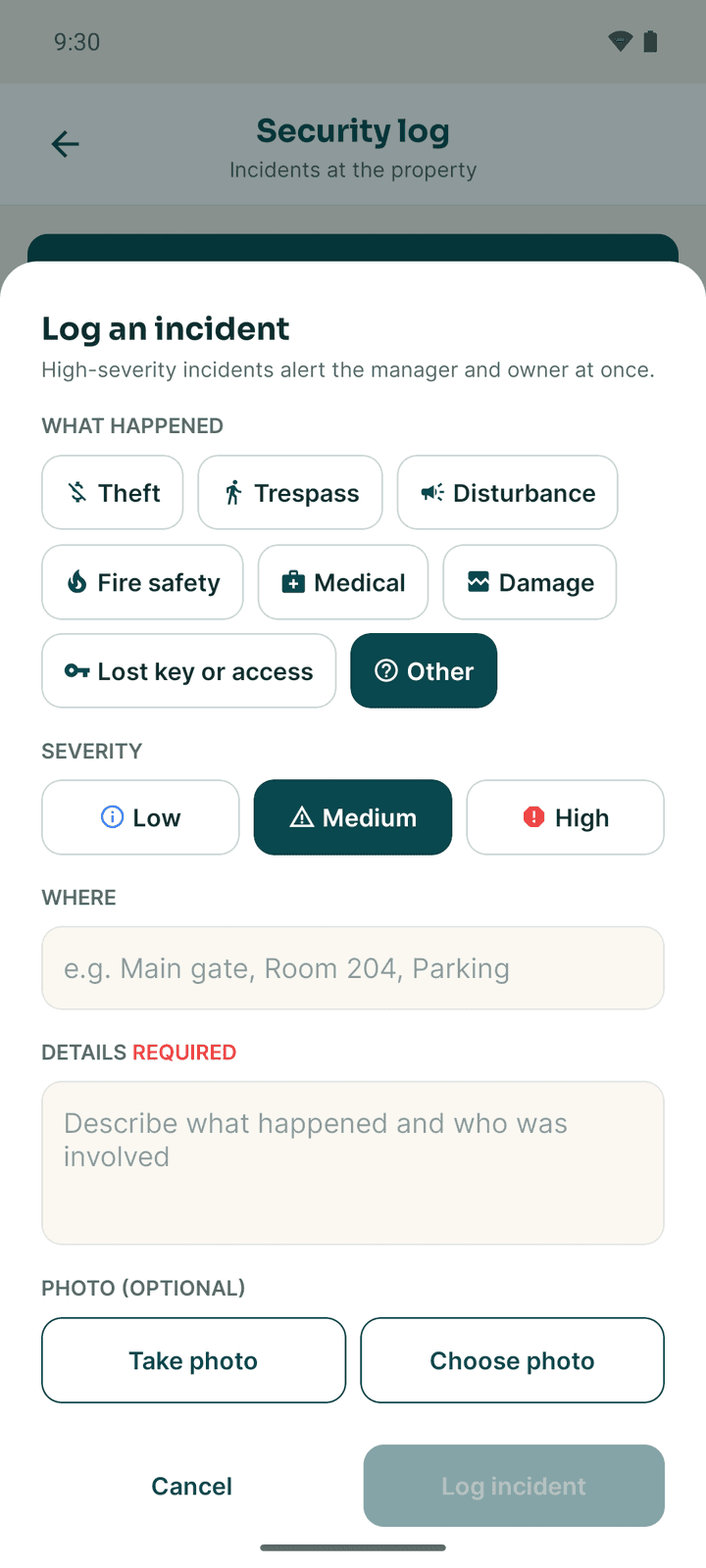
Tap Log an incident.
Describe it
- What happened: Theft, Trespass, Disturbance, Fire safety, Medical, Damage, Lost key or access or Other.
- Severity: Low, Medium or High.
- Where, for example "Main gate, Room 204, Parking".
- Details: what you saw.
- Photo (optional).
Save
Tap Log incident. A High incident alerts the manager and owner at once.
Resolve an incident
A manager or owner taps Resolve on an open incident, writes a Resolution note, and saves. The entry then shows Resolved with the time.
Emergencies
Every staff member can open More → Emergency manifest (everyone in the building, floor by floor) and More → Contacts → All emergency numbers (the hotel's emergency contacts and Nepal Police 100, Fire brigade 101, Ambulance 102, Tourist Police 1144). Both work offline from the last saved copy. See Front desk and cashier.
If something goes wrong
| What you see | What to do |
|---|---|
| Spare parts are not available on your account. | Your account cannot draw parts from stock. Ask a manager to give you the maintenance job. |
| Your role does not include the asset register. | Ask a manager to add the maintenance job to your account. |
| The order is refused with a note about an after photo | The hotel requires an after photo. Add one and complete again. |
| No Security log | Your account does not have the security job. |
Housekeeping
Clean and release rooms, work your task list, add photo proof, log linen, record lost property, check minibars and report faults from the Connect app.
Kitchen and service
Cook from the kitchen ticket board, take table and room orders, bill and split them, and manage table bookings in the Connect app.