
Book online
The Stayantra marketplace lets you book directly with hotels, with no booking-site markup. You can pay online with eSewa, Khalti, Fonepay or a card, or pay at the hotel where the hotel allows it. This page walks through every step, from searching to cancelling.
Where: marketplace.stayantra.com in any browser. The Go app has the same steps; see The Go app.
Who: anyone. You do not need an account to book, but some things (Rewards points, vouchers, company billing, event quotes) need you to sign in.
Find a hotel
Search
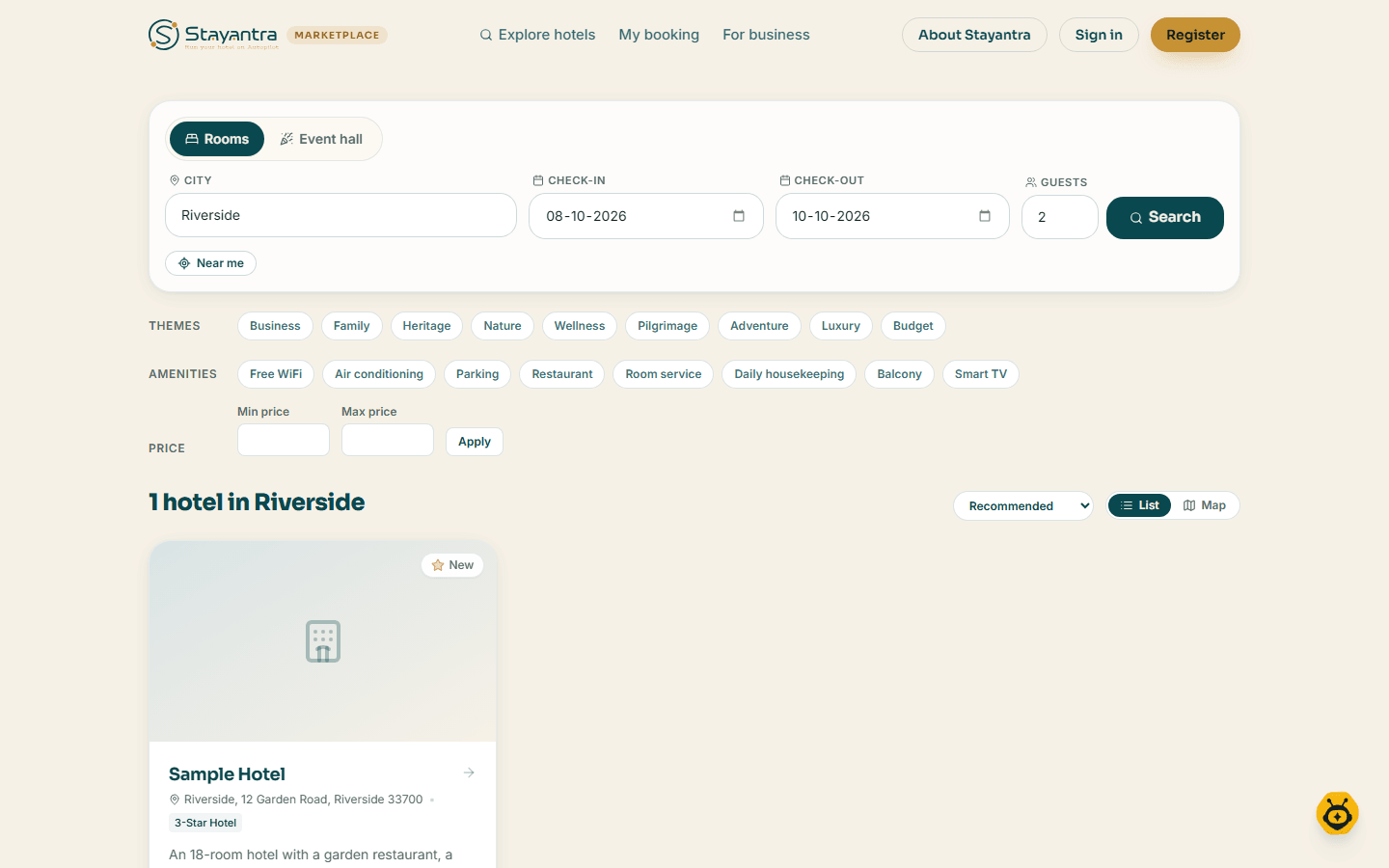
On the home page, under Find your perfect stay — without the markup, keep Rooms selected and fill in Destination (a city or hotel name), Check-in, Check-out and Guests. Click Search.
To look for hotels around you, click Near me and allow location access.
Narrow the results
On the results page, use the filters: Themes (Business, Family, Heritage, Nature, Wellness, Pilgrimage, Adventure, Luxury, Budget), Amenities (Free WiFi, Air conditioning, Parking and more) and Price (Min price, Max price, Apply). Clear all removes them.
Sort by Recommended, Price: low to high, Price: high to low, Top rated, or Nearest first after a Near me search. Where maps are on, switch between List and Map.
Open a hotel
Each card shows the price per night including taxes and fees. Click the hotel to see its page, or Book Room to go straight to booking.
If nothing matches you see No hotels found, with Clear filters or Browse all cities.
City pages
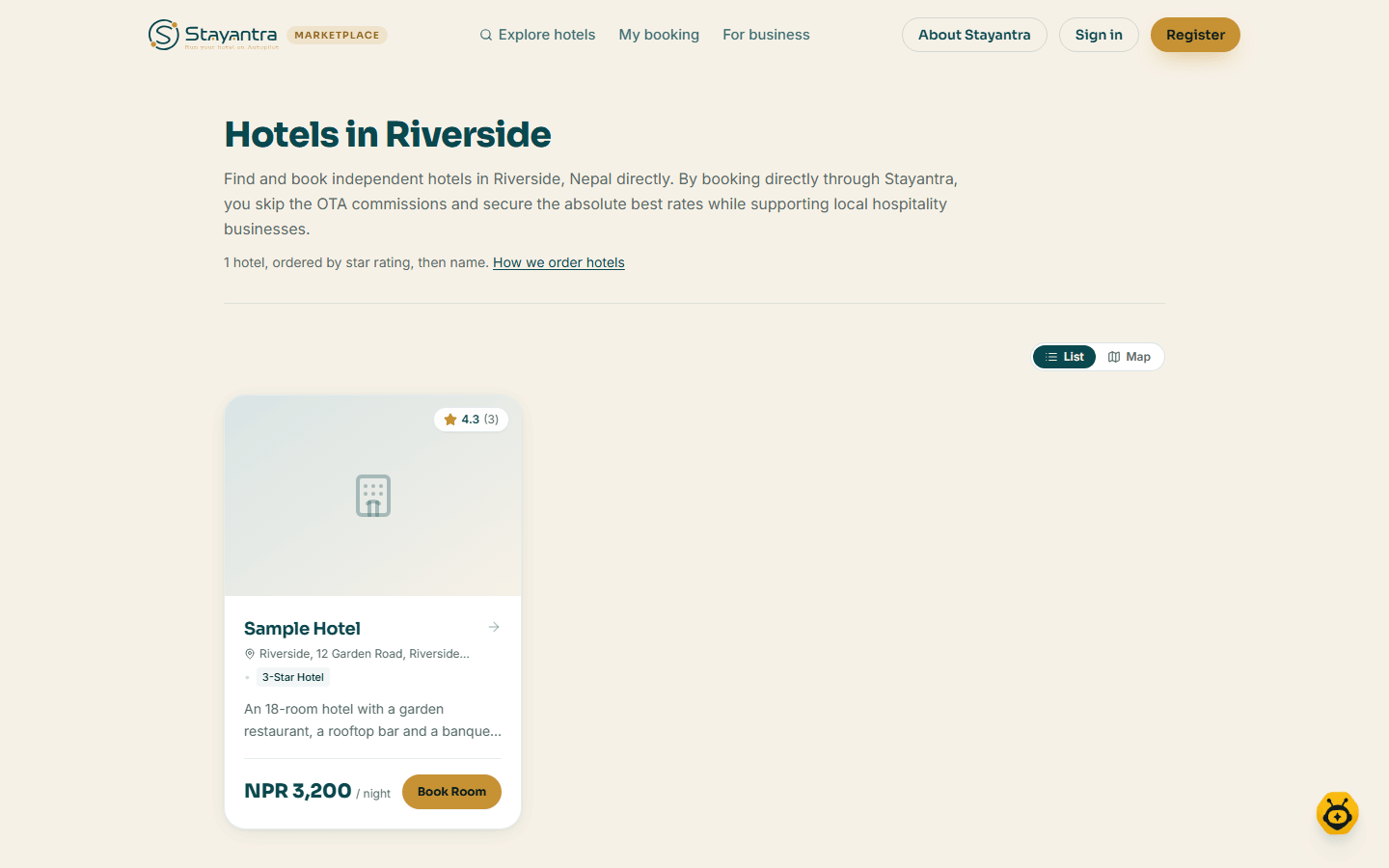
Each city has its own page, Hotels in followed by the city, listing every hotel there, ordered by star rating and then name. The first page also shows Featured in the city. The link How we order hotels explains the ranking; see Rewards and referrals.
The hotel page
A hotel's page shows its photos, star rating, guest rating and price from, then these sections: About, Room Types, Hotel Amenities, Event halls (if it has any), Guest Reviews, Hotel Policies (check-in, check-out and cancellation), Location (with Get directions), and Other Hotels in the same city.
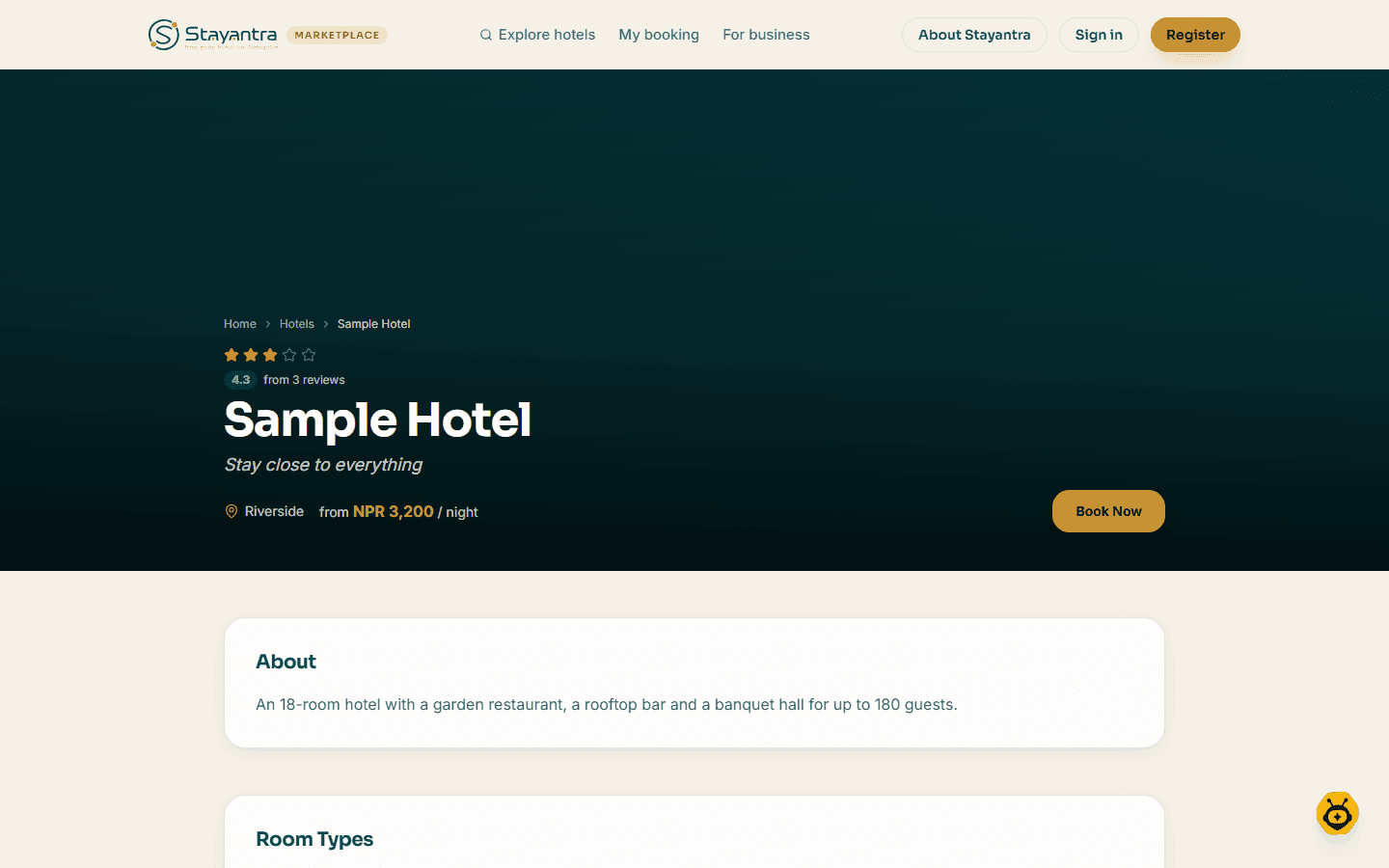
Under Room Types, enter dates and guests and click Check availability. Each room then shows Book this room, Sold out for these dates, or Too small for your party. Book Now at the top (or at the bottom on a phone) starts a booking.
At the bottom of the page you can also send the hotel a group request or Reserve a table (if the hotel takes table requests).
Book a room
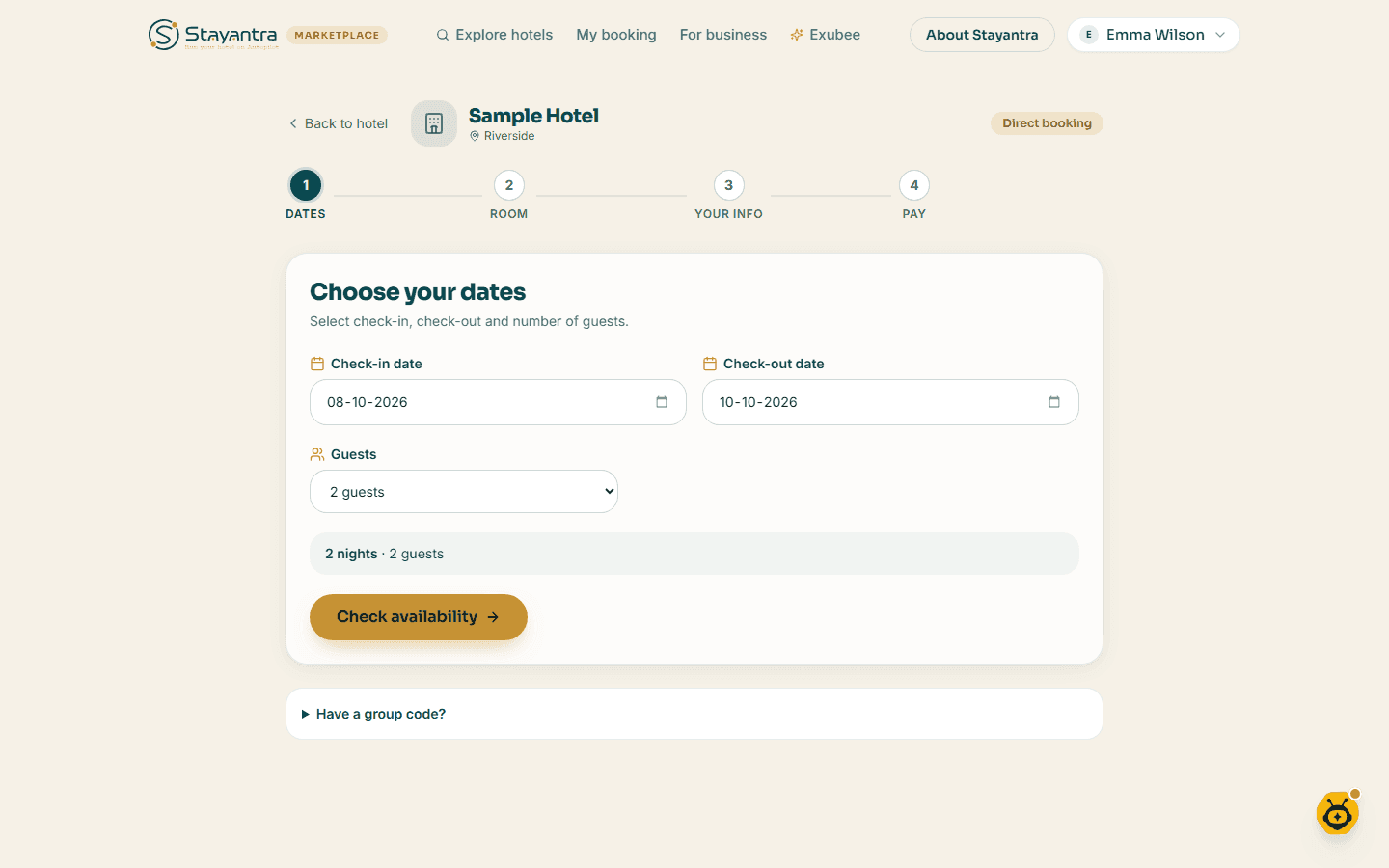
Booking has four steps — Dates, Room, Your info, Pay — then Confirmed. If you refresh the page, you come back to the step you were on.
Dates
Under Choose your dates, fill in Check-in date, Check-out date and Guests, then click Check availability.
If the hotel gave your group a code, enter it under Have a group code? in Group code and click Use code. The group's rate and dates then apply.
Room
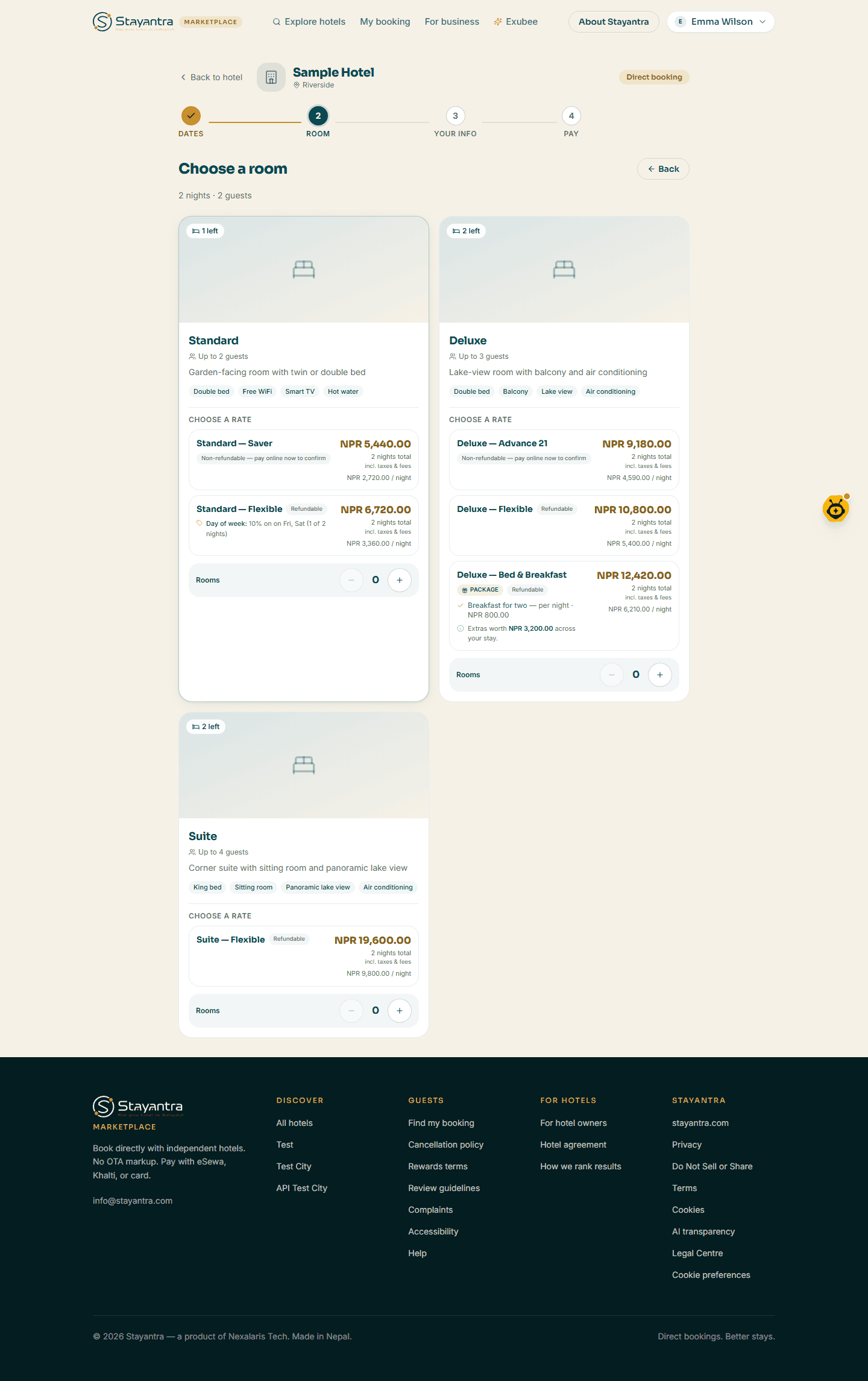
Under Choose a room, each room type shows how many guests it sleeps, how many are left, and under Choose a rate the rates you can book, each with the total for your stay and the price per night, including taxes and fees:
- Refundable — you can cancel under the hotel's terms.
- Non-refundable — pay online now to confirm — cheaper, but must be paid now and is not refunded.
- Package — includes extras such as meals, with Extras worth … and You save ….
Click a rate to choose that room at that rate; you go straight on to Your details. (A room with no rates shows Select this room instead.)
To book several rooms on the same dates, use the Rooms steppers on each room type, set Guests in each room, then Continue. One booking holds up to 5 rooms and 10 guests (the hotel may set a lower limit); for more, send a group request.
Your info
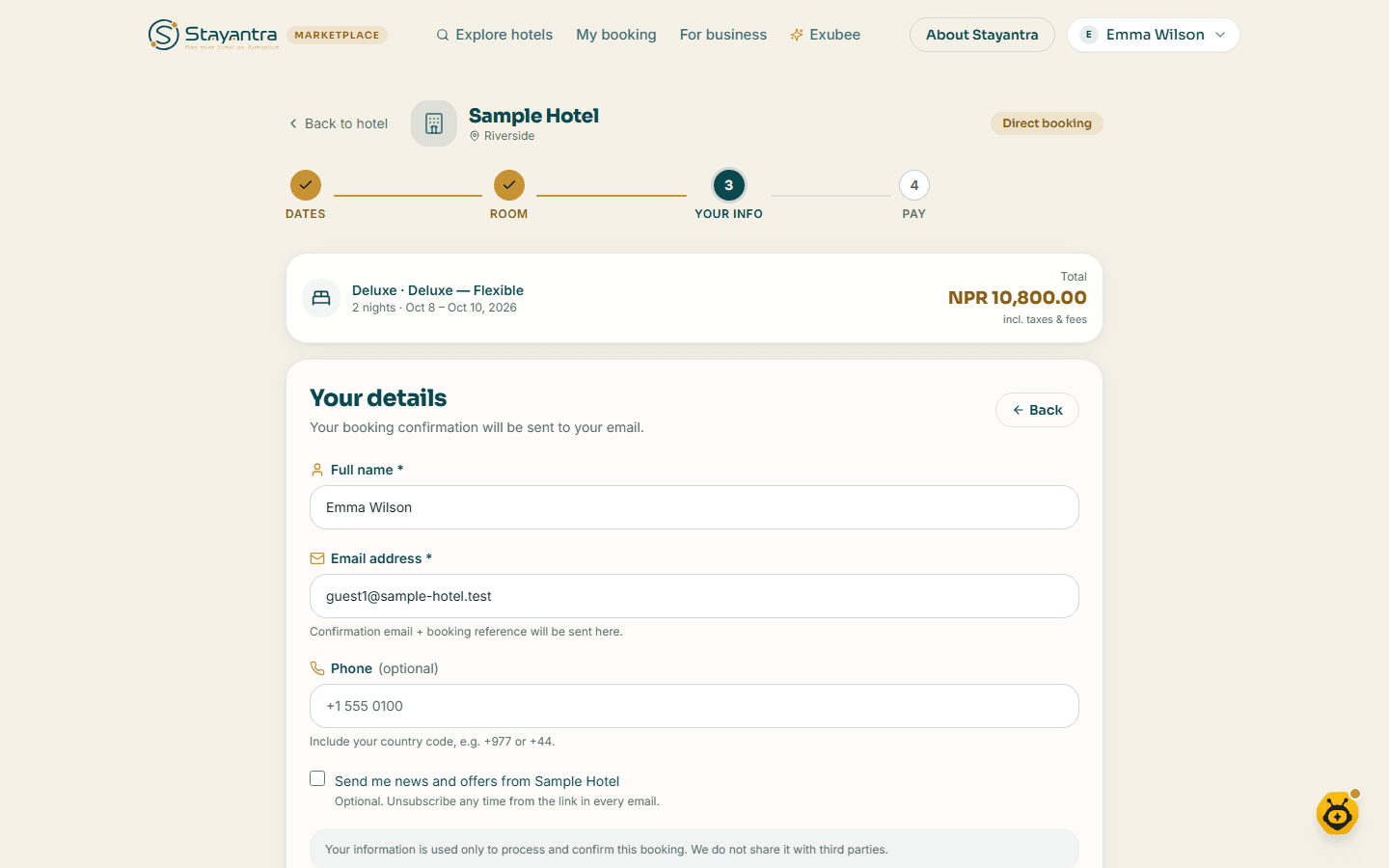
Under Your details, fill in Full name and Email address (the confirmation and booking reference go here), and optionally Phone with your country code (for example +977). Once you add a phone number you can tick Send booking updates to this number on WhatsApp. You can also tick Send me news and offers from the hotel. Click Continue to payment.
Pay
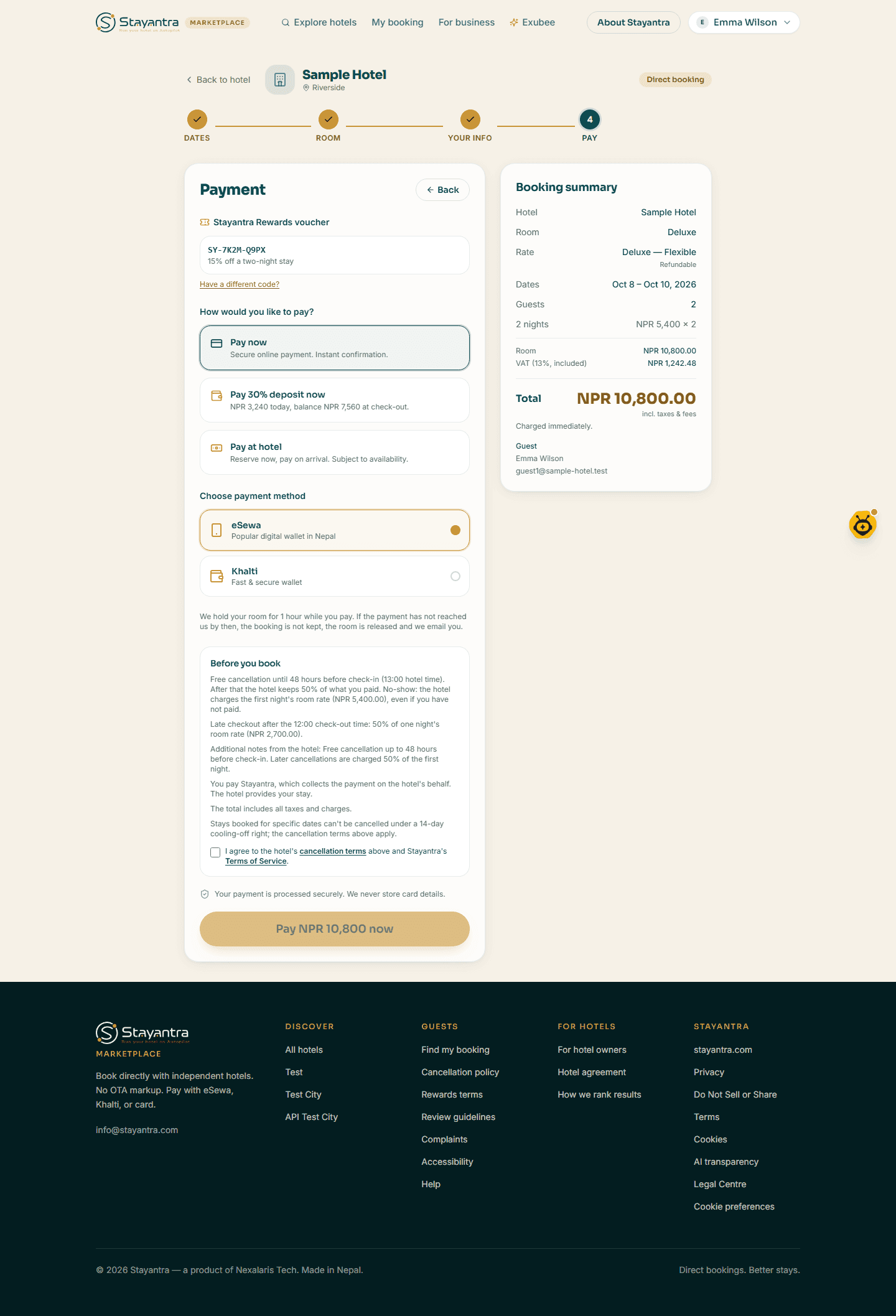
Under How would you like to pay?, choose one of the options the hotel offers (see the table below), then the payment method. Read Before you book — the cancellation terms, who you pay, and the price — and tick I agree to the hotel's cancellation terms above and Stayantra's Terms of Service. The button then says exactly what happens, for example Pay NPR 9,800 now or Reserve (pay at hotel).
Payment options
| Option | When you see it | What happens |
|---|---|---|
| Pay now | The hotel takes online payment | You pay the full amount through eSewa, Khalti, Fonepay or card, and the booking is confirmed. |
| Pay … deposit now | The hotel asks for a deposit | You pay the deposit online; the rest is due at the hotel. |
| Pay at hotel | The hotel allows it, and the rate is refundable | "Reserve now, pay on arrival. Subject to availability." |
| Pay online directly to hotel | The hotel has switched it on | You send the money yourself to the hotel's eSewa ID or bank account (shown with a QR code) before the deadline, usually 24 hours. |
| Bill to my company | You are signed in as a verified member of a company account | Your company pays under its travel policy. See Business travel. |
Payment methods:
| Method | Notes |
|---|---|
| eSewa | Digital wallet, Nepal |
| Khalti | Digital wallet, Nepal |
| Fonepay | Nepal hotels, when the hotel has set it up |
| Card (Stripe) | Visa, Mastercard, Amex. You can choose to pay in NPR or USD. |
| Pay with UPI (INR) | Where switched on, for Indian cards and apps |
While you pay, the room is held for you; the page says for how long (for example, 1 hour). If the payment has not reached Stayantra by then, the booking is not kept, the room is released and you get an email. If a payment cannot start, your room stays held and you can try again.
Rewards vouchers and points: if you are signed in, the Stayantra Rewards voucher box at the top of the payment step shows a voucher you can use; click Have a different code? to enter another (a code like SY-XXXX-XXXX) and click Apply. Some rates are priced in points. There is no separate promo-code box. See Rewards and referrals.
Confirmation
When the booking is made you see You're booked! — or Your room is held while a payment is still pending. The page shows:
- your Booking reference (keep it for check-in),
- the hotel, dates, nights, guests and Get directions,
- how you are paying: Paid, Payment pending, Deposit paid, Pay at hotel, Pay directly to hotel or Billed to your company,
- an optional Upload your ID box, so check-in is faster.
Click View my booking to open it, or Back to marketplace. You also get an email, Booking confirmed, with a calendar file attached. Before your stay you get a reminder, and after it a thank-you and a request for a review.
Ask for a group stay
For more than 5 rooms or 10 guests, a wedding, a tour or a conference, send the hotel a group request instead of booking.
Open the form
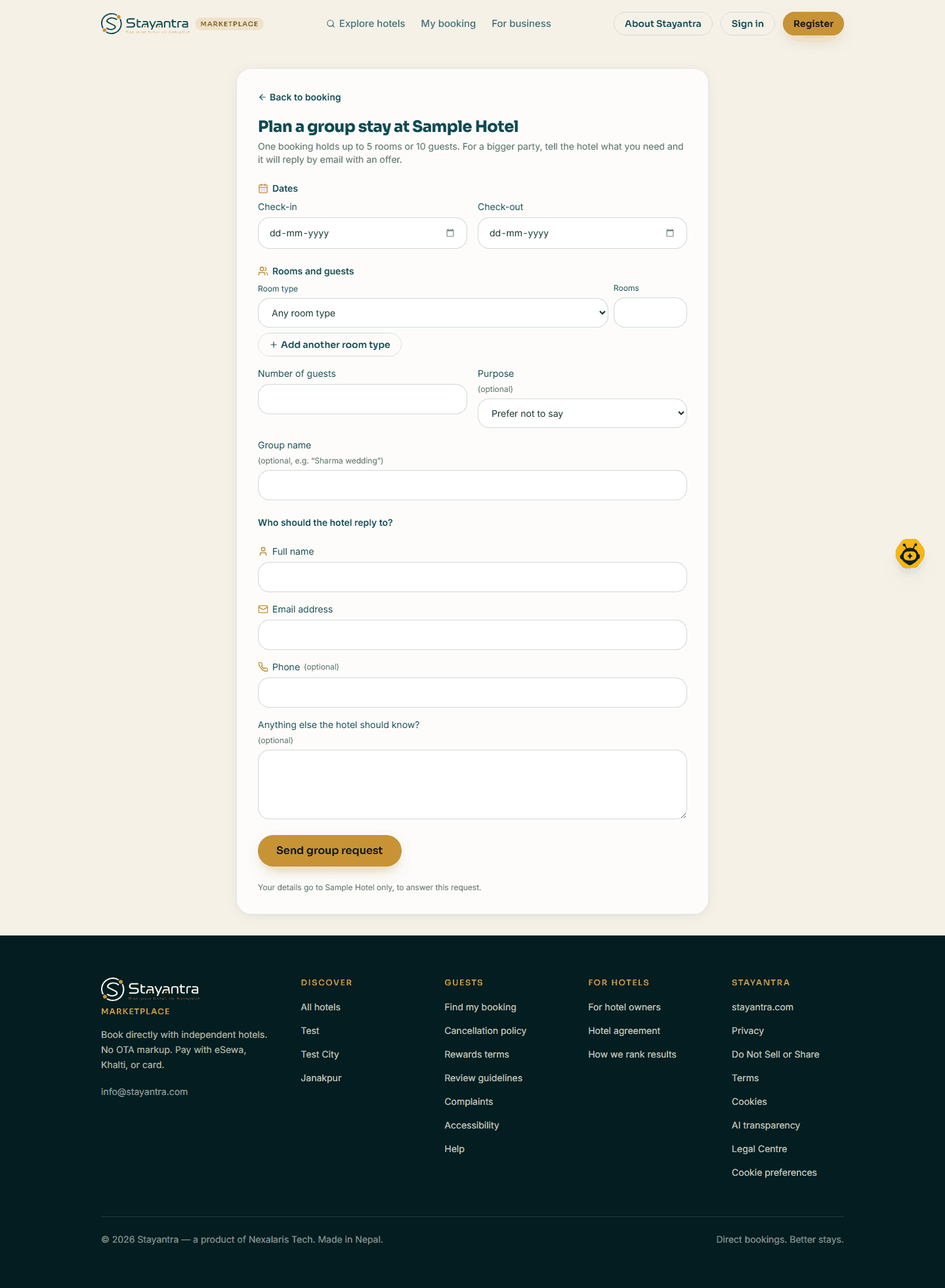
On the hotel's page, click Send the hotel a group request. The page is Plan a group stay at the hotel.
Fill it in
Enter Check-in and Check-out, then a Room type (or "Any room type") and the number of Rooms. Use Add another room type for a mix. Add the Number of guests, and optionally the Purpose (Wedding, Conference or event, Tour group, Pilgrimage or religious visit, Sports team, Company or business, Something else) and a Group name. Under Who should the hotel reply to?, fill in Full name, Email address and optionally Phone and a note.
Send it
Click Send group request. No rooms are held yet. The hotel replies by email; if it agrees, it sends a group code that you use in the Dates step to book at the group rate.
You can see or withdraw the request from the link in your email.
Reserve a table
If the hotel's restaurant takes table requests, the hotel page shows Reserve a table.
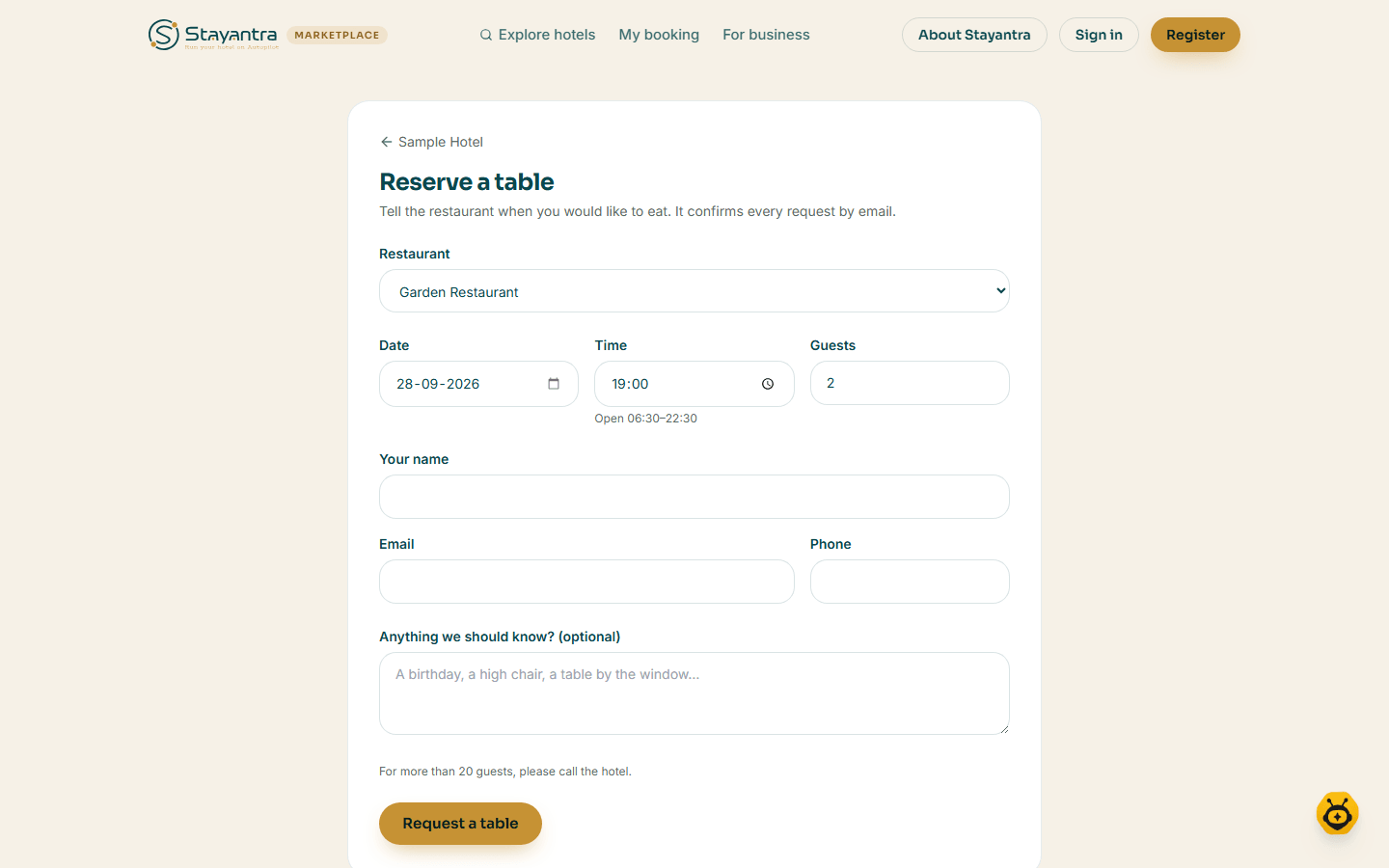
Fill in the Restaurant (if there is more than one), Date (up to 90 days ahead), Time, Guests (up to 20), Your name, Email, Phone and anything the restaurant should know, then click Request a table. This is a request, not a confirmation yet: the restaurant replies to confirm. You can view or cancel it from the link in your email, or on My table requests when signed in.
Ask for an event quote
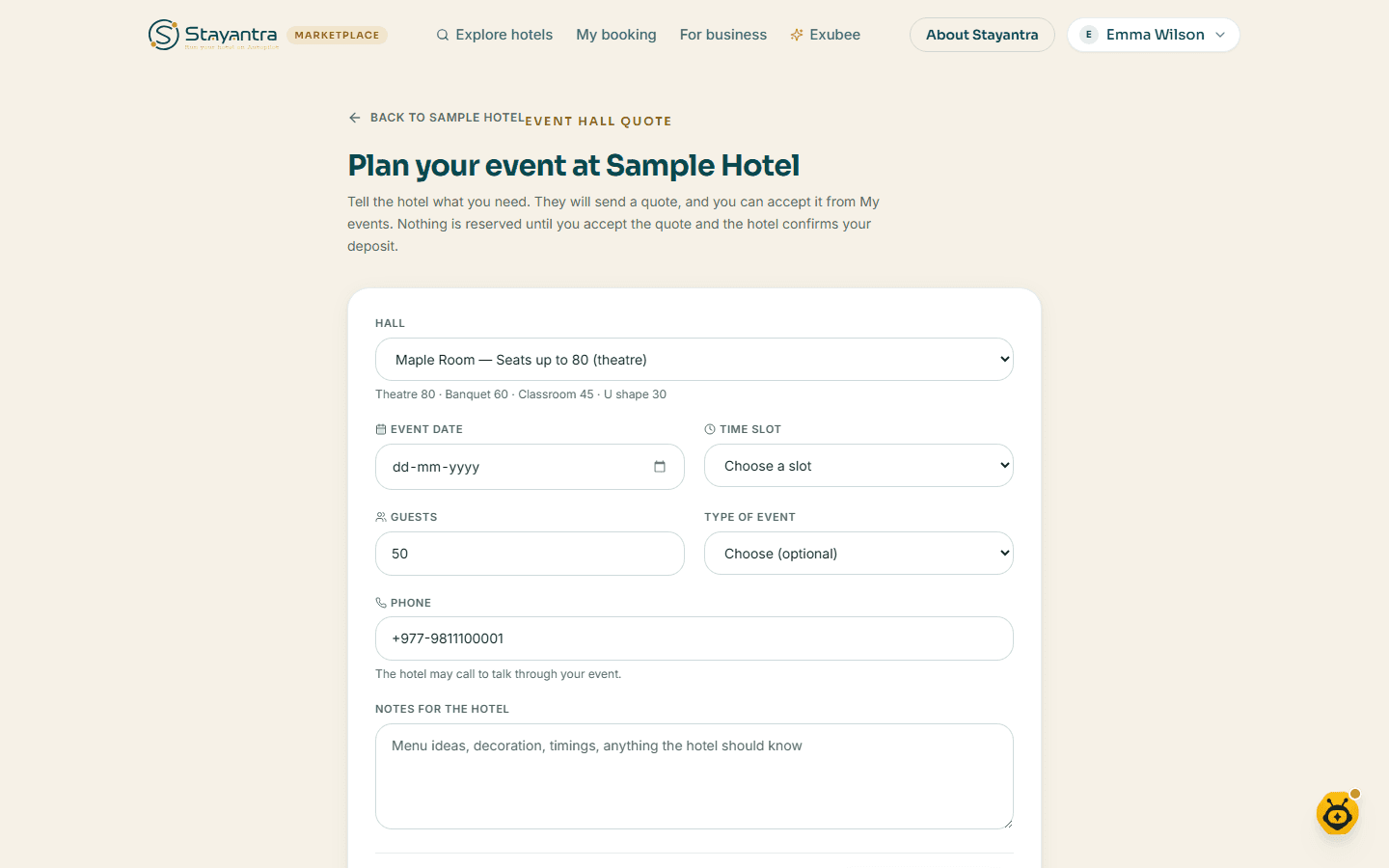
For a wedding, reception, puja, birthday or meeting in a hotel's hall, sign in first. On the hotel page, under Event halls, click Request a quote. On Plan your event at the hotel, choose the Hall, Event date, Time slot and Guests, and optionally the Type of event, a Phone and Notes for the hotel. Click Request a quote.
The hotel sends a quote, which you see and accept on My events (in your account menu). The hall is held only once you accept the quote, until the deposit is paid.
You can also search for halls from the home page: switch the search to Event hall, then choose Event date, Slot and Guests, and click Find halls.
Find, change or cancel a booking
Where: My booking in the top menu.
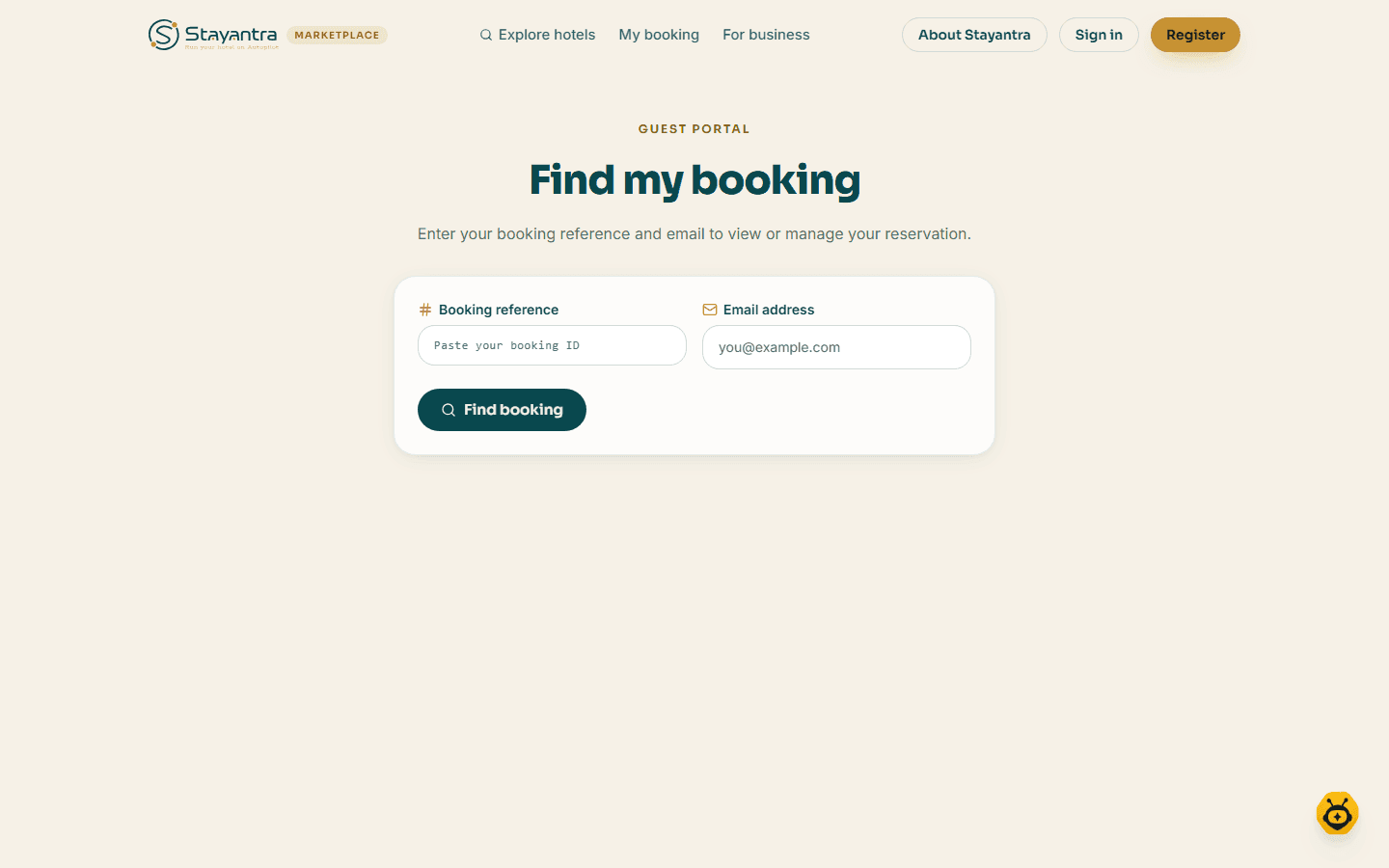
- Signed out: under Find my booking, enter your Booking reference and Email address, and click Find booking.
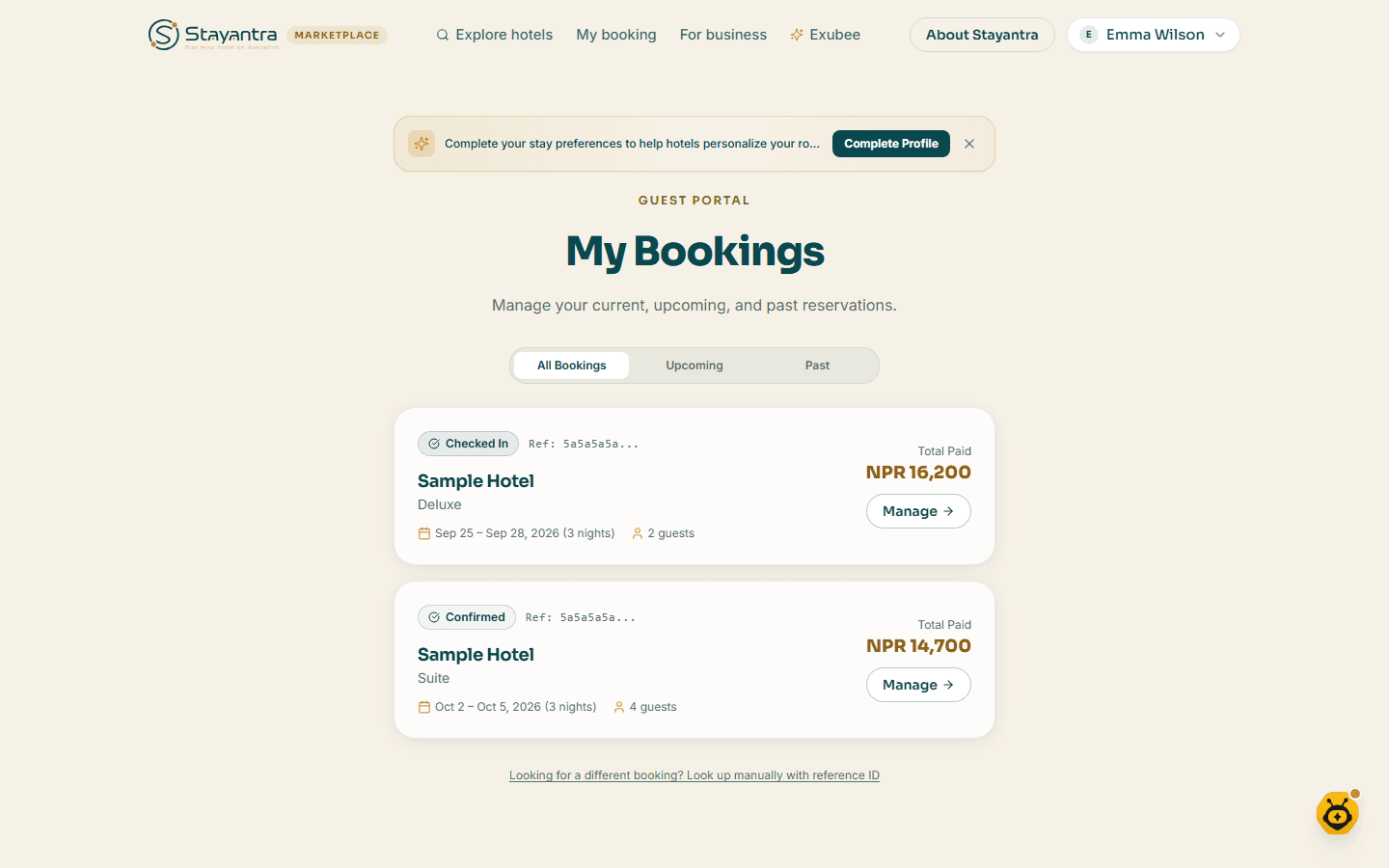
- Signed in: My Bookings lists all your bookings with All Bookings, Upcoming and Past tabs. Click Manage on one. To find a booking made with another email, click Looking for a different booking? Look up manually with reference ID.
A booking shows its status (Pending, Confirmed, Cancelled, Checked In, Checked Out), directions, and what is Due at hotel. From it you can:
- see Your bill, Download PDF, and pay what is due online (the bill is not a tax invoice; the hotel gives you that);
- pay with Rewards points during your stay;
- message the front desk;
- upload your ID;
- Change dates (for pending or confirmed bookings): choose New check-in and New check-out, click Review change to see the new price, then Confirm change. Your booking is replaced with a new one at the new dates.
- Cancel booking: you see what you get back first, then choose Yes, cancel or Keep booking.
Cancellations and refunds
Each hotel sets its own cancellation terms; you see them before you book and in your booking email. If a hotel has not set any, the default is: free cancellation until 48 hours before check-in, then 50% is kept.
Refunds are sent by the hotel's staff, by hand, usually within 3 business days, to the way you paid (a wallet refund may ask Where should we send your refund?). The full policy is on the marketplace's Cancellation page.
Claim the profile a hotel made for you
When you stay at a Stayantra hotel, the hotel may create a guest profile for you. You can take it over and keep your stays and points.
- Try to sign in or sign up with the same email. You see You already have a guest profile; click Claim it.
- Open the email Claim your Stayantra account. The link works for 24 hours.
- On Welcome back, check your hotels and points, fill in Full name, Password and Confirm password (at least 8 characters), and optionally a referral code.
- Click Claim my account. You land on your Rewards page.
If the link has expired you see This link has expired; start again from step 1.
If something goes wrong
| Message | What to do |
|---|---|
| No rooms available | Click Change dates and try other dates or fewer guests. |
| Sleeps up to … — too small for … guests | Pick a bigger room, or book more than one room. |
| The price of this stay changed to … | Prices moved while you were booking. Check the new price and continue. |
| One booking can hold at most 5 rooms and 10 guests… | Send a group request instead. |
| Payment could not be started. Your room is held… | Try again, or pick another payment method. |
| This hotel is not taking bookings online right now. | Contact the hotel directly. |
| Please tick the box to agree… | Tick the terms box above the button. |