
Privacy and your data
You control the personal information Stayantra keeps about you. From your profile you can download everything, close your account, and choose what hotels may use. Every marketing email has an unsubscribe link.
Where: Guest Profile in your account menu on the marketplace, section Privacy & Your Data. Who: signed-in guests.
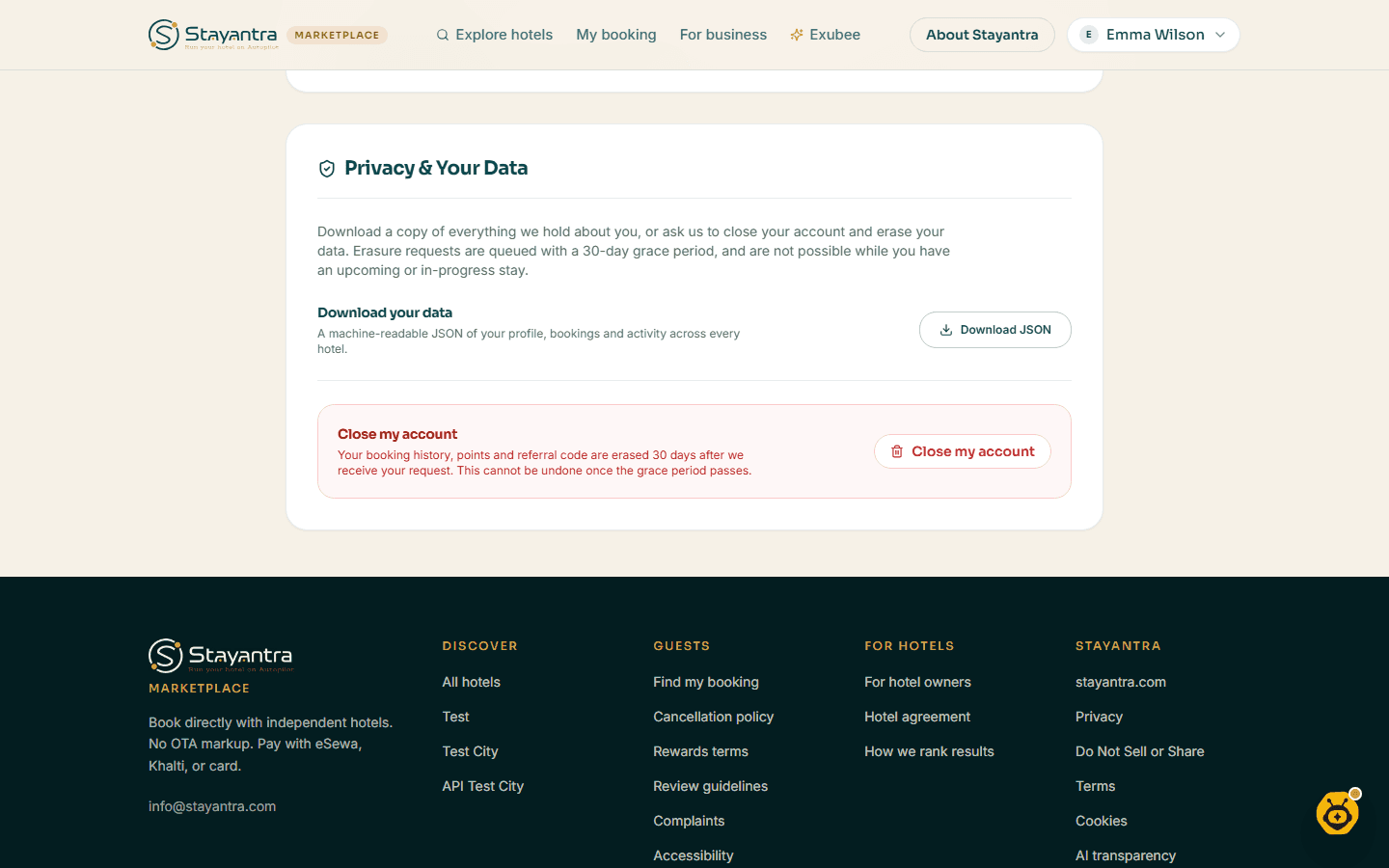
Download your data
Under Privacy & Your Data, click Download JSON. While it is prepared the button says Preparing…. You get a file called stayantra-data- followed by the date, with your profile, your bookings and your activity at every hotel.
Close your account
Ask to close it
Under Privacy & Your Data, click Close my account.
Confirm
Click Yes, close my account, or Cancel to keep it.
Wait 30 days
You see "Your request is in. Your data will be erased in 30 days — we'll email you when it's done. You are now signed out."
You cannot close your account while you have an upcoming stay or are staying at a hotel; finish or cancel the stay first. If you also work at a hotel on Stayantra, your account cannot be closed from here; ask the hotel.
Changed your mind within the 30 days? Email Stayantra at the address on the Do Not Sell or Share My Personal Information page and ask to stop the erasure.
If a legal hold applies to your records, the erasure waits until it is lifted.
Choose what hotels may use
On your profile you can switch these on or off at any time:
- Dietary, allergy and accessibility needs. Tick the consent box to let Stayantra and the hotels you book use these details to prepare for your stay. Untick it and those details are deleted straight away.
- Personalized recommendations, festival offers and room upgrades. Tick Opt-in to personalized recommendations, festival offers, and room upgrades and click Save Preferences.
Marketing emails and unsubscribing
- When you book, the box Send me news and offers from the hotel is not ticked. Tick it only if you want that hotel's news. It applies to that one hotel.
- Every marketing email has an Unsubscribe link at the bottom. It opens your email preferences, where you can turn off Marketing emails or click Unsubscribe from all emails. You then see You're unsubscribed.
- The one-click unsubscribe button your email app shows (in Gmail, Outlook and others) turns off marketing from every hotel at once.
Booking confirmations, receipts and messages about your stay are not marketing and still arrive.
Do Not Sell or Share
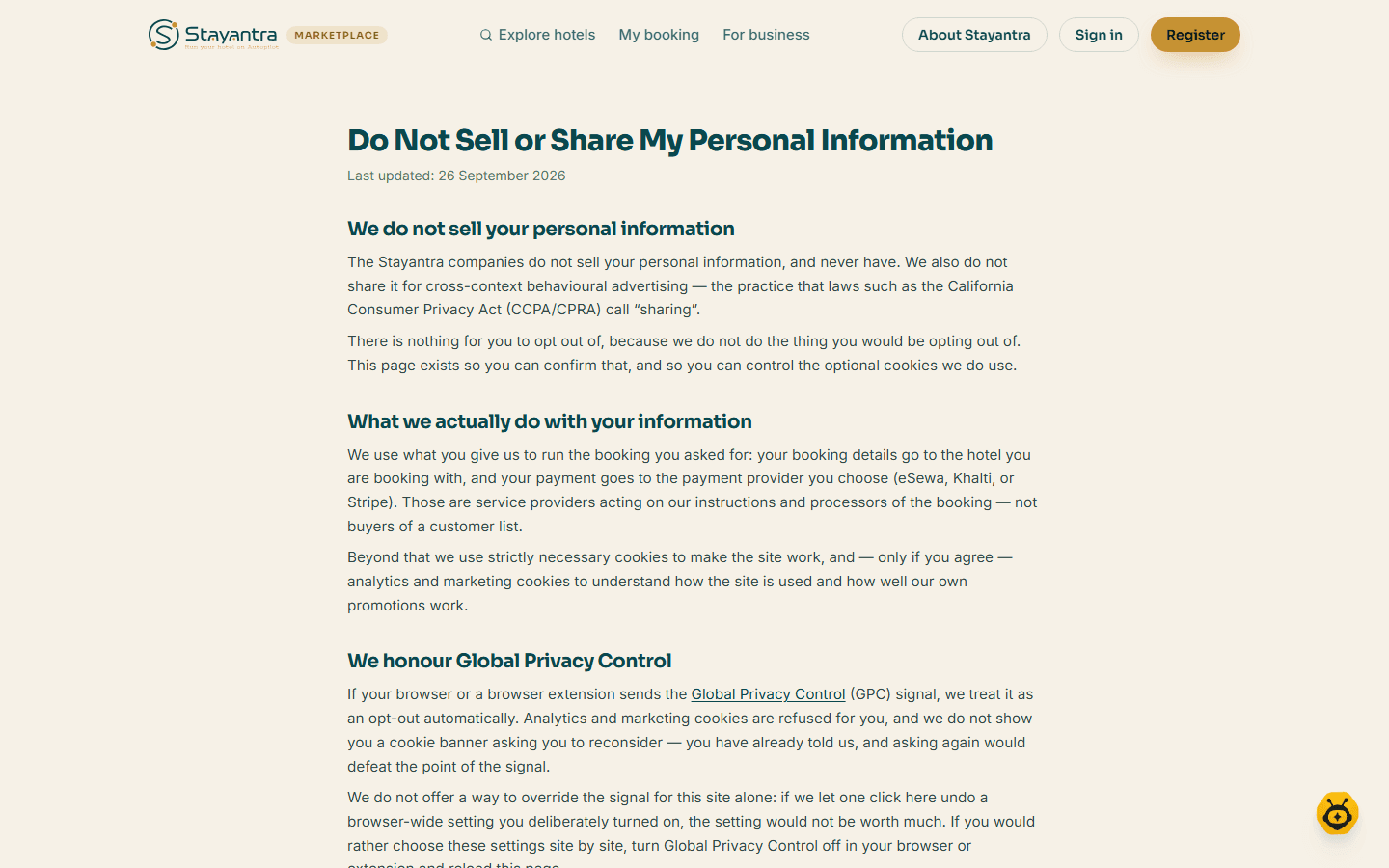
The Do Not Sell or Share My Personal Information page (the Do Not Sell or Share link at the bottom of every marketplace page) explains that:
- Stayantra does not sell or share your personal information.
- If your browser sends the Global Privacy Control signal, Stayantra honours it automatically.
- Cookie preferences lets you change your cookie choice.
- Other data requests go to the email address on that page.
In the Go app you can also switch individual kinds of push notification on or off in Settings.
For the full terms, see Stayantra's privacy policy at stayantra.com/legal/privacy.